EasyManua.ls Logo

Gemini CDJ-02 - User Manual

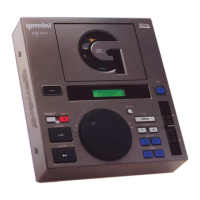
Gemini CDJ-02
12 pages
Print Icon
To Next Page IconTo Next Page
Loading...
(1)(1)
(1)(1)
(1)
MULTI-LANGUAGE INSTRUCTIONS:
ENGLISH.......................................................................................................PAGE 2
DEUTSCH.....................................................................................................PAGE 6
ESPAÑOL......................................................................................................PAGE 8
FRANCAIS.................................................................................................PAGE 10
OPERATIONS MANUAL
BEDIENUNGSHANDBUCH
MANUAL DEL OPERADOR
MANUEL D’INSTRUCTIONS
CDJ-02
PROFESSIONAL CD-PLAYER
PROFESSIONELLER CD-SPIELER
LECTOR DE CD PROFESIONAL
LECTEUR DE CD PROFESSIONNEL
Question and Answer IconNeed help?

Do you have a question about the Gemini CDJ-02 and is the answer not in the manual?

Gemini CDJ-02 Specifications

General IconGeneral
BrandGemini
ModelCDJ-02
CategoryCD Player
LanguageEnglish

Summary

Important Safety Instructions

General Cautions and Warnings

Covers initial warnings, electrical shock risks, and general operating guidelines.

Electrical and Power Safety Guidelines

Details precautions for power cords, lightning, power lines, and grounding.

Usage and Environmental Precautions

Advises on placement, water exposure, ventilation, and avoiding liquid entry.

Servicing and Maintenance Safety

Explains when to seek qualified service and the use of replacement parts.

Product Introduction and Features

Introduction

Congratulates user on purchase and recommends reading all instructions.

Key Features

Lists main capabilities: anti-shock, slot-in, LCD display, pitch control, and seamless looping.

Setup and Connections

Line Voltage Selection

Instructions on setting the unit for 115V or 230V operation using the rear panel switch.

Audio and Digital Connections

Details on connecting RCA line outputs and coaxial digital inputs for audio.

Function Descriptions

Power and Disc Handling

Explains the operation of the power switch and the disc slot.

Playback Control Functions

Details on STOP/EJECT, CUE, PLAY/PAUSE, and TRACK SKIP operations.

Display and Time Functions

Describes the main display, playback display, and time select functionality.

Looping and Pitch Control

Explains LOOP IN, LOOP OUT, RELOOP, PITCH SELECT, and PITCH BEND functions.

Operating Instructions and Advanced Features

Basic Operation

Steps for inserting a CD, selecting a track, and starting playback.

Cue Point Instructions

Guide on setting, saving, previewing, and fine-tuning cue points.

Program and Direct Select

Instructions on creating track programs and selecting tracks directly.

Troubleshooting and Specifications

Troubleshooting Common Issues

Addresses problems like discs not playing, no sound, or skipping.

Technical Specifications

Lists general and audio specifications, including dimensions and power.
Related product manuals