
 Need help?
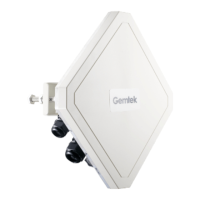
Do you have a question about the Gemtek Technology WLTMS-110 and is the answer not in the manual?
Guidelines for choosing an optimal outdoor location for the CPE.
Instructions for mounting the outdoor unit on a pole.
Steps for preparing the CAT 5E outdoor shielded Ethernet cable.
Steps to connect the prepared Ethernet cable to the CPE.
Instructions for sealing the cable connector for weather protection.
 General
| Device Type | Wireless Access Point |
|---|---|
| Model | WLTMS-110 |
| Brand | Gemtek Technology |
| Frequency Band | 2.4 GHz |
| Interface | Ethernet |
| Security | WPA/WPA2 |

 To Next Page