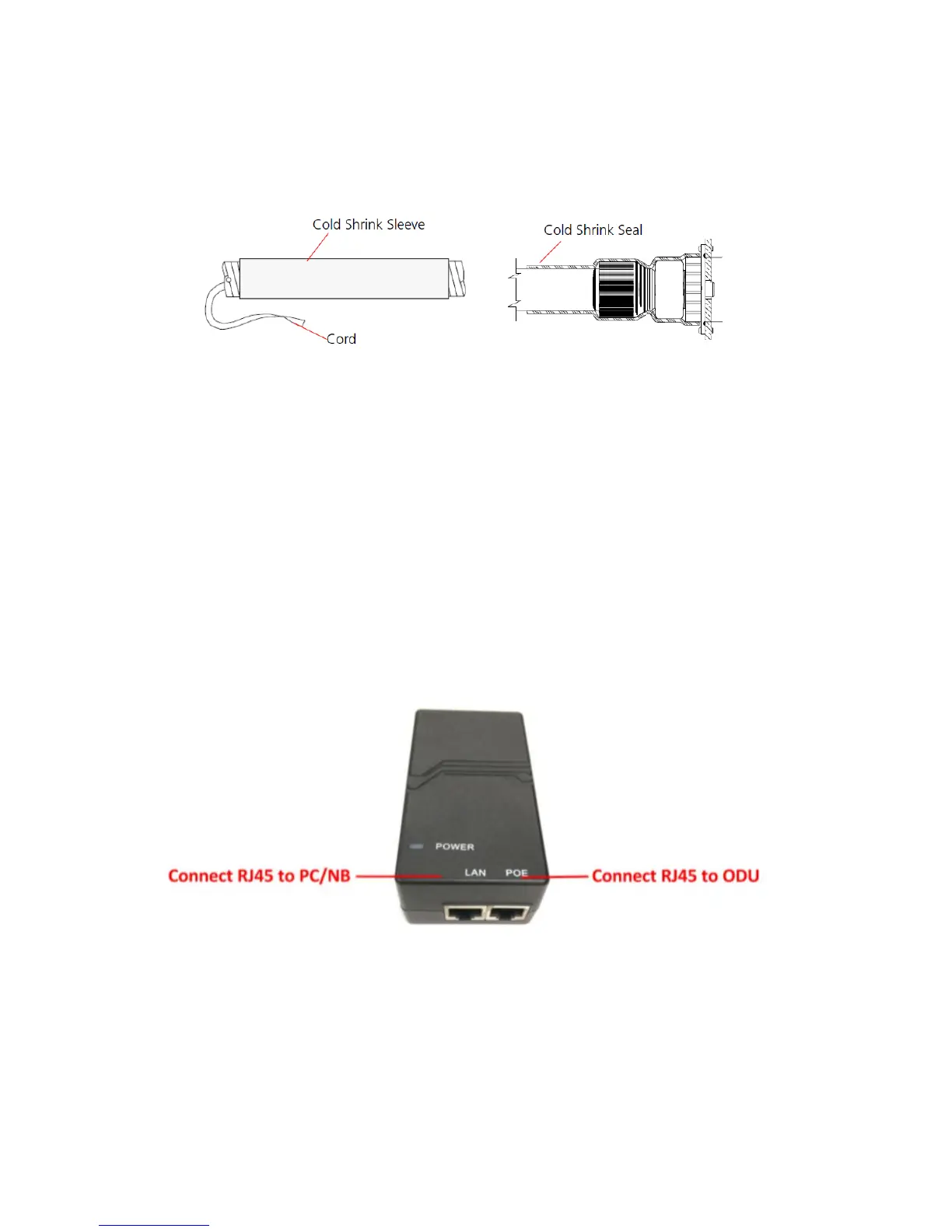
air bubbles.
• Slide the cold shrink sleeve on top of the connector. Make
sure that the sleeve covers both cable connector and unit
connector.
• Pull the cord slowly to shrink the sleeve.
● Indoor Connection
1. It is assumed that the RJ-45 is already connected to the LTE
outdoor CPE. Assemble an RJ-45 connector with a protective
cover on the other end of the LTE outdoor CPE cable.
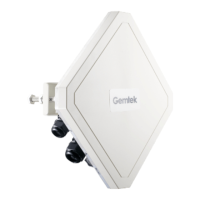
2. Connect the other end of the cable from ODU to the PoE
adaptor which labeled “POE”.
3. Connect RJ45 cable from PoE adaptor which label “LAN” to a
PC/NB/Hub/Switch.


 To Next Page