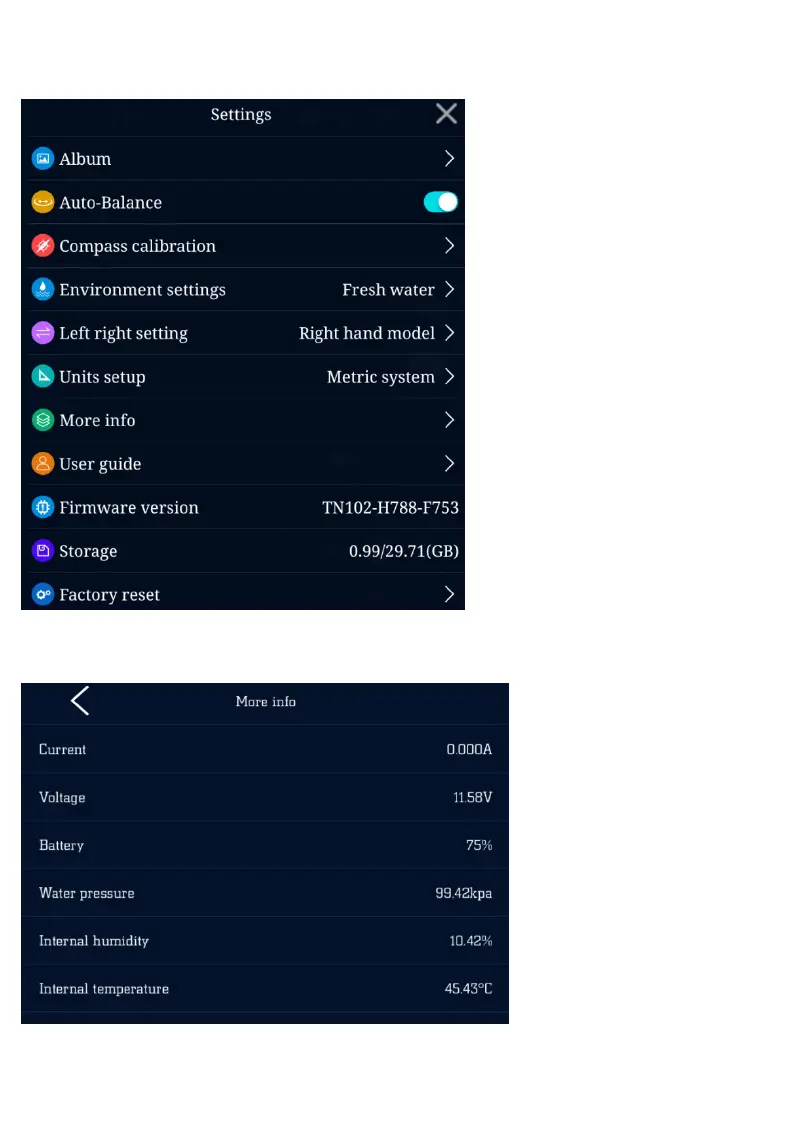
APP system settings
Copyright © 2018-2020 GENEINNO All Rights Reserved.
1. Album:enter the remote
album and local album
2. Auto balance:turn on/off
auto balance
3. Compass calibration:start
compass calibration
4. Environment setting: the
option for fresh/salt water,
select salt water or fresh
water, which has effect on
depth accuracy only
5. Left/right hand switch:
change left/right hand mode
6. Unit setting:set unit to the
Metric/British System
7. Battery info:display of
battery information
8. User guide:APP user guide
for starters
9. Firmware version:firmware
version display
10. Storage:display of storage
status in the machine
11. Restore to factory setting:
restore machine to factory
setting
8


 To Next Page