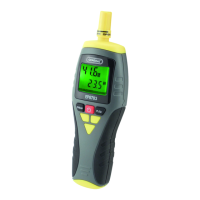
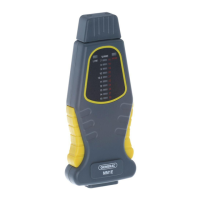
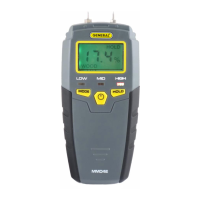
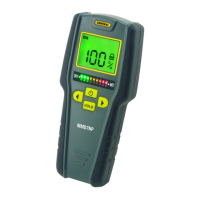
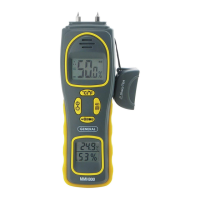
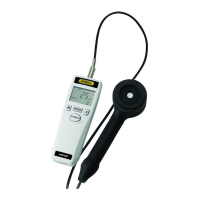
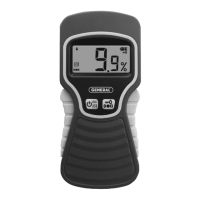
The General EP8709 is a calibratable 4-function thermo-hygrometer designed for measuring ambient temperature, relative humidity (RH), dew point, and wet bulb temperatures. It is suitable for water damage restoration contractors, HVAC/R system installers and technicians, and professionals monitoring and maintaining environments in various facilities such as office buildings, greenhouses, food and equipment storage facilities, wineries, freezers, shipping containers, computer rooms, labs, libraries, museums, and saunas.
Function Description:
The EP8709 measures four key environmental parameters:
- Ambient Temperature: The actual air temperature.
- Relative Humidity (RH): The amount of water vapor present in the air relative to the maximum amount it can hold at a given temperature.
- Dew Point Temperature: The temperature below which water vapor in a volume of air, at a given constant barometric pressure, will condense into liquid water at the same rate at which it evaporates. When the air is 100% saturated with water (100% RH), the dew point temperature equals the ambient temperature.
- Wet Bulb Temperature: The lowest temperature a volume of air can reach if cooled to saturation (100% RH) by the evaporation of water into it, with the latent heat coming from the volume of air. This is the temperature one feels when skin is wet and exposed to moving air.
The device features a jumbo backlit display with a 2-line readout, showing relative humidity on the upper line and ambient temperature, dew point, or wet bulb temperature on the lower line. It includes a data hold function to freeze readings and Min/Max functions to track the highest and lowest values measured during a session. The unit also has a °F/°C switch for temperature unit selection and a 20-minute Auto Power Off (APO) function to conserve battery life, which can be disabled for calibration or extended use. A low battery indicator alerts the user when the 9V battery needs replacement.
Important Technical Specifications:
- Temperature Measurement Range: 14° to 122°F (-10° to 50°C)
- Temperature Measurement Accuracy: ±1.8°F (±1°C)
- Temperature Measurement Resolution: 0.1°
- RH Measurement Range: 0 to 99.9%
- RH Measurement Accuracy: ±3% from 5% to 95% RH
- RH Measurement Resolution: 0.1%
- Response Time: <80 seconds
- Display Size: 1.7 inches (43mm) diagonal
- Current Consumption: <15mA
- Battery Life: 60 hours (typical)
- Dimensions of Instrument: 7.56 x 2.40 x 1.57 inches (192 x 61 x 40mm)
- Weight (without battery): 3.77 oz. (107g)
- Power Source: (1) "9V" battery (included)
Usage Features:
- Power On/Off: Press the power button to turn on. Press and hold for at least 3 seconds to turn off.
- Sensor Protection Cap: Before measurements, rotate the cap to open its three vents, exposing the humidity and temperature sensors to the ambient environment. After use, close the vents to protect the sensors from dust and moisture.
- Displaying Dew Point: Press the "DEW" button. The lower readout will show the dew point temperature, accompanied by the "DEW" symbol. Press again to return to ambient temperature.
- Displaying Wet Bulb Temperature: Press the "WBT" button. The lower readout will show the wet bulb temperature, accompanied by the "WBT" symbol. Press again to return to ambient temperature.
- Temperature Unit Switch: Press the "F/C" button to toggle between Fahrenheit (°F) and Celsius (°C).
- Data Hold: Press the "HOLD" button to freeze the current readings (RH + ambient/dew point/wet bulb temperature). "HOLD" text will appear on the RH readout. Press again to resume real-time readings.
- Min/Max Tracking: The meter automatically tracks maximum and minimum RH and ambient temperature values.
- Press "MAX/MIN" once to display maximum values ("MAX" text appears).
- Press "MAX/MIN" again to display minimum values ("MIN" text appears).
- Press "MAX/MIN" a third time to return to real-time readings. Exiting Min/Max mode clears the memory and starts a new session.
- Backlight: Pressing any button activates the green backlight for 10 seconds.
- Auto Power Off (APO): The unit automatically shuts down after 20 minutes of inactivity. To disable APO, power on the unit by pressing and holding the "DEW" button while simultaneously pressing the power button. The LCD will display all icons to confirm APO is disabled. APO is re-enabled the next time the unit is powered on normally.
Maintenance Features:
- Battery Replacement: When the low battery icon appears, replace the 9V battery. The battery compartment is located at the bottom of the unit, secured by a single Phillips-head screw.
- Sensor Protection: Always rotate the sensor protection cap to close its vents after each measurement session to prevent dust and moisture from degrading sensor performance.
- Calibration: The EP8709 is field calibratable using optional 33% (SKU HR33) and 75% (SKU HR75) standard calibration salt solutions.
- Calibration Procedure:
- Disable the APO function.
- With the unit powered on and APO disabled, open the sensor protection cap.
- Press and hold the "DEW" and "F/C" buttons simultaneously, then release. "---.1" will appear on the lower readout.
- Turn the unit upside-down and insert the sensor structure into the opening of the 33% salt bottle (after removing its cap). Ensure a tight fit with no air leakage.
- Leave the unit in the 33% salt bottle for at least 40 minutes. This step is fully automatic.
- Remove the meter from the 33% salt bottle. Press and hold the "DEW" and "F/C" buttons simultaneously, then release. "---.2" will appear on the lower readout.
- Turn the unit upside-down and insert the sensor structure into the opening of the 75% salt bottle (after removing its cap). Ensure a tight fit.
- Leave the unit in the 75% salt bottle for at least 40 minutes. This step is also fully automatic.
- The unit is calibrated after both 33% and 75% cycles are completed. It is crucial that the 33% calibration precedes the 75% calibration. Reversing the order or performing either calibration twice will result in an error message upon restart.
- Environmental Considerations:
- Avoid operating the EP8709 in the presence of flammable or explosive gases, or near arc welders or induction heaters.
- After significant changes in ambient temperature, wait at least 30 minutes before taking measurements to ensure accuracy.
- Storage: Remove the battery if storing the unit for an extended period (months rather than weeks).
- Handling: Do not drop or disassemble the EP8709, and do not immerse it in water.

 Need help?
 General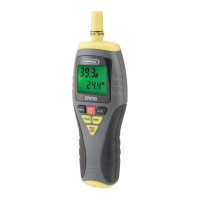

 To Next Page