Version: 2020-09-04
161
Copyright of the European Union is effective (Copyright EU) (c) 2019 GENEREX Systems GmbH, Hamburg, Germany, All rights reserved
TEL +49(40)22692910 - EMAIL generex@generex.de - WEB www.generex.de (This and all other product datasheets are available for download.)
Part 2: Replacing a temperature module
Some module revisions have a temperature sensor that can possibly be replaced on site. These instructions show how you can replace
such a sensor.
1. Preperation
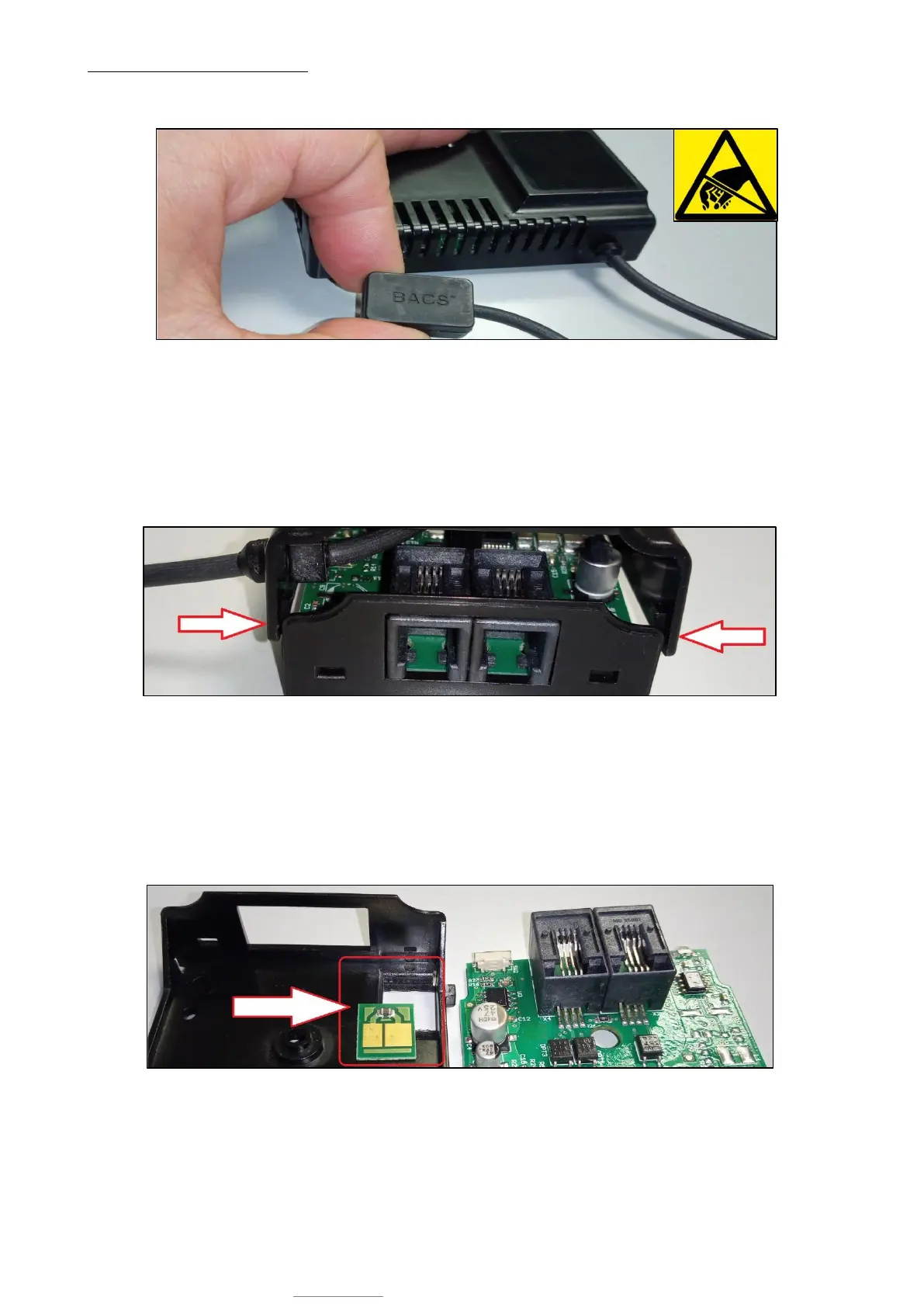
First disconnect the BACS measuring cable from the module and disconnect the BACS bus cables. Take the module to an
antistatic work place to avoid possible damage from electrostatic charge.
2. Open the module
The module is designed for easy opening without additional tools:
3.
On the front of the module, there are two retaining clips on the left and right, which can be easily released by carefully bending
the cover. By doing so, the cover shell can be removed from the module.
4. Replacing the temperature sensor
Depending on the type of module, the installation place of the temperature sensor differs:
The internal sensor
The internal sensor is attached at the bottom of the of the housing:
Remove the module board to get access to the sensor. You can then remove the sensor from the shell with a slight pressure
from below. Insert the new sensor. Pay attention to the correct installation direction - in this special case the sensor board can
be assembled the wrong. If assembled correctly, the two clamps on the back of the module board will press on the contact
plates on the sensor board.


 To Next Page
 Loading...

