English
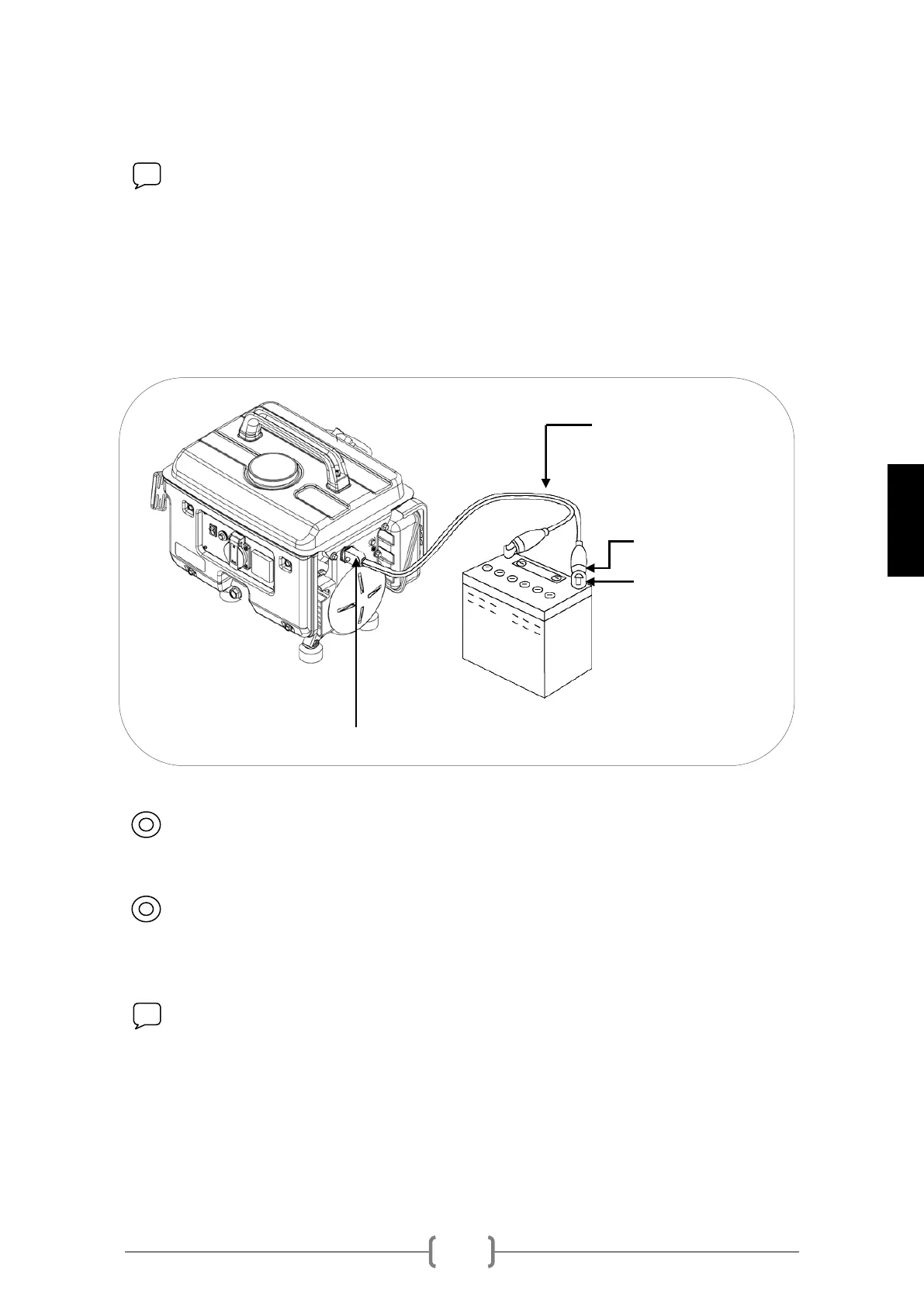
6.1 Use of the 12V DC outlet.
NOTE: The 12V direct current outlet is only valid for 12V battery charging.
Do not connect 12V electrical or electronic devices to the generator.
1 First connect the clamps in the battery terminals.
2 Then connect the charging cable to the 12V connection of the generator panel.
3 Start the generator.
CAUTION: Connect the red cable (+) to the red terminal (+) of the battery
and the black cable (-) to the negative (-) of the battery.
CAUTION: In order to avoid sparks in the battery terminals, first connect
the charging cable to the battery terminals and then plug to the generator. Upon
removing, first unplug the generator cable.
NOTE: Do not charge a battery connected to a vehicle. First disconnect
the vehicle's terminals and then connect the charging cable of the generator.
TERMINALS
CLAMPS


 To Next Page