- 7 -
batteries are connected, the camera will be powered by the
external one.
2.2
2.2
2.2
2.2 Insert
Insert
Insert
Insert SD
SD
SD
SD Card
Card
Card
Card
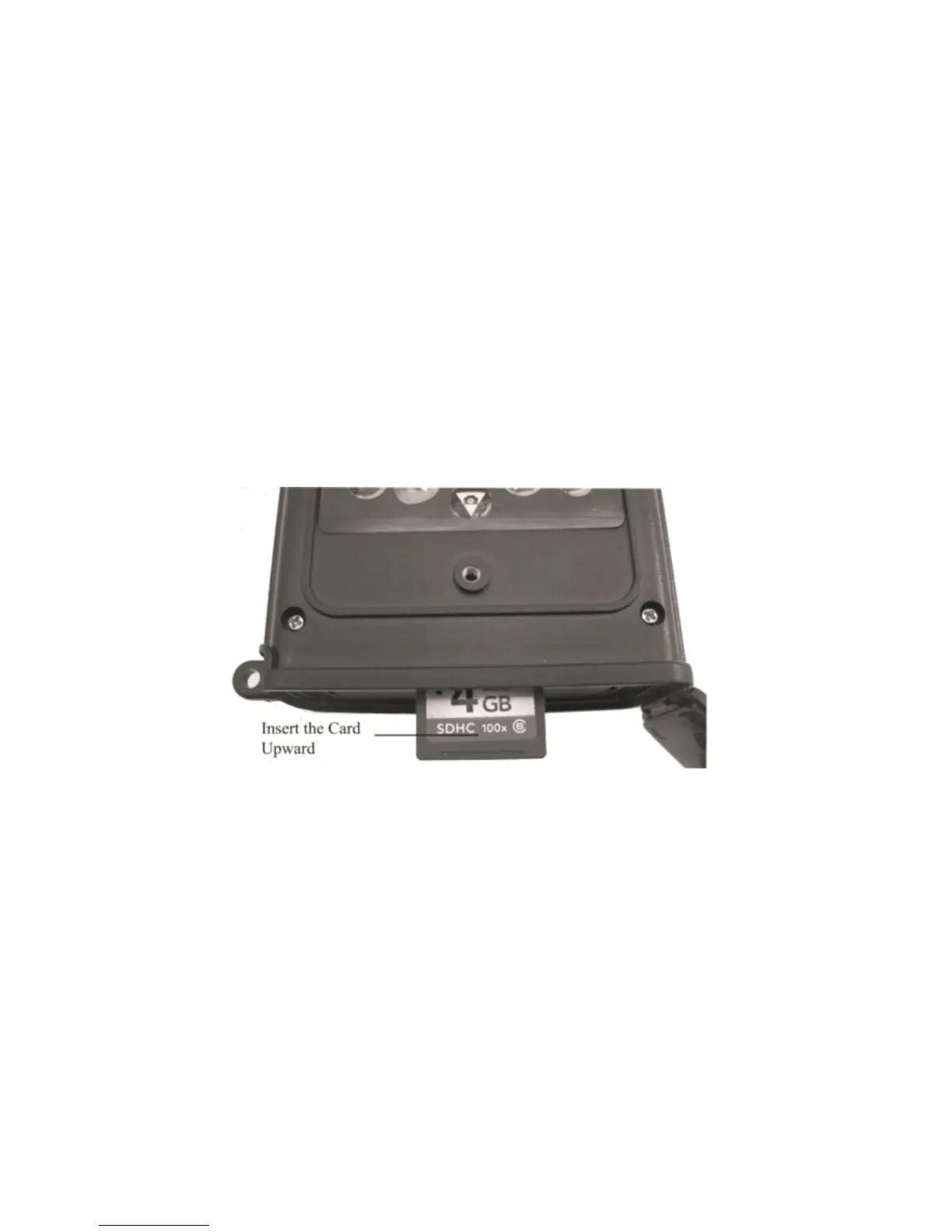
The camera does not come with internal memory. So
it
will not
work without a SD (Secure Digital) memory card or SDHC (High
Capacity) card. Before inserting the SD card into the card slot,
please make sure the write-protect switch on the side of the SD
card is “ off ” (NOT in the “ Lock ” position). The supported
memory capacity is up to 32 GB. If you use a card capable of
above 32 GB, make sure you test
it
before putting the camera in
use.
Figure 2.1
CAUTION: ALWAYS SWITCH THE CAMERA TO OFF
MODE BEFORE YOU INSTALL OR REMOVE THE
BATTERIES OR THE SD CARD.
2.3
2.3
2.3
2.3 Enter
Enter
Enter
Enter Test
Test
Test
Test Mode
Mode
Mode
Mode


 To Next Page