Portable Archive Player User Guide | The Portable Archive Player user interface
genetec.com | Security Center 5.1 | Archive Player User Guide 5.1 3
EN.500.008-V5.1.C3(1)
The Portable Archive Player user interface
This section describes the main components of the Portable Archive Player user interface.
This section includes the following topics:
• "About the Portable Archive Player’s interface" on page 3
• "About the Main menu" on page 4
• "About the Main toolbar" on page 5
• "About the File browser and Results pane" on page 6
• "About the Playback pane and Tool pane" on page 7
• "Move, resize and show/hide panes" on page 8
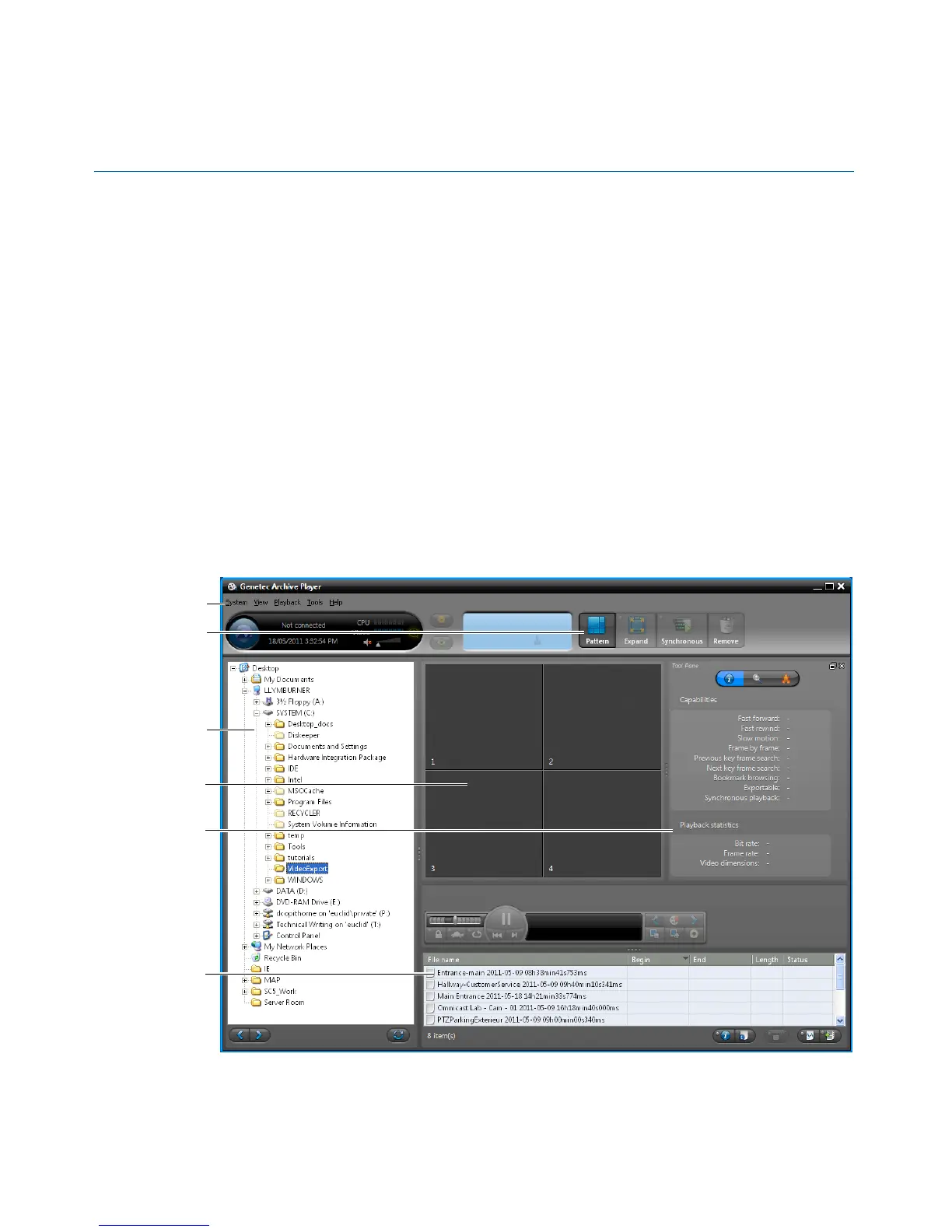
About the Portable Archive Player’s interface
The Portable Archive Player main window includes the following areas: main menu and
toolbar, file browser, playback pane, tool pane, results pane. Each area can be resized or
hidden, except the playback pane, depending on your workspace needs.



 To Next Page