Portable Archive Player User Guide | The Portable Archive Player user interface
genetec.com | Security Center 5.1 | Archive Player User Guide 5.1 5
EN.500.008-V5.1.C3(1)
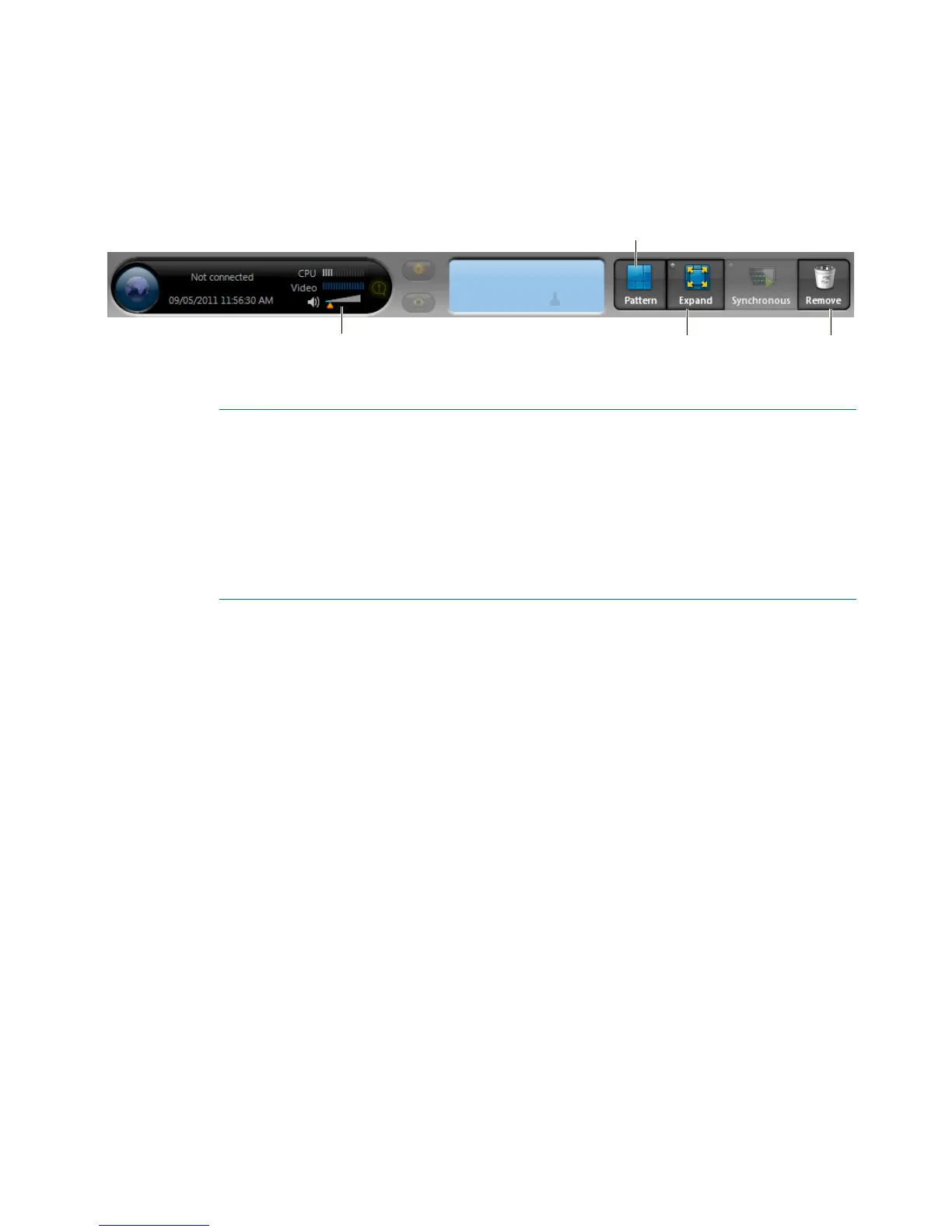
About the Main toolbar
The Portable Archive Player’s main toolbar contains buttons that you can click to access the
most frequently used commands in the Portable Archive Player.
A Pattern Change the tile layout. For more information, see "Change the tile
pattern" on page 8.
B Volume If your recording contains audio, move the slider to the right to
increase the volume, or to the left to decrease the volume.
C Expand Click Expand to make the current tile fill the playback pane. A green
LED appears when the current tile is expanded. Click again to return to
the original tile size.
D Remove Remove the selected playback sequence from the current tile.



 To Next Page