User manual of Kloud Note v2.0 www.geniatech.com
Copyright © 2021 Shenzhen Geniatech Inc, Ltd. All rights reserved.
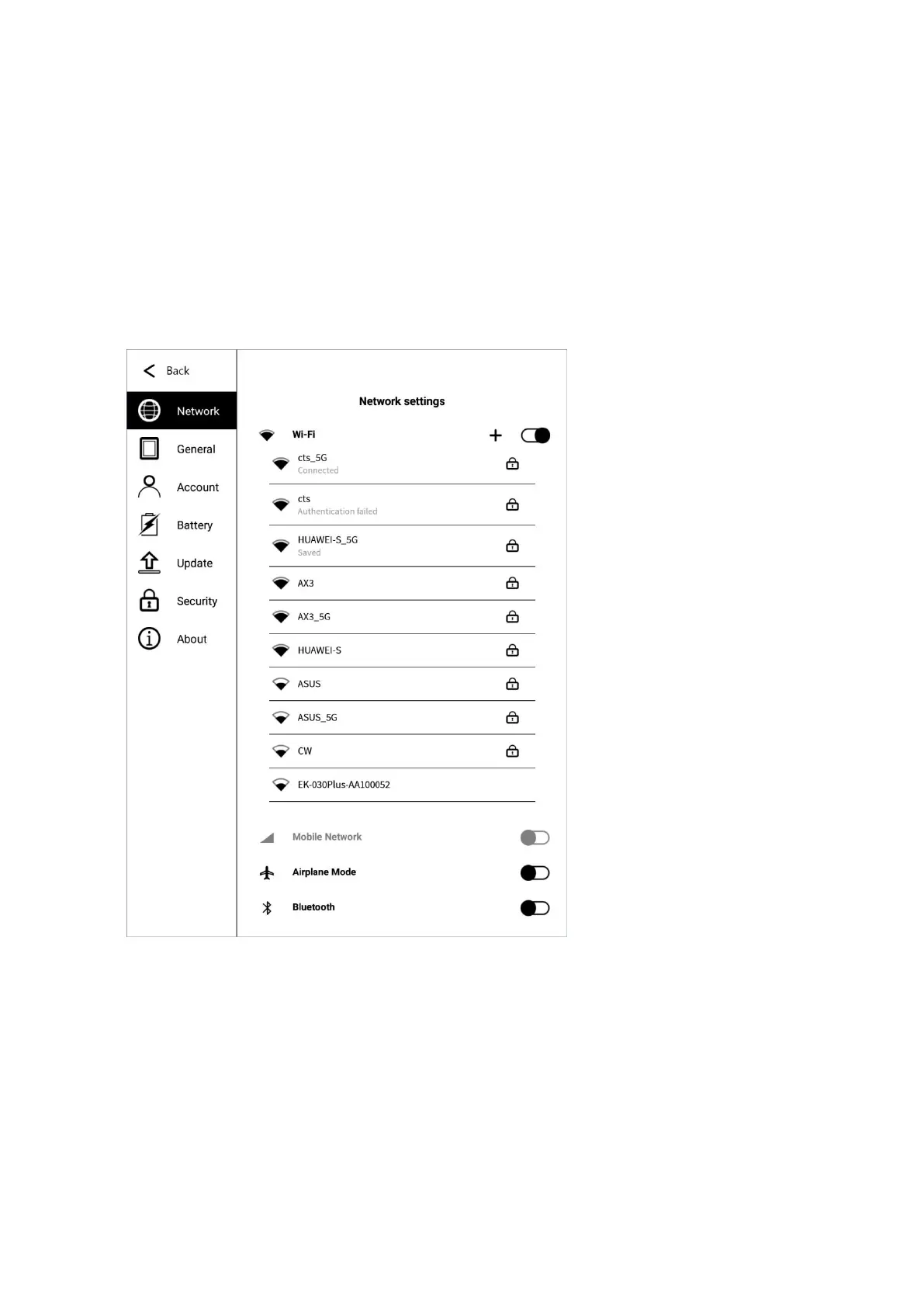
password to connect to WIFI. After the connection is successful, the WIFI
connection signal icon will be displayed in the status bar.
After the Wi-Fi hotspot connection is successfully set up for the first time, it will
automatically record the information of the hotspot. The next time you connect,
just click the Wi-Fi switch in the notification bar to automatically connect.
6.1.2 Mobile network
After inserting the 4G SIM card, turn on the mobile network to use the 4G
network.


 To Next Page