User manual of Kloud Note v2.0 www.geniatech.com
Copyright © 2021 Shenzhen Geniatech Inc, Ltd. All rights reserved.
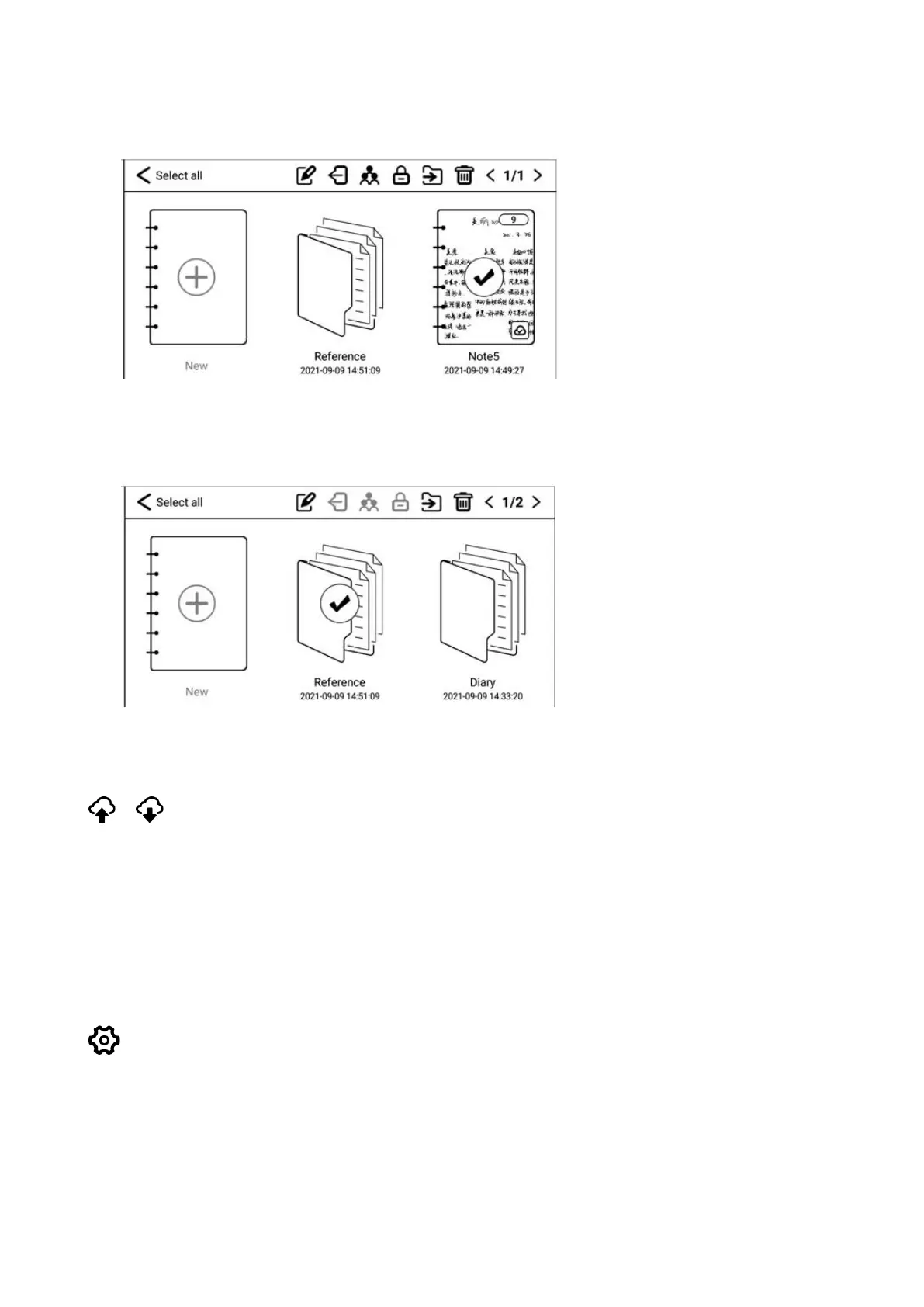
move, or delete the note.
Long press the folder, you can choose to rename, move, or delete the folder.
Cloud-sync
(Login account is required) You can synchronize notes to cloud storage. Each
time you log in to your account, it will automatically synchronize notes from
cloud storage to the device.
Settings
You can set note related settings, such as: Show/don't show template setting
when creating notes, turn on/off kloudnote automatic synchronization function,
binding third-party cloud disk account, backup and recovery management.


 To Next Page