NGCG4B
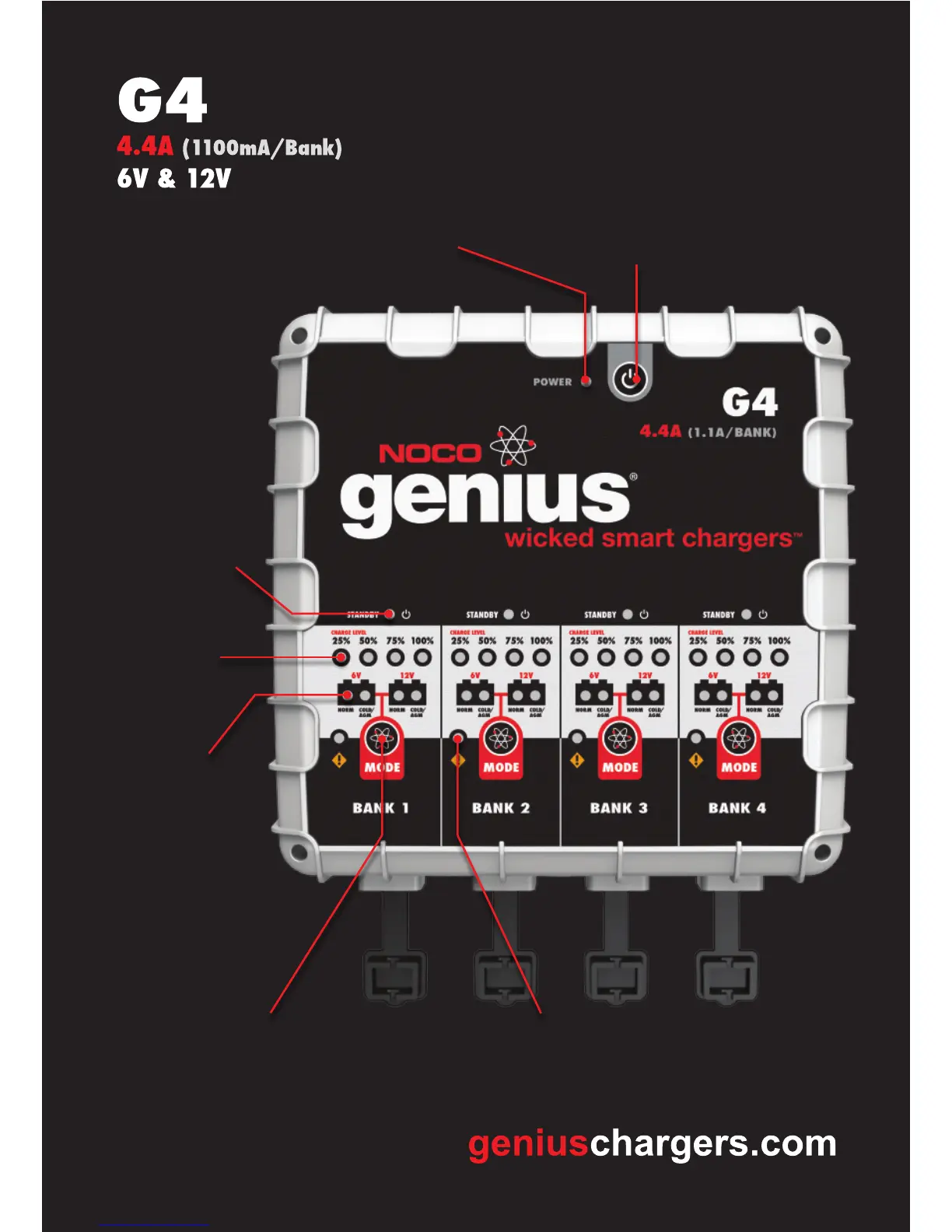
ERROR LEDs
The ERROR LED (Orange) will illuminate
when an error condition, or reverse polarity,
is present.
MASTER POWER BUTTON
This button is used to turn the entire
unit ON of OFF.
POWER LED
This LED will remain illuminated
when the unit is ON.
MODE BUTTONS
The MODE button is used to select
the charging modes manually.
MODE LEDs
The MODE LEDs
indicate the current
MODE the Bank
is in.
CHARGE
LEVEL LEDs
Indicates the current
charge level of the
battery.
STANDBY LEDs
The STANDBY LED
(Green) illuminates
when a charging
mode has not been
selected.


 To Previous Page