English
-9-
Reset
Click the Reset button to rectify and zoom your avatar to the
appropriate size and angle to fit in the camera window.
Preview
You may click the Preview button to launch the preview window
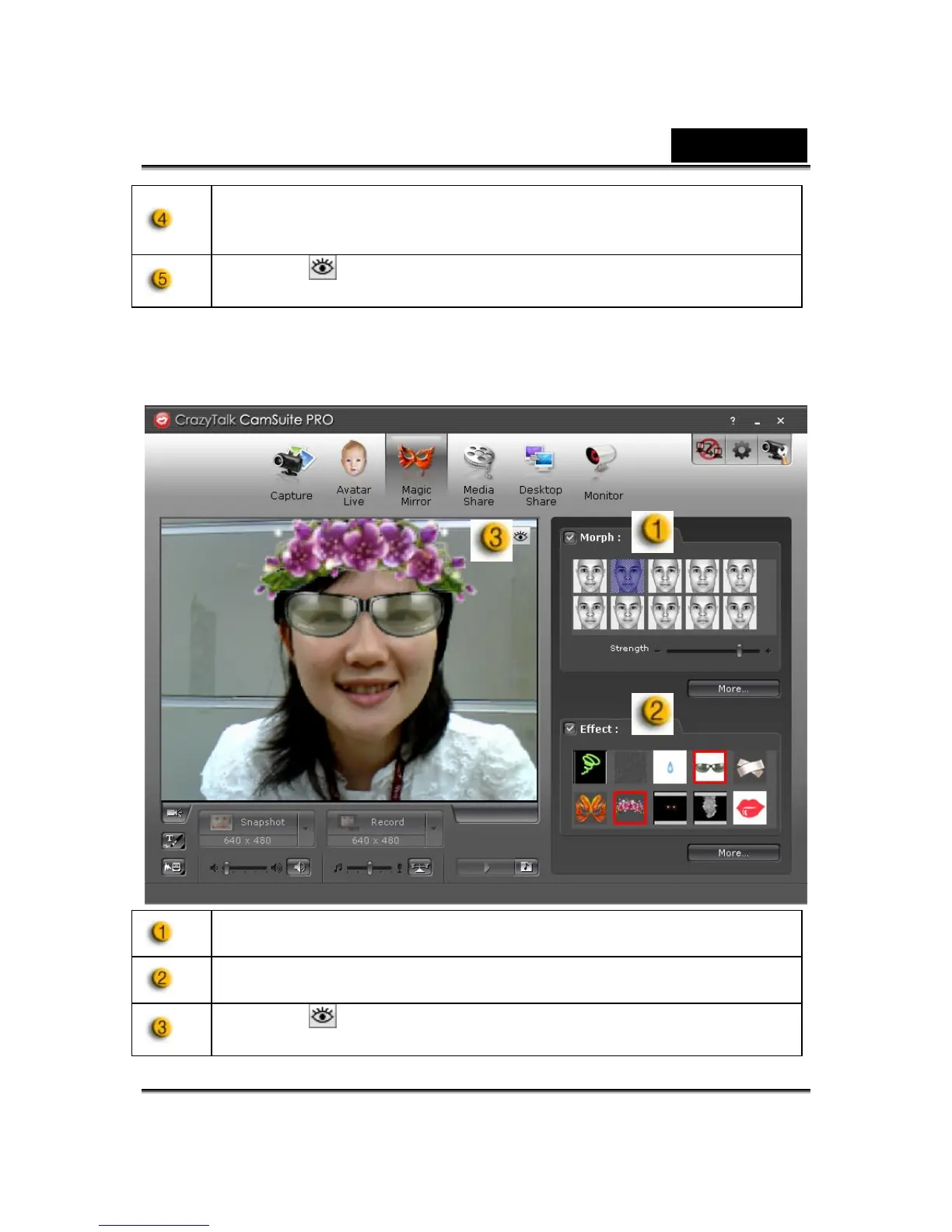
Magic Mirror
You can utilize your own face applied different effects by Magic Mirror and to
have video chats with your friends.
Morph
You can change the selected face morph to your face.
Effect
You may add a comic effect to your face.
Preview
Click the Preview button to launch the preview window














 To Next Page