English
-11-
Click the Preview button to preview by yourself before
sharing
Click this button to clear the selected files from the list.
Toggle to Loop button if you want to play the files
selected in loop.
Drag the Slider bar to browse the frame of the file
currently playing.
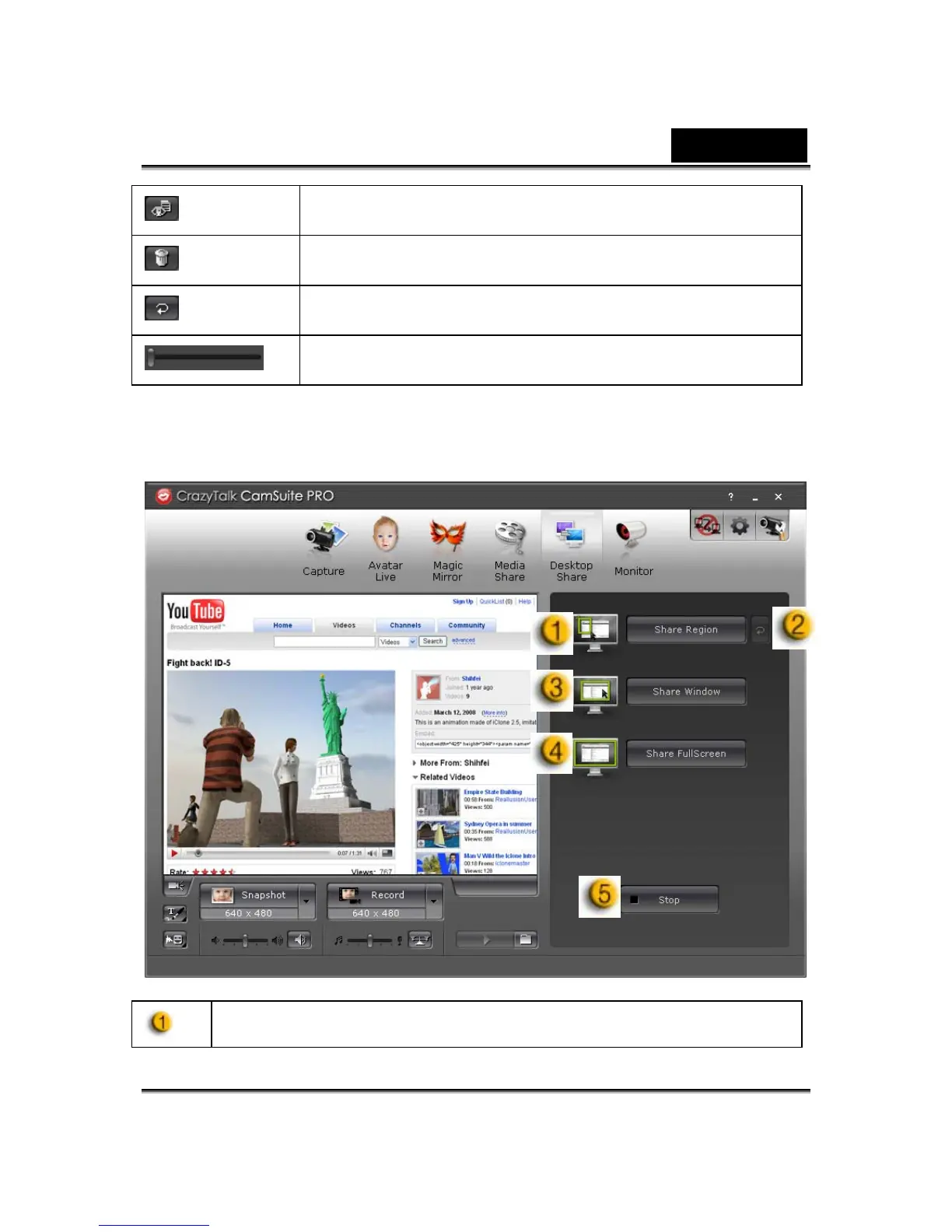
Desktop Share
There are three ways to show your desktop activities to your friends when
having a video chat.
Share Region
You can share any desired position on your desktop.














 To Next Page