15
Macro Key Manager
Macro Key Manager Control Panel
Introduction
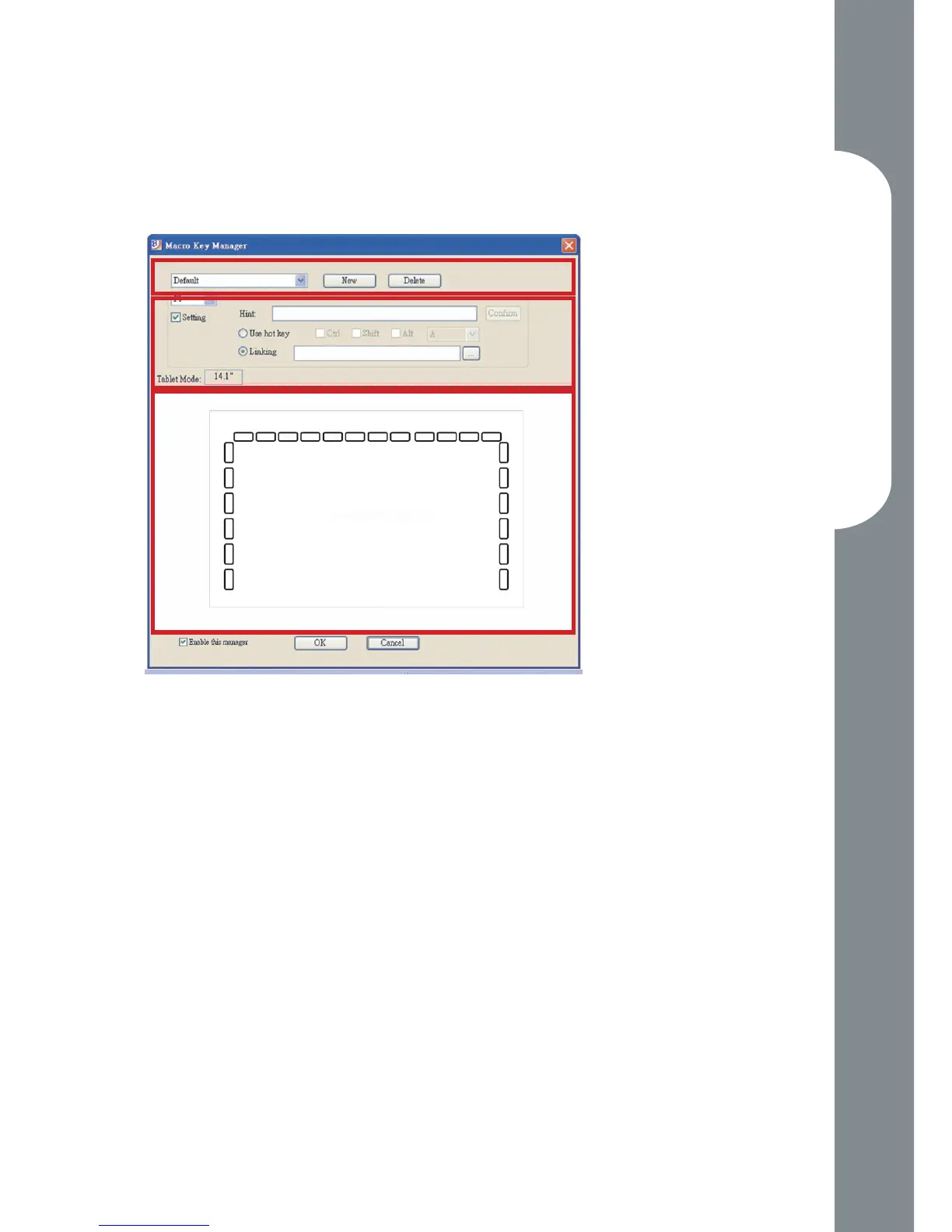
Prole Setting Area
You can select, create or modify macro key proles
Macro Key Setting Area
You can set the function of an individual Macro
Key here. There are two kinds of setting. One is
keyboard event setting and the other is hyperlink
setting. Also, you have to name the hint as you like
to nish setting process.
Preview Area
You can see the tablet image and the macro keys
of your tablet. By hovering to the macro key, the
macro key hint will pop up next to the key.
•
•
•
Preview AreaPreview Area
Macro Key Setting Area
Preview Area
Prole Setting Area



 To Next Page