PEn PaD DrivEr
Using the pen
Pen
The pen is used as a normal handwriting pen. On
the “About” tab, make sure the “Tracking Mode”
is set to “Pen”.
Side Button
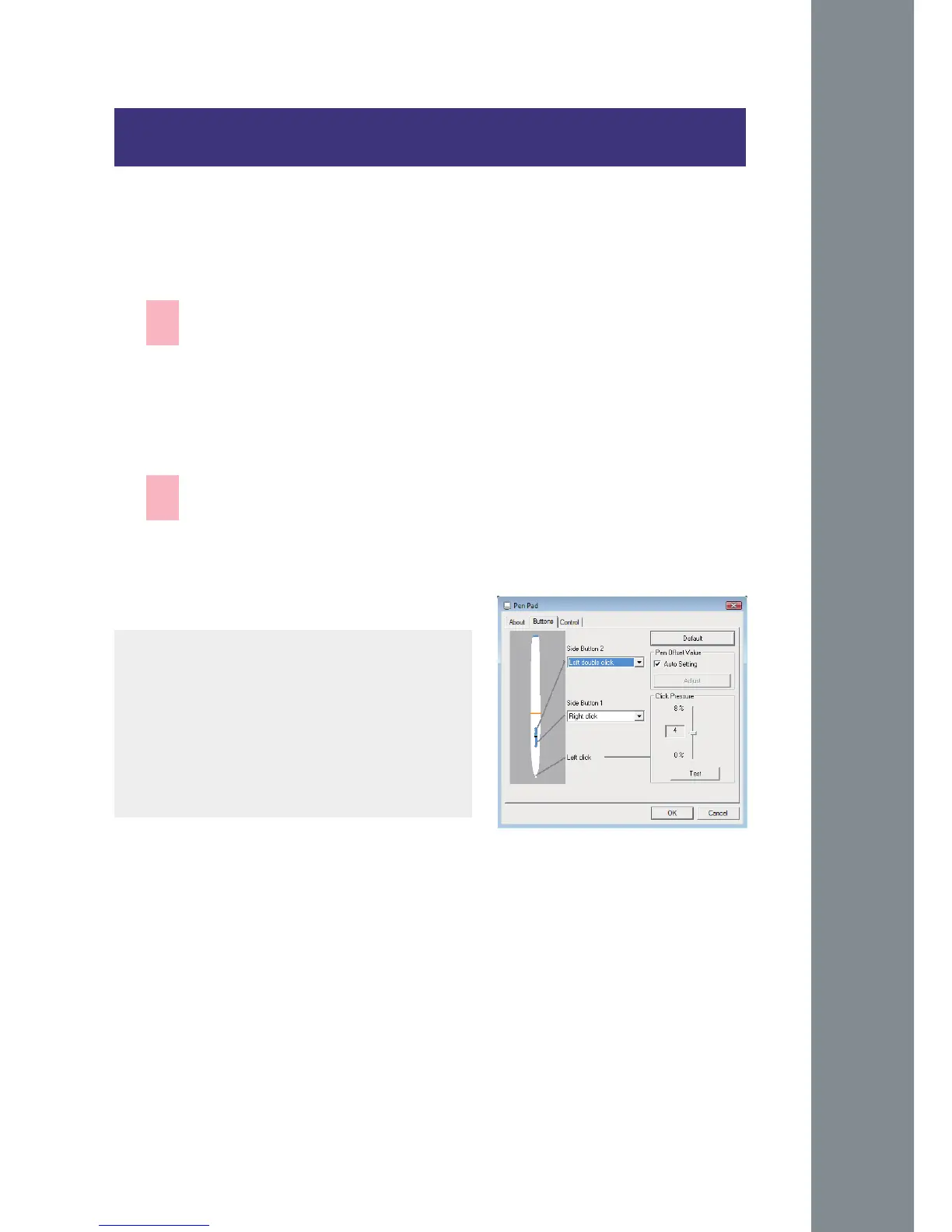
on the “Buttons” tab, click on “Side Button 1”
to customize the side
button.
Default settings
Side Button 1 = right click
Side Button 2 = left clickThe
Pen Point = left click
—
—



 To Next Page