17
Macro Key Manager
How to Modify a Prole
select the prole you want to modify
following macro key setting steps to modify
click “OK”
How to Delete a Prole
select the prole you want to delete
click “ Delete”
How to Set Up Macro Key Function
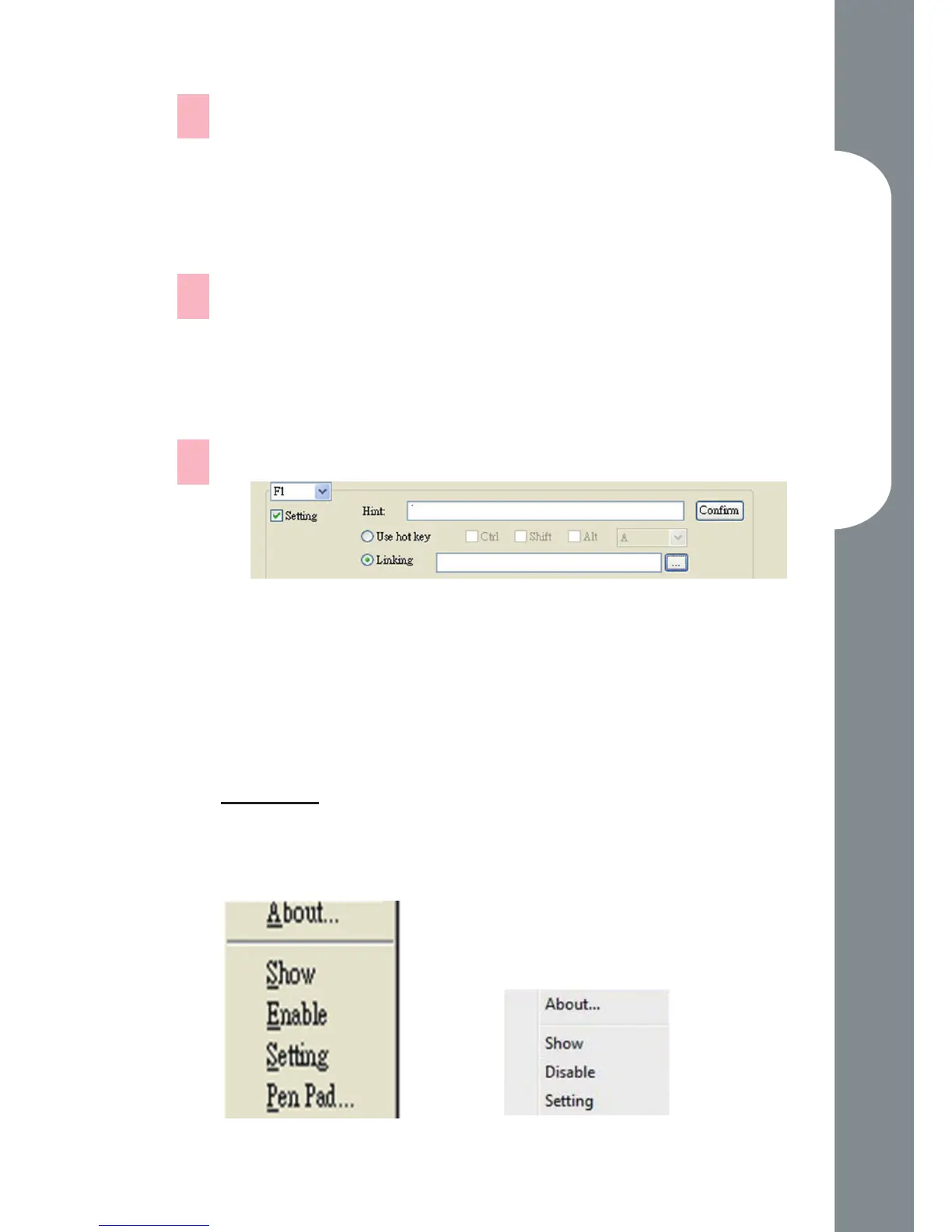
click “ Setting” to enable the setting function
key-in the name you want to be as the macro
key function hint (necessary)
dene the function as hot key or hyperlink
click “ Conrm “
Setting:
Hover the cursor to the macro key manager icon in the
system tray, and then click the right button.
Windows 2000/XP/Vista Basic
Above Windows Vista Premium
—
1.
2.
3.
—
1.
2.
—
a.
b.
c.
d.



 To Next Page