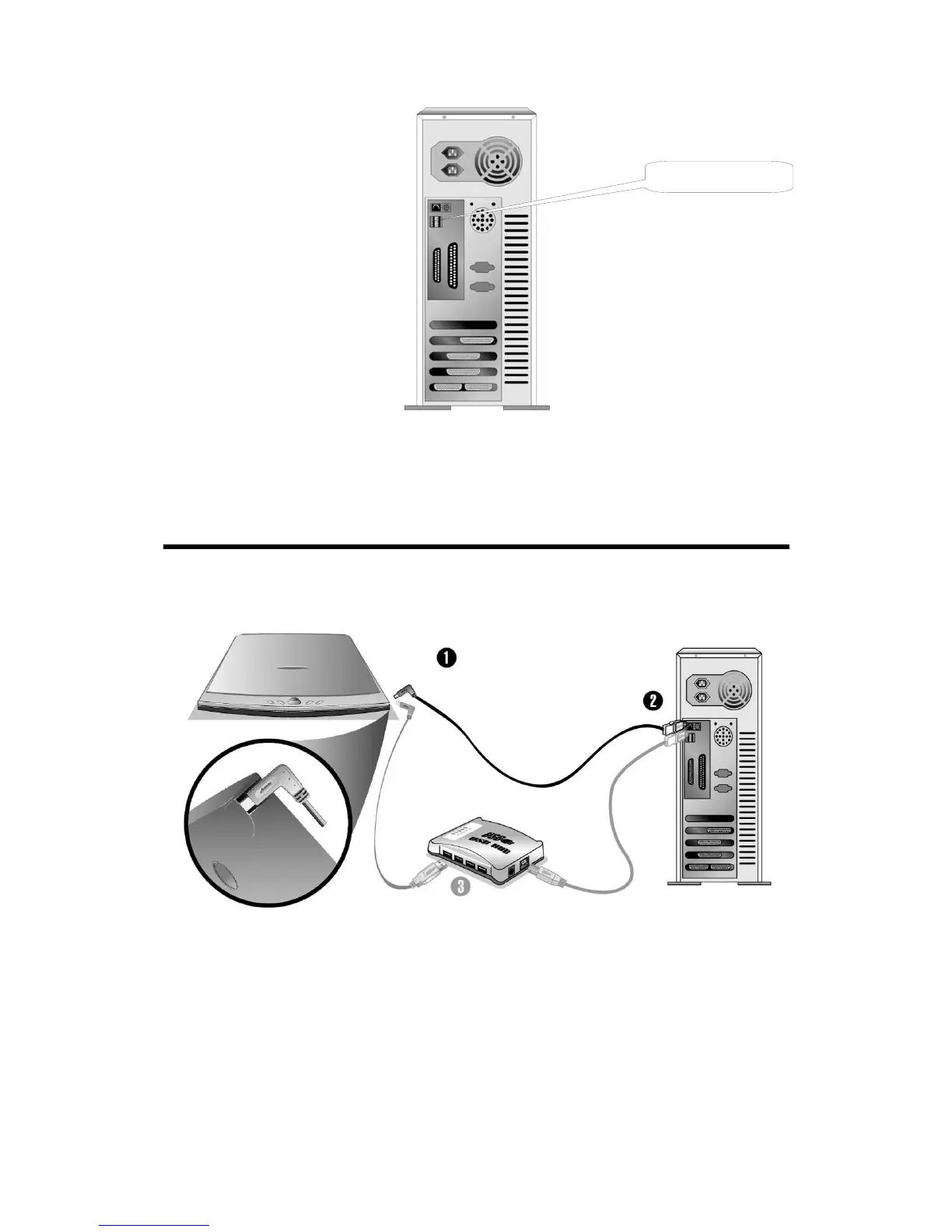
USB Connector(s)
If you don’t find such USB ports on your computer, then you need to purchase a
certified USB interface card to add USB capabilities to your computer.
Installing and Setting up the Scanner
S
S
t
t
e
e
p
p
1
1
.
.
C
C
o
o
n
n
n
n
e
e
c
c
t
t
i
i
n
n
g
g
t
t
h
h
e
e
G
G
e
e
n
n
i
i
u
u
s
s
S
S
c
c
a
a
n
n
n
n
e
e
r
r
t
t
o
o
Y
Y
o
o
u
u
r
r
C
C
o
o
m
m
p
p
u
u
t
t
e
e
r
r
1. Plug the square end of the included USB cable to the USB port of the scanner.
2. Plug the rectangular end of the USB cable to the USB port on the back of
your computer.
Note: If there is another USB device connected to the computer, connect the
scanner to an available USB port.
Genius Scanner
5






 To Next Page