English
Verifying System requirements
Windows 2003/XP/Me/2000/98
CD-ROM or DVD drive
Hardware Installation:
1. Turn off your PC.
2. Plug the PS/2 keyboard into your PC’s keyboard port. (PS/2 Model only)
3. Connect the USB keyboard cable into your PC’s USB port. (USB model only)
Software Installation:
Please follow the instructions below on how to install the Multimedia Keyboard software to your PC system.
1. Please insert the CD included in your package into your CD-ROM drive.
2. The system will automatically run the setup.exe once after the CD is inserted. However, if the system fails to perform this
procedure, simply double-click on the setup.exe to continue the installation procedure.
3. Follow all the on-screen instructions.
Pop-Up Menu
Right-click the icon on the taskbar of windows to activate the Pop-Up menu.
Help
This option allows access to the on-line help file, which includes help on multimedia button function descriptions and setting
program instructions.
Uninstallation
From Start Menu, locate uninstall under Programs Files\MediaKey\ and double-click on Uninstall Mediakey
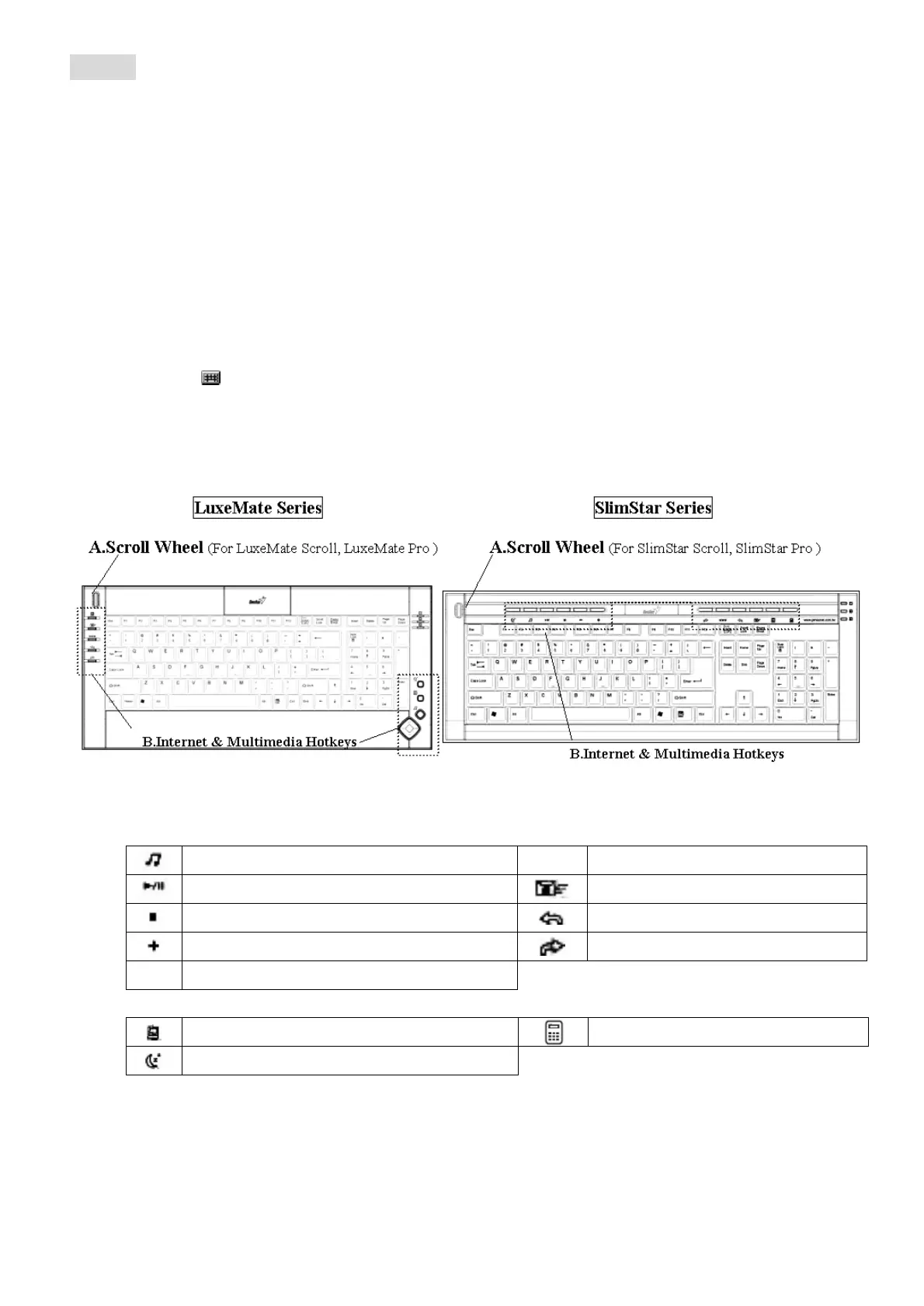
Multimedia & Office Hot Keys:
A. Scroll Wheel: For fast browsing and switching between applications.(For LuxeMate Scroll, LuxeMate Pro )
B. Internet & Multimedia Hotkeys
Media Player program
www
Open browser in Netscape or IE
Play/Still
Open mail folder.
Stop
See last page when viewing the Internet.
Vol. Up
Go to next page when viewing the Internet.
-
Vol. Down
Other Hotkeys:
Open my computer folder from Windows.
Open My Calculator program
Turn system into sleep mode.




 To Next Page