EasyManua.ls Logo

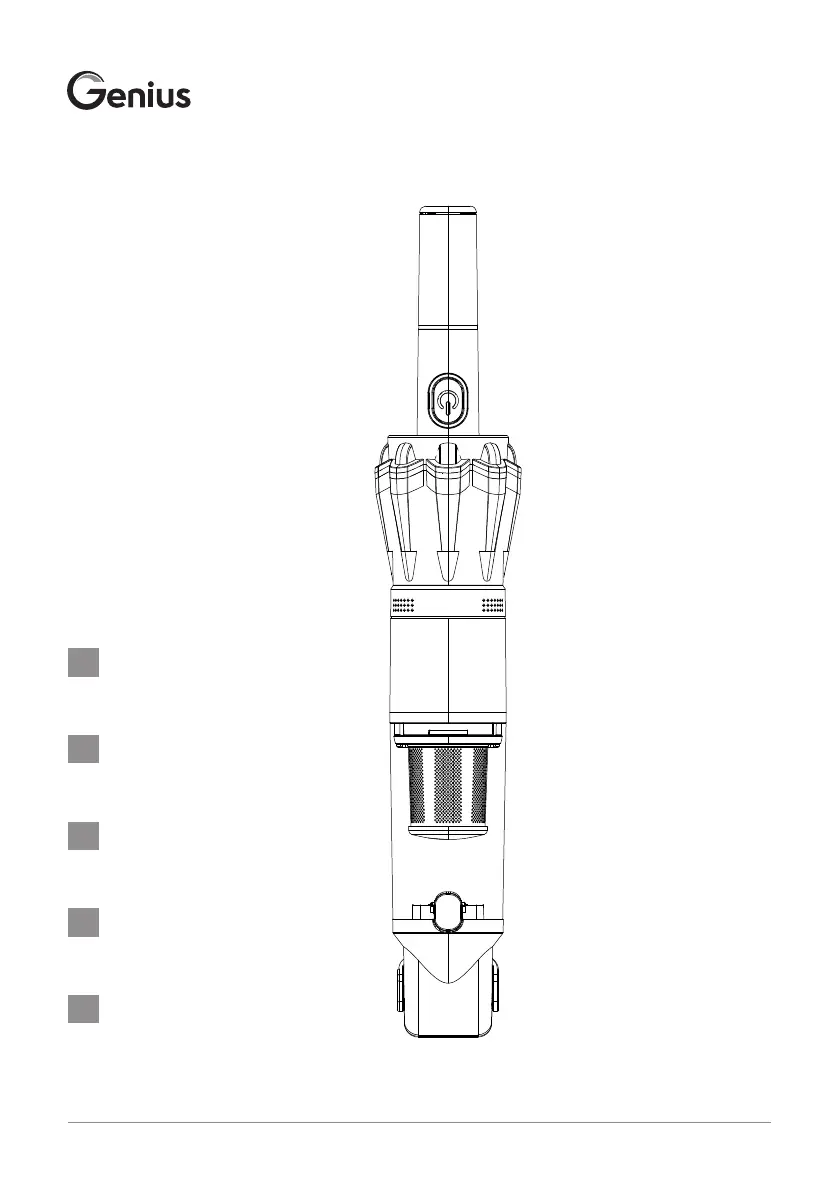
Genius SP-001 A - User Manual

Genius SP-001 A
64 pages
Go to English
Print Icon
To Next Page IconTo Next Page
Loading...
Genius GmbH • Im Dachsstück 8 • 65549 Limburg • Germany • www.genius.tv INV ONE_BLDC_IM_INT_0820
Gebrauchsanleitung
ab Seite 4
Instruction Manual
from page 16
Mode d´emploi
de la page 28
Gebruiksaanwijzing
vanaf pagina 40
Instrucciones de uso
a partir de la página 52
DE
GB
FR
NL
ES

Table of Contents

Questions and Answers

  • F
    fieldskatherineAug 6, 2025
    Why is my Genius Vacuum Cleaner suction weak?
    • L
      Linda PadillaAug 7, 2025
      There are several reasons why your Genius Vacuum Cleaner might have poor suction: * The metal or HEPA filter could be blocked and needs cleaning. * The battery may be discharged, requiring a charge. * The dust container might be full and needs emptying. * The metal or HEPA filter could be damaged, in which case you should order a replacement filter from your local retailer.
  • S
    Samantha MontoyaAug 17, 2025
    How to troubleshoot a Genius SP-001 A Vacuum Cleaner that won't turn on?
    • K
      Kimberly BrownAug 17, 2025
      If your Genius handheld vacuum cleaner isn't functioning, consider these potential causes: * The battery might be completely discharged, so charge it. * The power supply may not be properly connected to the plug socket or the vacuum cleaner. Ensure it's correctly inserted into both. * If using the charging station, check that the vacuum cleaner is making proper contact with the station, and that the charging station has been correctly mounted. * Ensure the dust container is correctly installed with the release button on the same side as the On/Off switch. * When charging in the charging station, make sure the brush attachment is attached and folded in to ensure proper contact.
  • Y
    Yvonne WilliamsAug 26, 2025
    What to do if the charging display on my Genius SP-001 A Vacuum Cleaner is not lighting up?
    • G
      Gabriel TannerAug 26, 2025
      If the charging display on your Genius Vacuum Cleaner isn't lighting up, it's likely that the power supply isn't correctly connected to the plug socket or the handheld vacuum cleaner. Make sure the power supply is properly inserted into the plug socket and that the power connector is correctly inserted into the charging socket or charging base.

Summary

Product Components

General Information

User Manual and Symbols

Guidance on retaining the user manual and understanding symbols and signal words.

Safety

Proper Use

Defines the intended use of the handheld vacuum cleaner for private, dry dirt suction.

Safety Instructions

Risk of Electrocution

Details electrical safety precautions, including proper connection and avoiding water.

General Safety Precautions

Child Safety and Supervision

Specifies age limits and supervision requirements for children using the device.

Explosion and Chemical Burn Risks

Risk of Injury

Risk of Damage

Prevent Device Damage

Outlines precautions to prevent damage to the vacuum cleaner itself.

Prior to First Use

Opening Packaging Safely

Instructions for carefully opening the package to avoid damaging the device.

Preparing the Charging Station

Steps to assemble and position the charging station for use.

Charging the Handheld Vacuum Cleaner

Procedures for charging the device via the base or vehicle adapter.

Switching On and Off

How to operate the power switch and understand the charging display indicators.

Using the Handheld Vacuum Cleaner

Risks During Use

Warnings against sucking up liquids, flammable materials, sharp objects, or covering vents.

Operating Instructions

Steps for attaching nozzles/attachments, turning on, vacuuming, and turning off.

Emptying the Dust Container

Dust Container Removal and Cleaning

Steps to empty the dust container, clean it, and reattach it securely.

Removing the Metal Filter and Hepa Filter

Filter Removal and Cleaning

Instructions for removing, cleaning, and reinserting the metal and Hepa filters.

Cleaning

Cleaning Precautions

Warnings against immersing the unit, using steam cleaners, or harsh chemicals.

Cleaning Procedure

Detailed steps for cleaning the dust container, filters, and exterior of the vacuum cleaner.

Troubleshooting

Vacuum Not Functioning or Charging

Solutions for issues where the device shows no function or the charging display is not lighting up.

Poor Suction Performance

Causes and solutions for reduced suction power, such as blocked filters or full dust container.

Dust Emitted from Vents

Explains why dust might be coming from air vents and how to fix it.

Disposal

Household Waste Disposal Restrictions

Guidelines on not disposing of old devices or batteries in household waste, with symbols.

Battery and Accumulator Disposal

Legal obligations for disposing of batteries and accumulators separately and in discharged condition.

Technical Specifications

Main Unit Specifications

Details model, dimensions, power output, and manufacturer information.

Power Supply Specifications

Lists input voltage, frequency, output details, and efficiency ratings for the power supply.

Customer Service Information

Contact information for questions about the device or spare parts.

Genius SP-001 A Specifications

General IconGeneral
BrandGenius
ModelSP-001 A
CategoryVacuum Cleaner
LanguageEnglish

Related product manuals