Add Towers in ISW
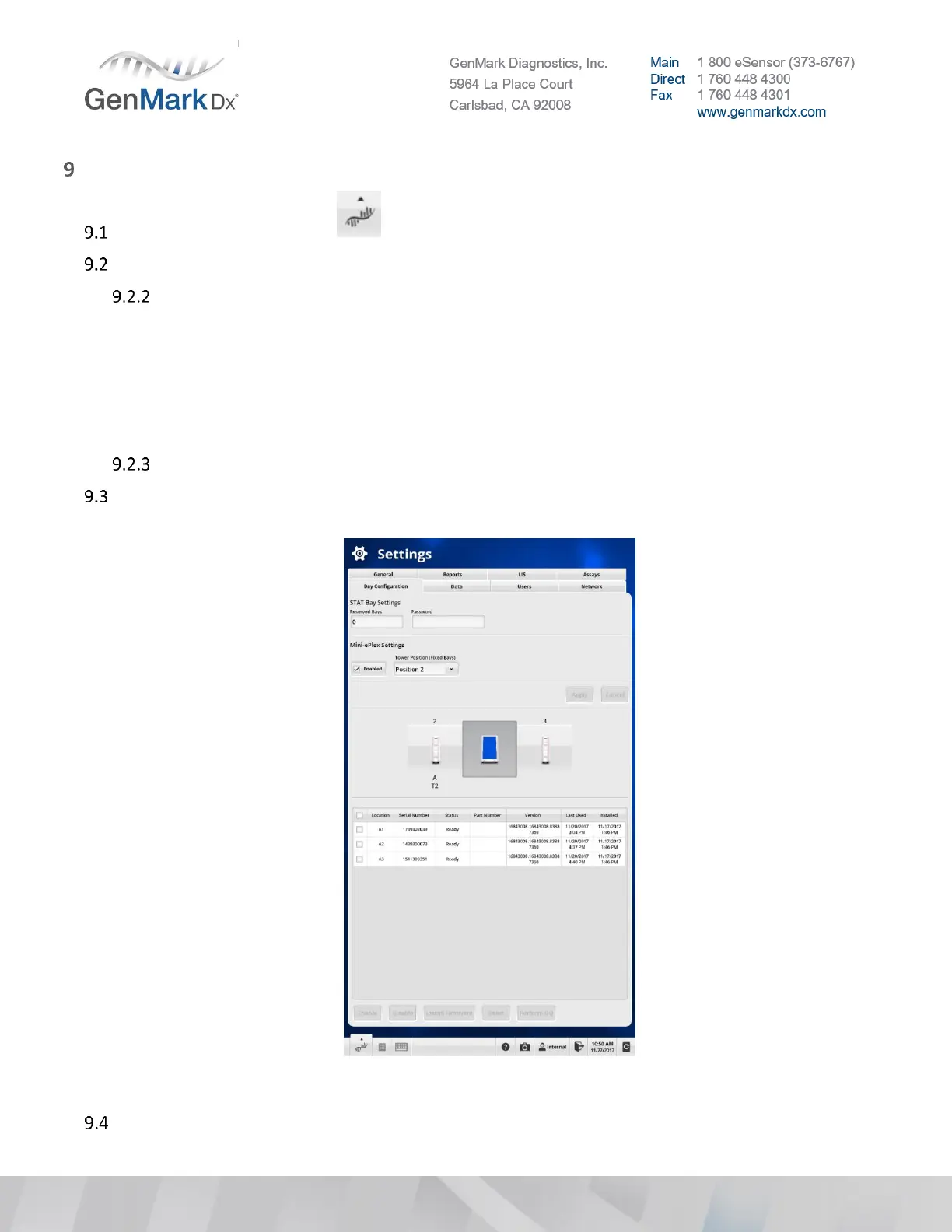
Select the Navigation icon and go to Settings > Bay Configuration.
If configuration is an NP follow instructions below
Under Mini-ePlex Settings
• Check Enabled
• Select the installed Tower position for the NP configuration
- Position 2 (left tower)
- Position 3 (right tower)
• Add the Tower SN to the text box
Select Apply
For all other configurations add towers to the ePlex instrument by selecting the Add Tower button
and enter the Tower serial number(s). See Figure 37 below.
Figure 37 Adding Towers in ISW
Verify the ePlex fans (CPU and Chassis) inside the Base are operational.



 To Next Page