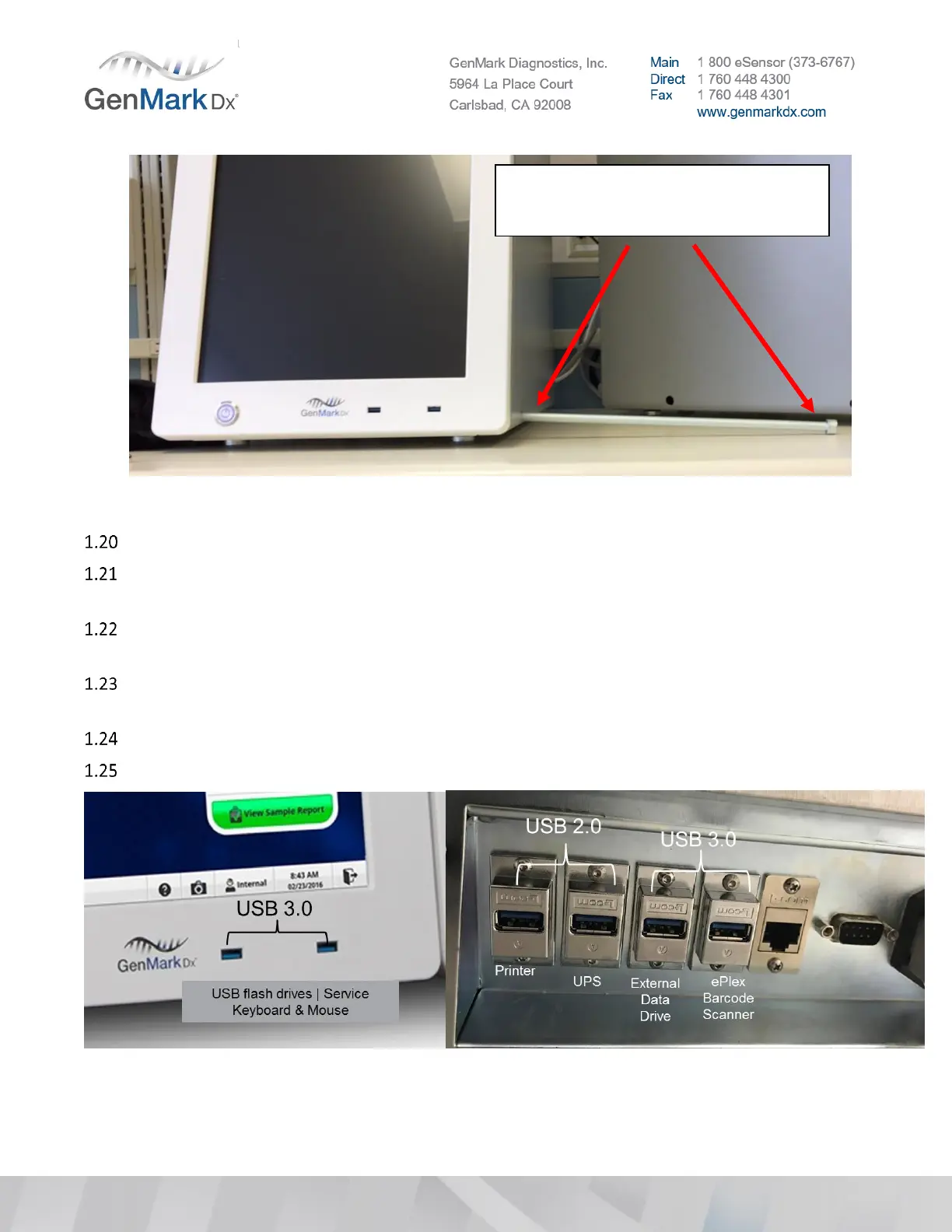
Figure 1 Example of misaligned mounting hole
If the mounting holes are not properly aligned, call CTS for instructions.
Check all cable connections on the motherboard, back of touchscreen and hard drive inside the base
to ensure they are secure after shipping by gently pressing on each connection.
Check digital level accuracy according to Section 22.2. Calibrate if required. Refer to Appendix for
calibration instructions.
With the rear power switch in the OFF/down/”O” position, plug in the Base AC power cord to the
wall receptacle or the UPS (optional).
Plug in the barcode scanner to an available USB 3.0 port on the rear I/O panel
Plug service keyboard/mouse into a USB port on the front of the Base.
Figure 2 USB I/O Configurations
Notice the parallelism of the bolt to
the bench, this will cause
attachment issues.



 To Next Page