04 Product Functions and Introduction
17
Generate engraving or cutting files (gcode) through LightBurn software and save the files to the root directory of the TF card.
Insert the TF card into the machine before powering on, then use the matching power adapter and power cord to connect to the
control panel, and finally turn on the power switch on the right side of the control panel.
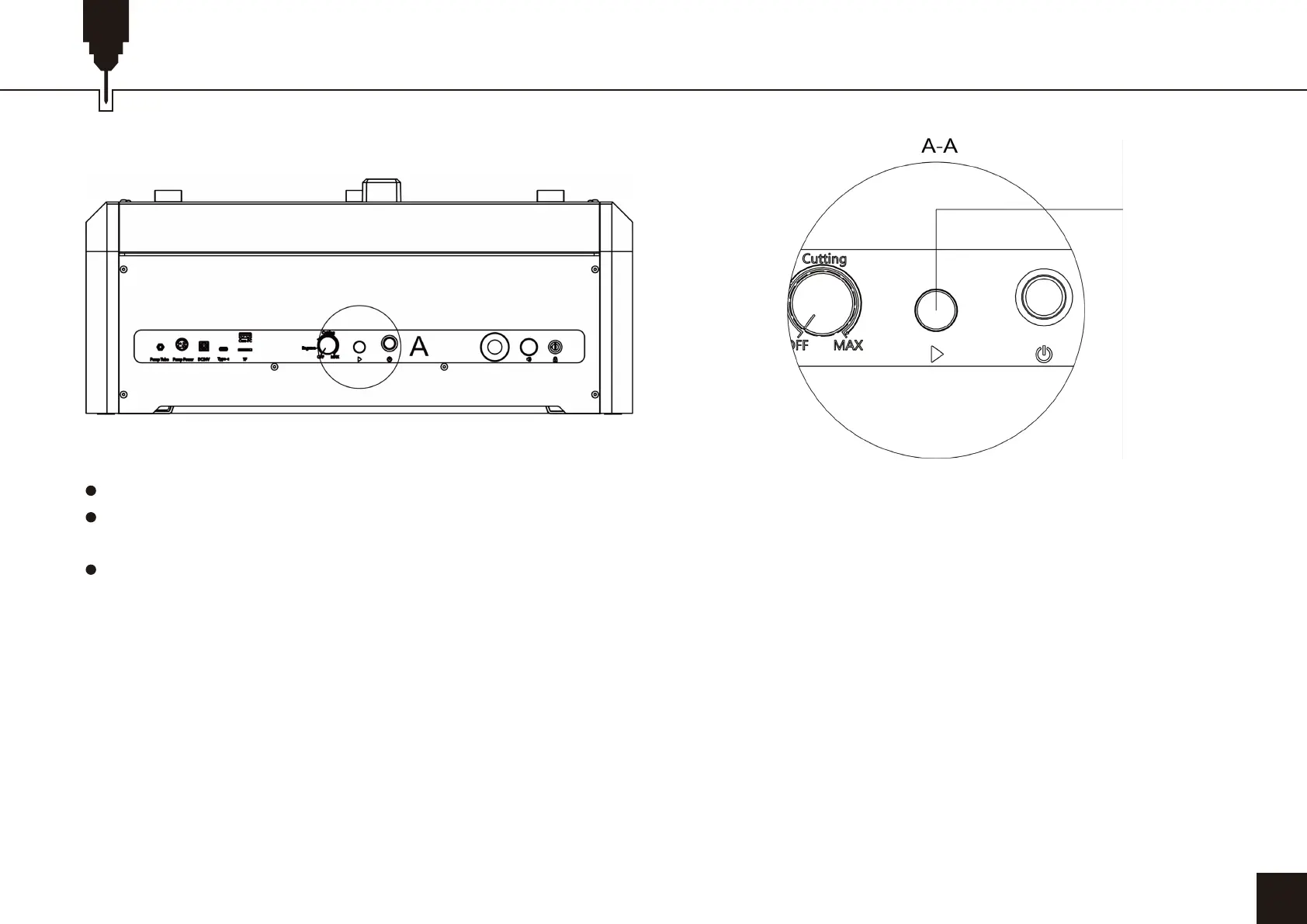
Press the “Offline key function” button:
a. Press and the machine will automatically reset and preview
b. Press and hold for more than 3S to enter the engraving
c. Short press again to pause
d. Short press again to continue
e. Press and hold again for more than 3S to cancel engraving
Offline key
function
Tips: Please rename your file to '001.nc' in TF Card first. The offline control function is primarily designed to process one file at a time
and is ideally suited for repetitive engraving tasks. For offline control, Press the offline key once. The machine will frame the area. Press
the button again, this time for approximately 3 seconds. The machine will commence operation. Please be aware that if the key is
held for an extended period, say 8 seconds, the machine will enter into professional mode, which is used to modify other functions.
Therefore, we recommend limiting the duration of the keystroke to around 3 seconds to ensure normal operation of the machine.


 To Next Page
 Loading...