05 Software Download and Installation on PC
Driver installation in Windows
2. The Software can be acquired as follows:
Method 1: Acquire the driver, software, photos and other data from the USB flash disc provided (Note: Before the use for the first
time, please copy all the data from the USB flash disc to your computer as backup to prevent accidental loss due to improper
operation.)
Method 2: Download at the designated website https://docs.sainsmart.com/l8
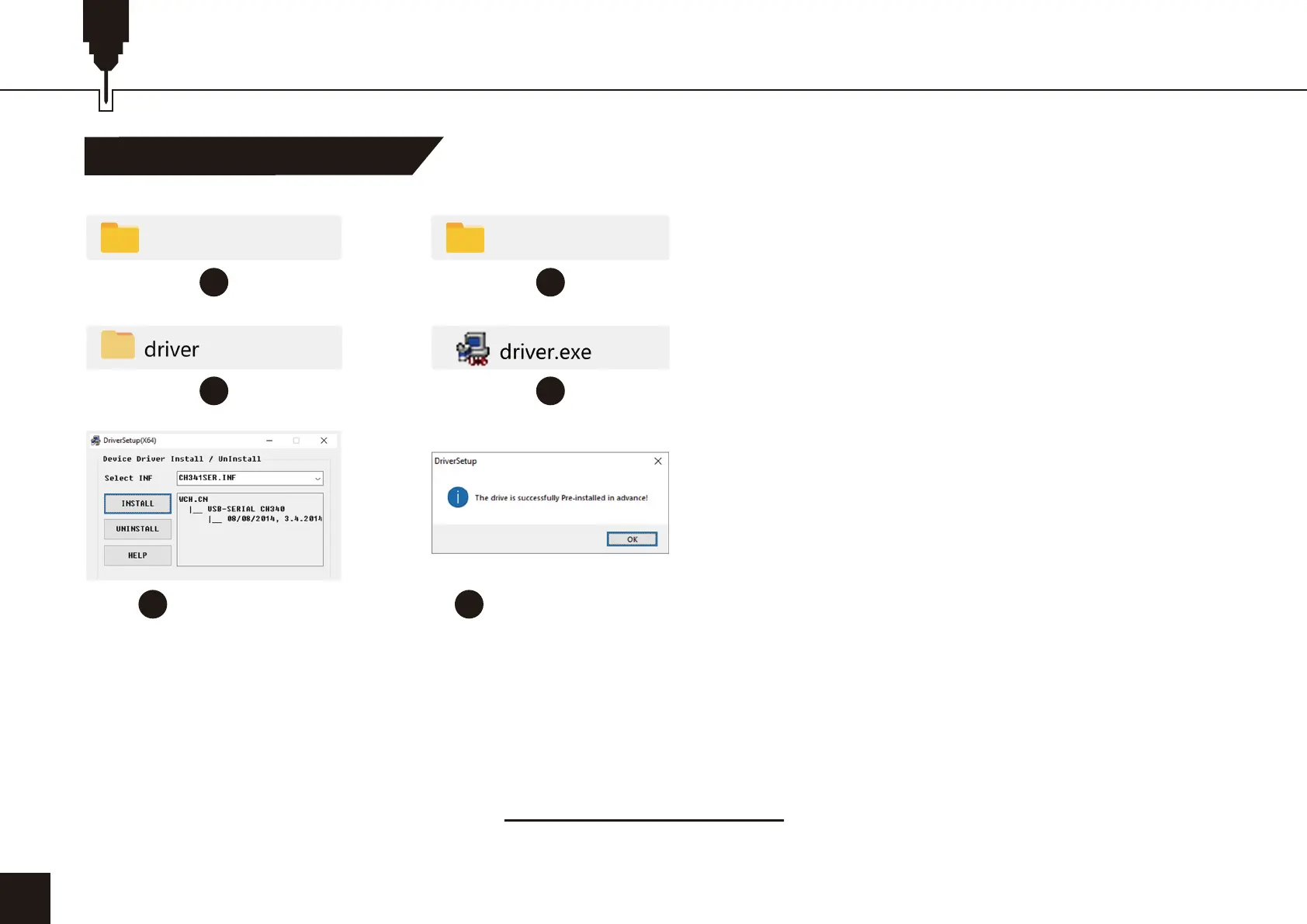
1. Path to Install Driver:
Enter the memory disk and double-click the folder
/01-windows/driver/driver.exe
22
54
Click “Install” Finish installation
07_So�ware_Cutlabx Windows
1 2
3 4


 To Next Page