05 Software Download and Installation on PC
Mac software installation and online Introduction
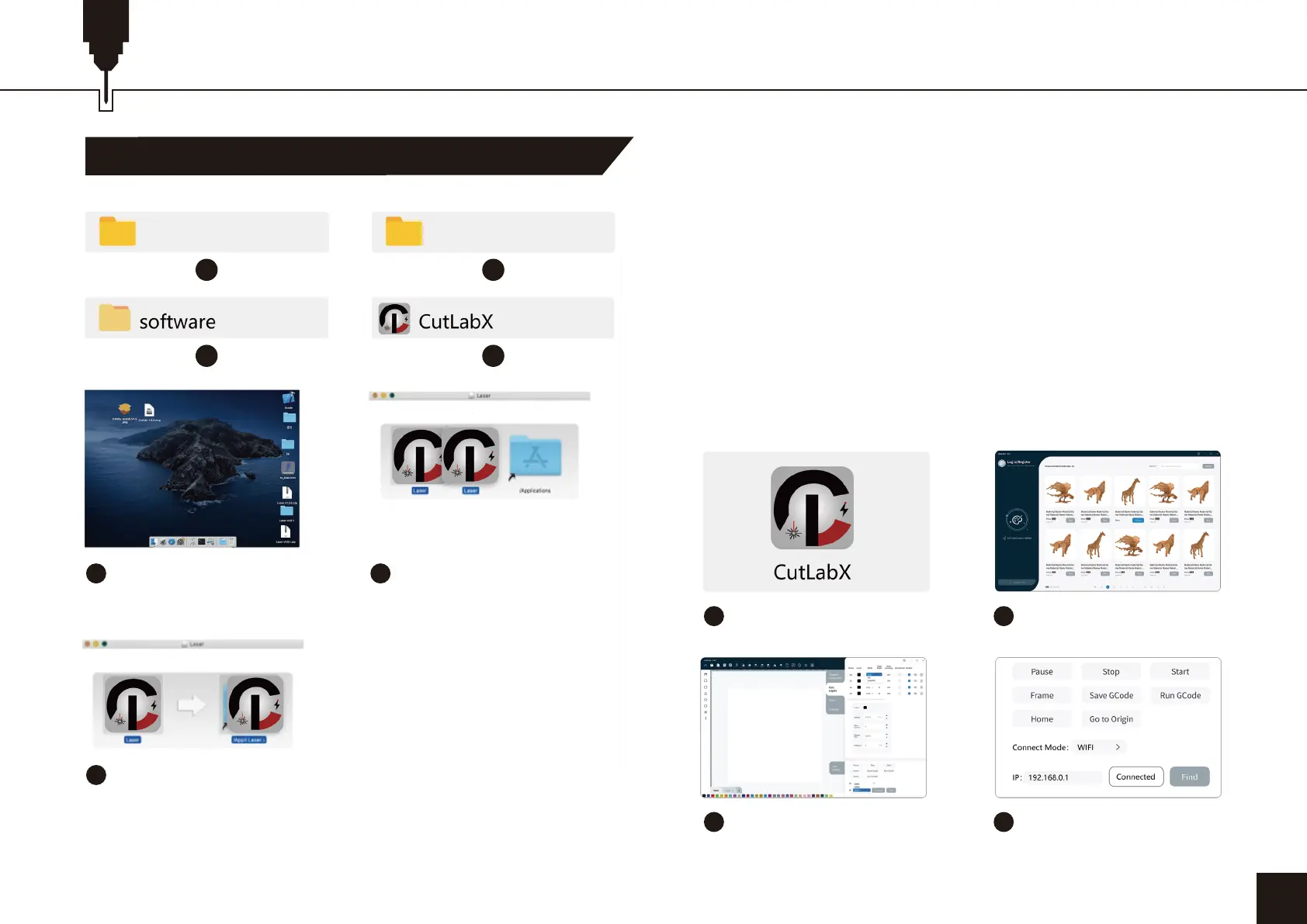
2. Path to Install Software:
Enter flash disk and double click the folder:
02 MAC/software/CutLabX/move software icon to the
right/ complete installation
3. Online Operation:
Double-click on the software icon - enter the home page,
click on the beginning of the creation - select the appropriate
com and connect - connected to the machine successfully!
25
1 2
3 4
5
Double click the
software icon
1
Double click the
software icon
2
Go to the homepage and
click to start creating
3
Choose the appropriate
port and connect
4
Shows that the connection
is successful
7
Complete installation
6
Left click the icon and drag
into the Applications folder
in the right
07_So�ware_Cutlabx Windows


 To Next Page