05 Software Download and Installation on PC
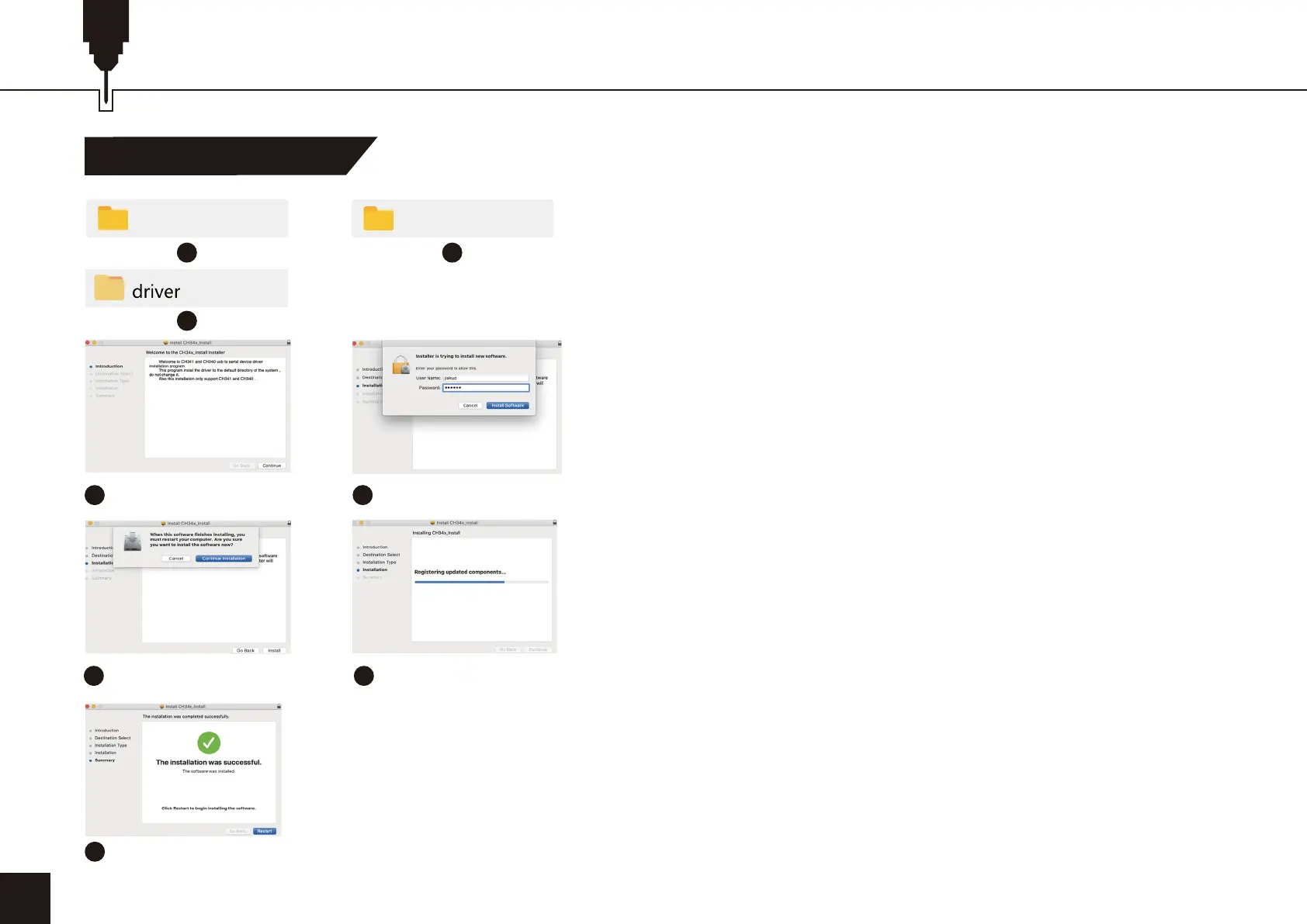
Mac Driver Installation
1. Path to Install Driver:
Path to Install Driver: Enter the USB flash disk and double-click
the folder: 02_MAC /driver/
Note: The software can be installed after the river has been
installed.
24
1
3
4
2
Click to continue
5
Enter the computer
password
6
Click to continue the
installation
7
Continue the installation
8
Complete the installation
07_So�ware_Cutlabx
Windows


 To Next Page