46 - Tekniske ændringer forbeholdes - Technische Änderungen vorbehalten - Subject to Technical Modications - 830209G/160228
3. Maintenance
The following instructions must be followed in order to
ensure optimum operation of the unit:
The power supply to the system must always
be switched off before opening the cover.
When the unit has been installed for the rst time make
sure the water drains are checked after a few days to
make sure they are performing well.
Environmental considerations
When the unit is being serviced or its operation is
cancelled, please make sure to follow the guidelines for
recovery and disposal of all materials according to local
procedures and laws.
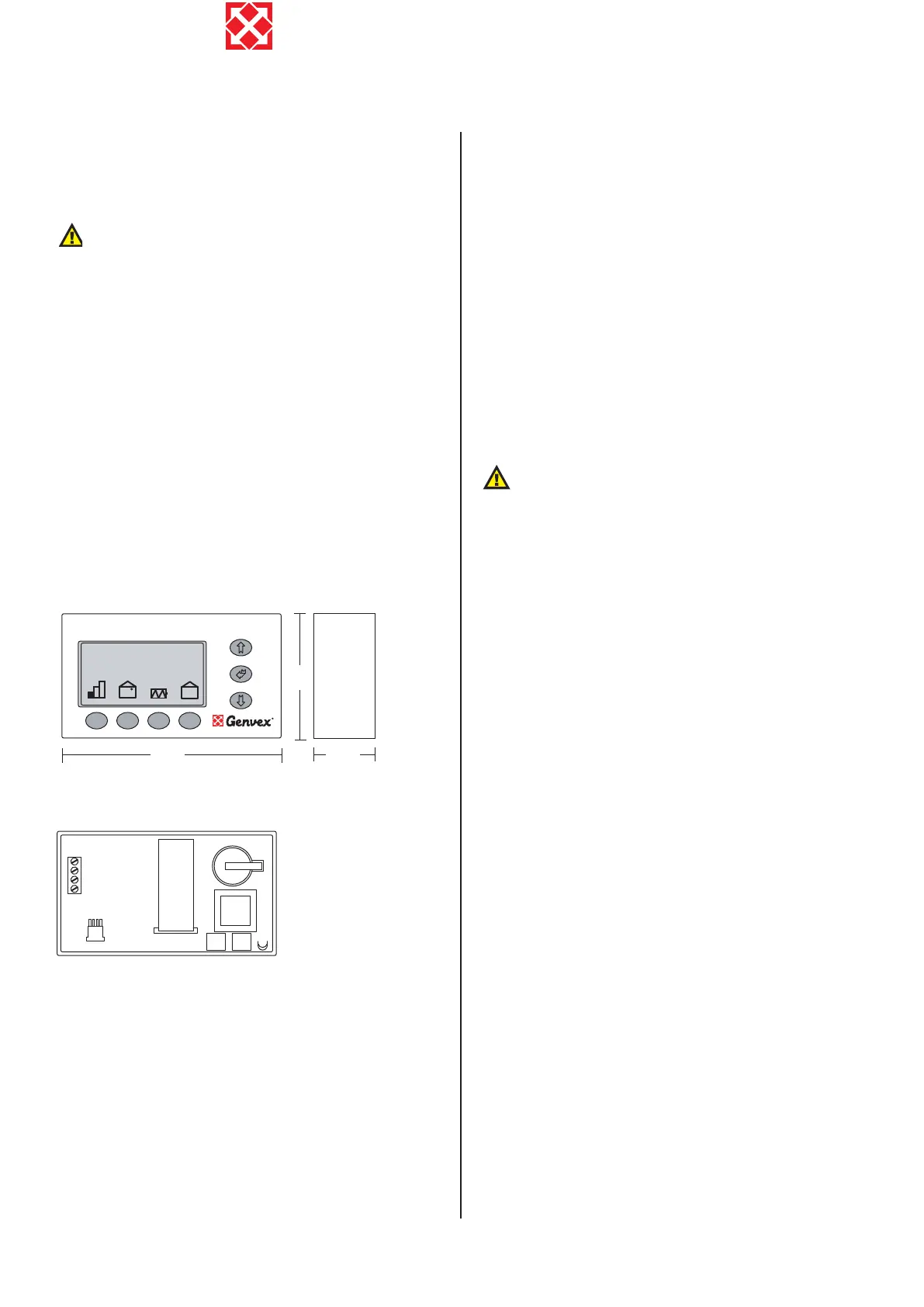
3.1 Connecting to computer
In order for the optima 300 to communicate with the
computer (data logger) the communication box “Genvex
data logger” has to be installed between the controller
and the computer. The data logger is accessory
equipment and can be required at Genvex A/S.
70
120
25
C I
ON/OFF
Roomtemperature
21.5
o
C
Wednesday 12:18
Cable access (bottom rear)
rear side
A: Terminal block. Power connection.
B: Room sensor T2.
C: Communication plug to computer (data logger).
D: Data collection IC circuit (Red).
E: Processor control panel.
F: Battery.
G: IC circuit (black).
Between the unit and the control panel a light current
cable 4 x 0.25 mm
2
should be mounted. The maximum
cable length is 30 m.
3.2 Servicing
Filters:
When the red lamp on the control panel ashes, the
lters must be changed/cleaned. Stop the unit with the
switch on the unit or the electrical panel. Open the front
cover and take out the bag lter and at lter. The bag
lter may be cleaned two or three times with a vacuum
cleaner before replacing it. The at lter can be taken out
of its frame and washed in warm soapy water. Keep the
lter diagonally so the water runs out. The lter must not
be wrung out or washed in dishwasher. After two or three
washes, replace the at lter. Place the at lter in its
frame, set both lters in the unit and close the front cover.
Then switch on the unit and press the enter button on the
control panel for 10-15 seconds until the Genvex logo
starts ashing again and the equipment is back in normal
operation.
Careful handling of the plates is required. They
have sharp edges and must not be damaged.
Condensate drain:
When changing the lters in the autumn season check
the condensate drain and tray for blockage by dirt. Fill
water in the condensate tray and check that the water
runs out unhindered. Should this not be the case the
drain must be cleaned. At the same time make sure that
the plates of the evaporators are clean.
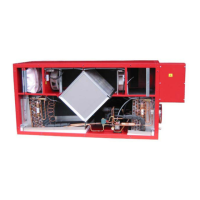
Heat exchanger:
Inspect the countercurrent heat exchanger every three
years. If it is dirty, remove it and wash in warm soapy
water and then rinse, possibly in the bathroom using the
shower head.
Fans:
Every three years check the two fan wheels for dirt. If
they are dirty they must be cleaned with a brush, bottle
washer etc. Please notice that the balance weight of the
fan wheels are not removed causing an unbalance and
thereby a higher noise level and abrasion of the fans.
Supply and extract valves:
Clean the valves by wiping with a dry cloth. Make sure
the valve does not rotate, causing a change in the air
volume.
3.3 Demounting
The following actions must be taken:
Disconnect the power supply to the unit and disconnect
other connections. Shutoff the fresh water supply valve
and connect a drain hose to the drain valve in order to
drain the water. While draining, a hot tap water valve
should be opened to avoid under pressure in the tank.
The air duct connections are uninstalled and remaining
air channels must be closed to avoid condense water
entrance to the building.
ENGLISH



 To Next Page
 Loading...