S A L A M A N D E R USE R G U I D E
4
The System
The controller will normally display “OP” and the green power LED will be illuminated. This
shows the system is OPerating properly. If no green LED is lit then there is no mains power
and the controller is working on backup battery only. After 1 minute, the number display will
switch off to conserve power. To indicate that the controller is still transmitting, a “t” will be
displayed every 30 seconds.
If the controller displays “AL” or “FA” and flashes all LEDs, it is sensing an ALarm / FAult
signal from the fire panel. Clear the alarm / fault signal or check the wiring to the panel. Once
the alarm / fault signal to the controller is cleared, press Activate on the Salamander
controller to resume normal operation.
Enrolling Door Holders and Closers
Each door holder and closer has to be introduced to the controller
so that they recognise each other. We call this enrolling. Enrol
each unit at the controller before fitting.
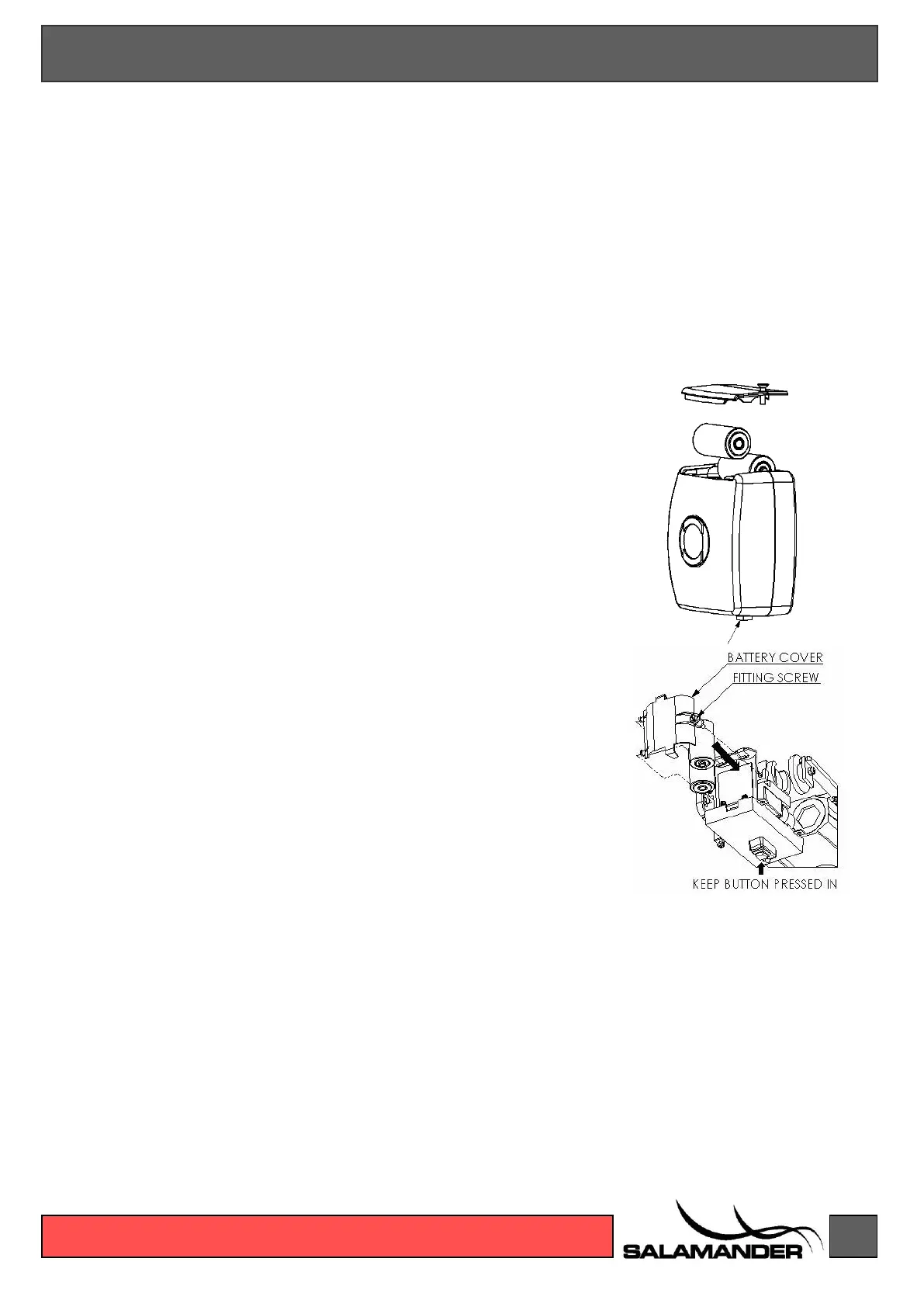
To enrol, insert the batteries into the unit while holding down the
black release button. Once you hear the motor running you can
release the button. Wait for the motor to complete its test cycle
(around 10 seconds) then press the Enrol button on the controller.
“AU” is displayed on the controller. Wait for up to 15 seconds.
When the enrol process is complete, the controller allocates the
unit a number. Note the number shown on the display and write it
on the back of the unit in the case of the door holder. The magnet
will not turn on until the battery cover is fitted and the screw fully
inserted.
If enrol is not successful, the controller will display “EE” and light
all three LEDs. Remove the batteries and try again.
Repeat this until all the units are enrolled. Once a unit is enrolled
the batteries can be removed ready for fitting.
The Weekly Fire Test
When the weekly fire alarm test is performed an alarm signal is sent from the fire panel to
the controller. The controller will display “AL” and all doors will release within 30 seconds.
Leave the fire panel in alarm mode, even if you silence the sounders, for at least 1 minute to
ensure that all units release their door. Clear the alarm in the fire panel then press Activate
to reset the controller. The controller will now display “OP”. Check the units all turn on again
after a further 30 seconds.
Closing All the Doors
Press the * RELEASE button on the controller. All units should release their doors within 30
seconds. After a further 30 seconds the units will turn on again.


 To Next Page