13/22
Exercise report
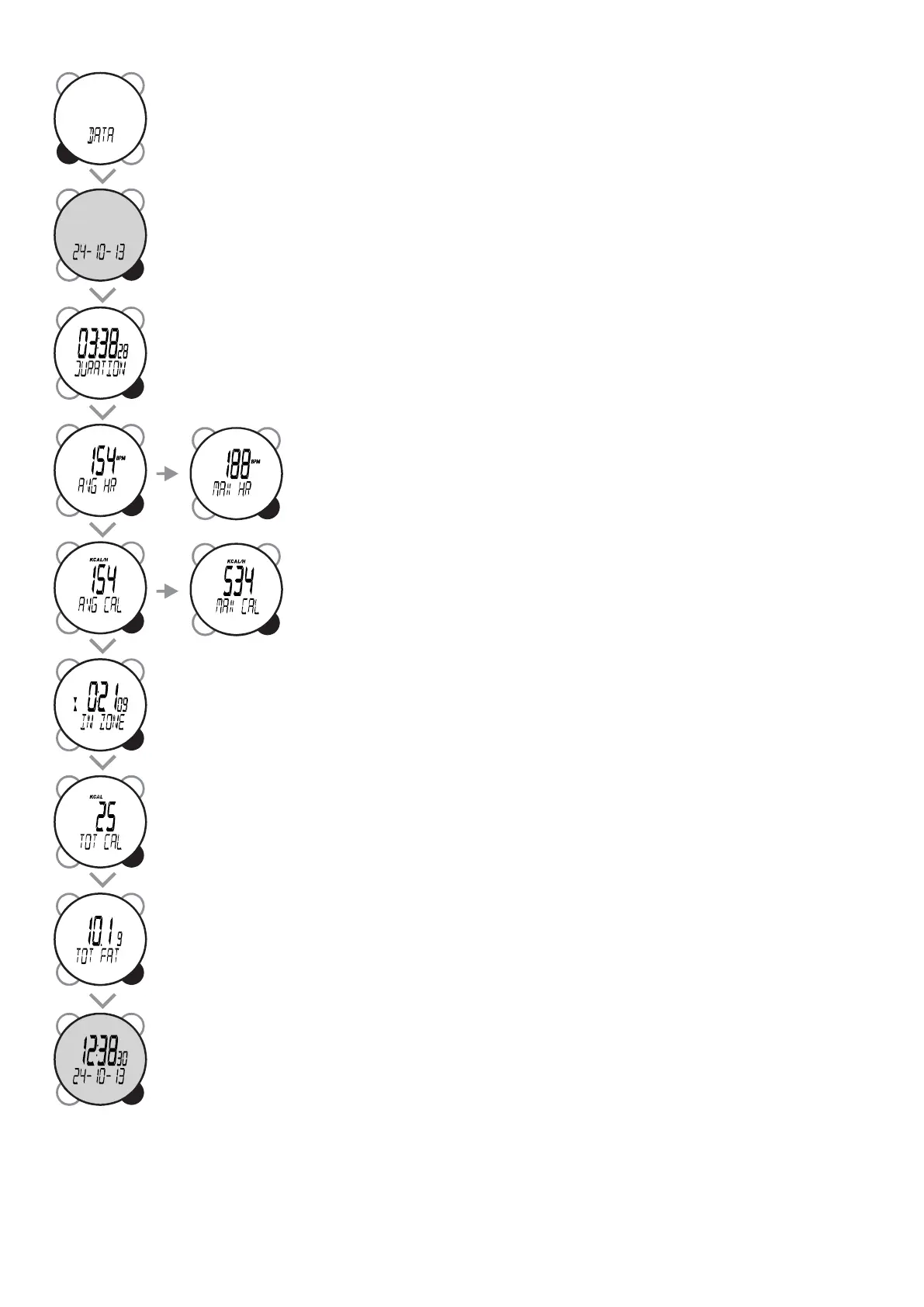
In DATA mode, go from one information screen to the next by pressing VIEW. Data mode
enables you to view a full report at the end of the sports session.
The rst screen displays the date of the session recorded.
then the duration of the session (hours, minutes, seconds),
then the average heart rate (AVG HR) and the maximum heart rate (MAX
HR) during exercise. By default the data is displayed in beats per minute,
the acronym bpm appears on the screen, but you can also display them in
percentage of maximum heart rate (bpm no longer appears), see chapter
8: Setting heart rate display.
then the average and maximum rate of energy expenditure (AVG CAL) and
(MAX CAL) in kilocalories per hour during exercise.
The time spent in the target zone in hours, minutes, seconds The value is 0 if the target zone
has been deactivated.
The total number of kilocalories burned over the course of the workout.
The number of grams of fat burned during the workout.
Return to rst screen.


 To Next Page