Need help?
Do you have a question about the GEONAUTE WS900 and is the answer not in the manual?
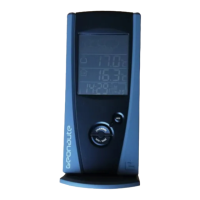
Explains the function of each button, display element, and sensor part of the weather station.
Outlines the device's warranty coverage, exclusions, and recommended normal operating conditions.
Provides essential safety advice and guides on battery types and installation for the main unit and sensor.
Covers selecting communication channels and locating the remote sensor for reliable data transmission.
Details battery insertion for the main unit and guidelines for responsible disposal of electronic waste and batteries.
Guides users through the critical sequence for setting up the station and sensors for the first time.
Instructions for installing additional sensors and the main unit, including channel assignment and transmission initiation.
Recommends proper vertical positioning for the station and sensor for optimal signal reception.
Explains factors affecting wireless signal range and provides typical distances in various environmental conditions.
Guides users on selecting active display fields, understanding navigation buttons, and interpreting display icons.
Explains display icons for weather forecasts, temperature trends, comfort levels, and selection of units/channels.
Describes how to view recorded minimum and maximum temperature and humidity values and how to erase memory.
Details trend indicators, comfort level assessments based on temp/humidity, and calculation of the heat index.
Explains how to activate backlighting, re-initialize the system, and provides an overview of barometer functions.
Covers viewing barometric pressure, historical data, bar graphs, and setting altitude for accurate readings.
Guides on installing and using the optional UV sensor, including inputting user profiles and setting exposure time countdowns.
Explains managing UVI records and manually setting the clock, calendar, time zones, and radio control.
Details setting the daily alarm, pre-alarm for snowy weather, and snooze alarm functionality.
Specific steps to set and confirm the daily alarm function, including its activation icon.
Lists technical specifications and provides a comprehensive table to diagnose and resolve common operational issues.
Provides essential tips for cleaning, handling, and preserving the weather station to ensure longevity and proper function.
Details FCC and R&TTE compliance, and provides contact information for customer support and feedback.
 General
| Brand | GEONAUTE |
|---|---|
| Model | WS900 |
| Category | Weather Station |
| Language | English |


 To Next Page