Advanced Applications
130
7
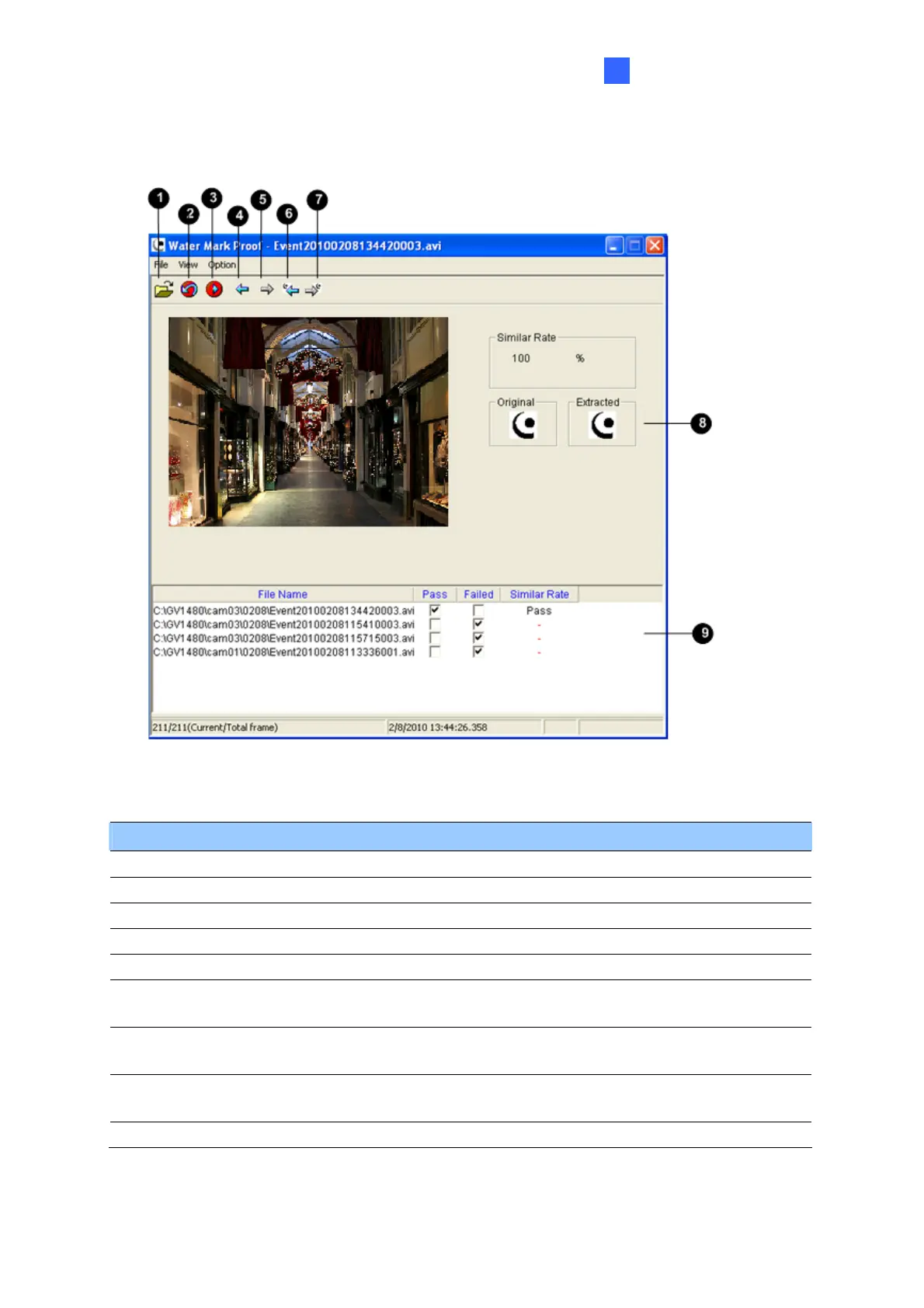
7.4.3 The Watermark Proof Window
Figure 7-7
The controls are as follow:
No. Name Description
1 Open File Opens the recording.
2 First Frame Goes to the first frame of the file.
3 Play Plays the file.
4 Previous Frame Goes to the previous frame of the file.
5 Next Frame Goes to the next frame of the file.
6
Previous Watermarked
Frame
Goes to the previous frame that contains watermark.
7
Next Watermarked
Frame
Goes to the next frame that contains watermark.
8 Original vs. Extracted
The Extracted icon should be identical with the Original icon. If
not, this indicates the recording has been tampered with.
9 File List Displays the proof results.







 To Next Page