P.10 P.11
Operating Instructions
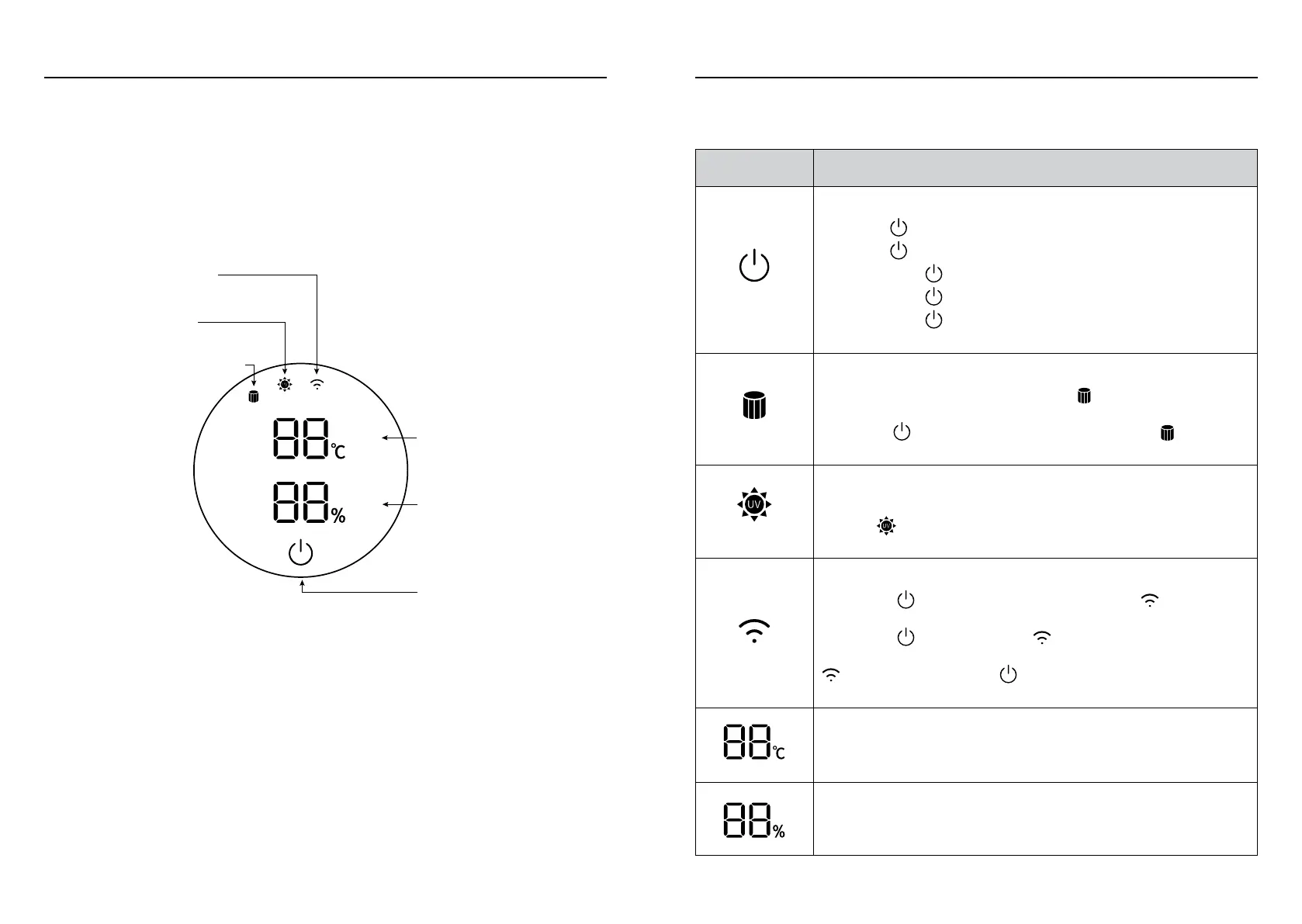
Filter Replacement Alert
Indicator Light
UV-C Disinfection
Indicator Light
Wi-Fi Indicator Light
Settings &
Humidity Display
On/Off
Temperature Display
Operating Instructions
Icon Description
On/Off Button
• Press to turn product on.
• Press
repeatedly to adjust air volume.
• Long-press
1 second to turn Oscillation on and off.
• Long-press
2 seconds to turn off product.
• Long-press
5 seconds to connect product to smartphone
App Control.
Filter Replacement Alert Indicator Light
After a total of 720 hours of operation,
will light up, indicating
the filter needs to be replaced. After the filter has been replaced,
long-press
on the Remote Control for 5 seconds,
will turn
off, and product will enter a new 720 hour cycle.
UV-C Disinfection Indicator Light
When UV-C Disinfection Function is turned on via the Remote
Control,
will light up. UV-C will automatically turn off after 1
hour.
Wi-Fi Indicator Light
Long-press
on the LED Display for 5 seconds,
will flash,
user can then control the product through smartphone App.
Long-press
5 seconds again,
flashes, and product runs in
Compatibility Mode. When successfully connected to the app,
will light up. Long-press
on LED Display for 5 seconds to
cancel Wi-Fi connection.
Temperature Display
In Cool Air Mode, display will light up in blue; in Warm Air Mode,
display will light up in orange.
Settings & Humidity Display
This indicates the current setting and humidity level.
LED Display LED Display Icon


 To Next Page