P.14
Operating Instructions
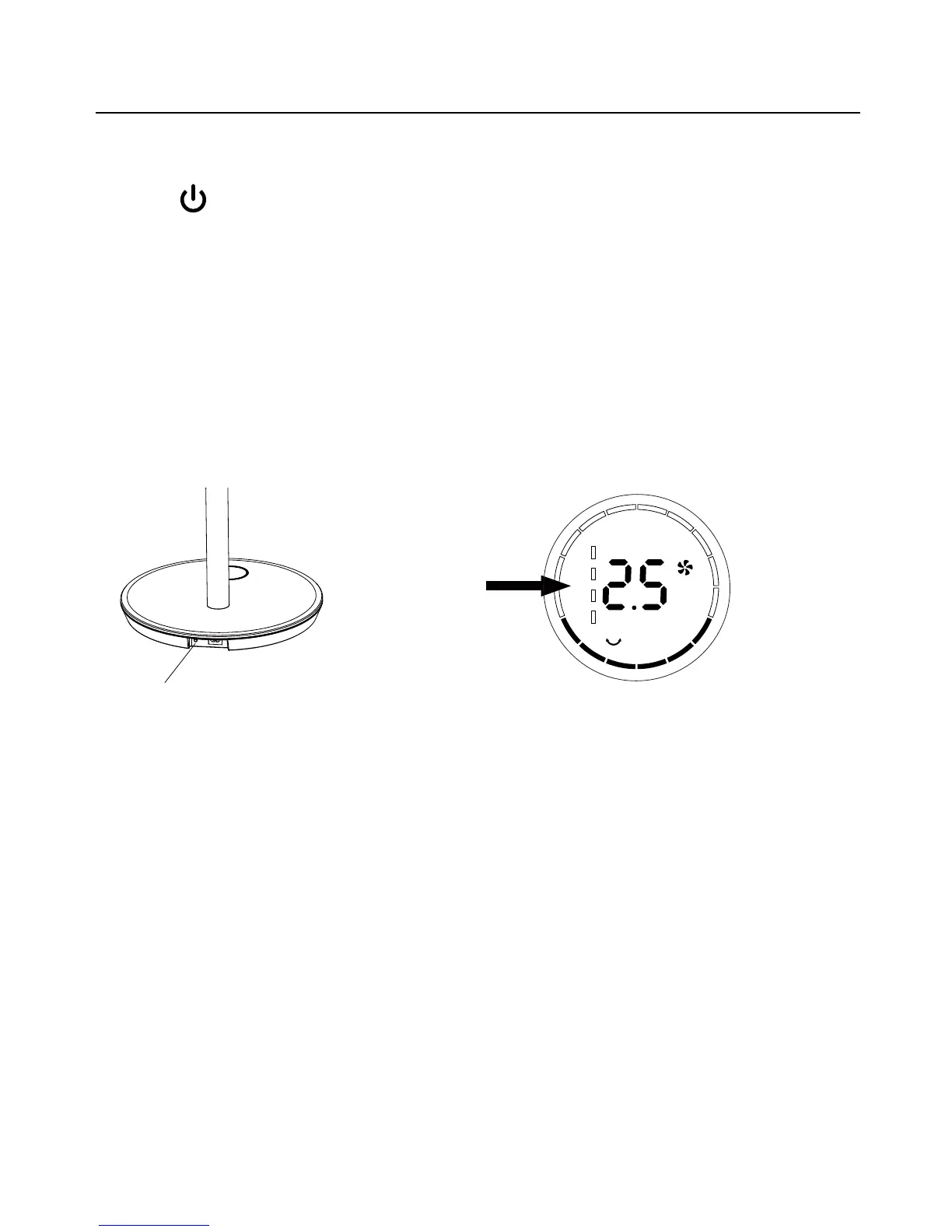
Battery Control Button
Battery Indication
7. Battery Mode:
Unplug the power cord from the product, switch on the battery control button on the base, press
the
on the control panel or remote control, you can hear “Beeping”, and fan working. The fan
with memory function and working at last setting.
If plug in the supply, the inside battery would be charged automatically. The indicator light (green
light) was ashing for charging and 4 LED indicator turning to be on for full charging. (Full charging
time was about 6 hours from empty.)
Note: At the battery mode, after full charge, the DC fan would work about 15 hours at speed 1, 8
hours at speed 7-8, and 1.5 hours at speed 12. (With oscillation off, above times are for
reference only)


 To Next Page