1
English
Identifying Hardware Components
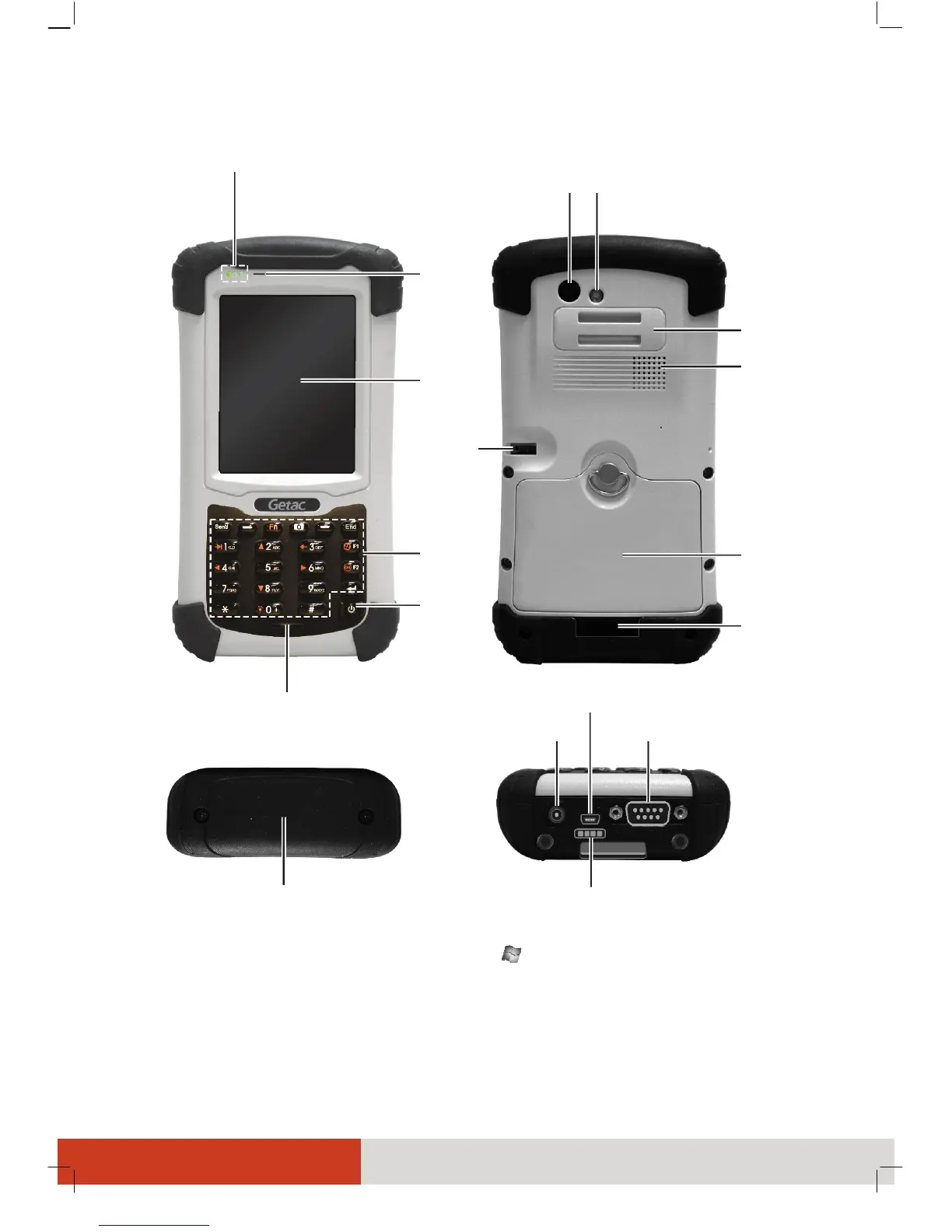
* The Expansion Port (FlexiConn™ Mini-PCIE type) connects a Getac proprietary accessory for
additional functions. When using this port, tap
Æ Settings Æ SystemÆ Serial Port Switch
to set up accordingly. (Contact your sales representative for technical information of
FlexiConn™ if needed.)
From left to right:
Mobile Phone Indicator
RF (Radio Frequency) Indicator
Charge/Notification Indicator
Camera
Lens
Flash
Hand Strap
Holder
Earpiece
Touch
Screen
Keypad
Power
Button
Microphone
Speaker
Battery
Cover
Hand Strap
Holder
Stylus
USB OTG Connector
Power Connector
Docking Connector
Serial Connector
Expansion Port Cover *



 To Next Page