2019
6. Operation Guide
6. Operation Guide
Close the lid to powder
chamber.
MAX
20
6.3 Operation By Time Mode - Use Portafilter
Bracket
1
1
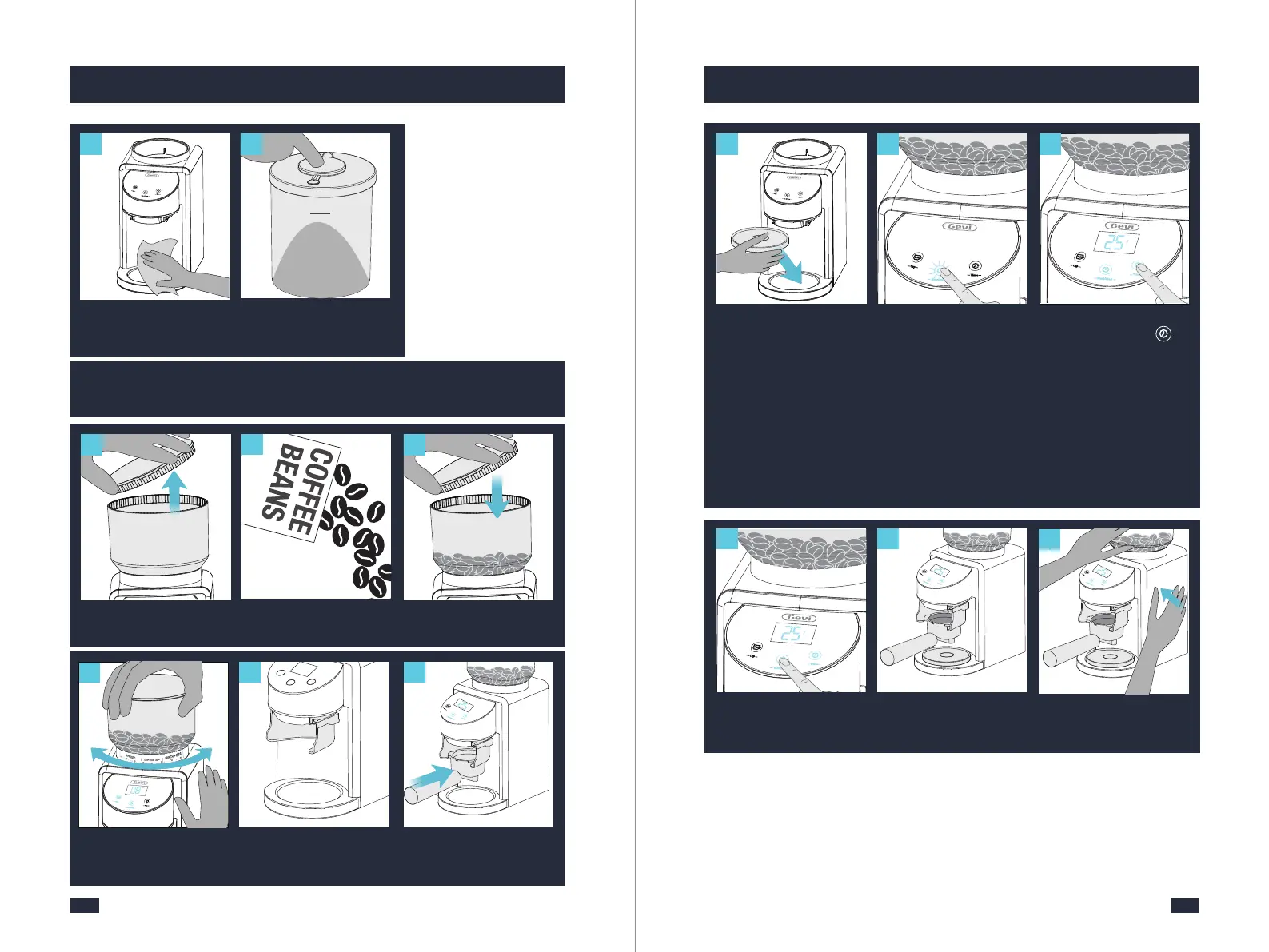
Remove bean hopper lid
from bean hopper.
1
Fill bean hopper with fresh
beans.
2
3
Secure lid on top of bean
hopper.
1
14
Hold top of hopper and
rotate to select grind size.
Fine Coarse
5
6
Insert portafilter bracket
under powder outlet.
Place the Portafilter hor-
izontally and insert it into
the portafilter bracket.
Touch Start/Stop icon to
start grinding, and then
it will automatically stop.
10
Wipe clean the grinder
base with a soft damp
cloth.
1
119
1
1
Select grinding time you
need by Touching " "
( 1-60 seconds).(Single
touch increase 1 second,
long press for a fast inc-
rease).
1
1
Place silicone lid under
grinder powder outlet to
collect residual powder.
7
9
When it is plugged again
into a power outlet, for
safety purposes, the ma-
chine will automatically
enter safety-lock mode in
which the Start/Stop icon
will flash. In this case, long
press the Start/Stop icon
for 2 seconds to unlock.(If
the machine hasn’t been
unplugged all along, skip
this step).
1
112
Hold and tap the grinder
carefully to drop all the
residual powder.
11
The preset amount of coff-
ee is dispensed into porta-
filter.
Tap
8


 To Next Page