2221
7. Other Functions
7.1 Safety-Lock Mode
1-To save your time and meet your personal taste, we suggest that you
firstly test to confirm your desired grind size and bean amount, and then
grind the beans by time mode. Make a note of how much time it takes so
that next time you can easily get your desired powder by inputting the
recorded time based on same type of beans and grind size.
TIPS
1-Safety-lock mode can keep you protect and help you save energy.
6. Operation Guide 6. Operation Guide
2
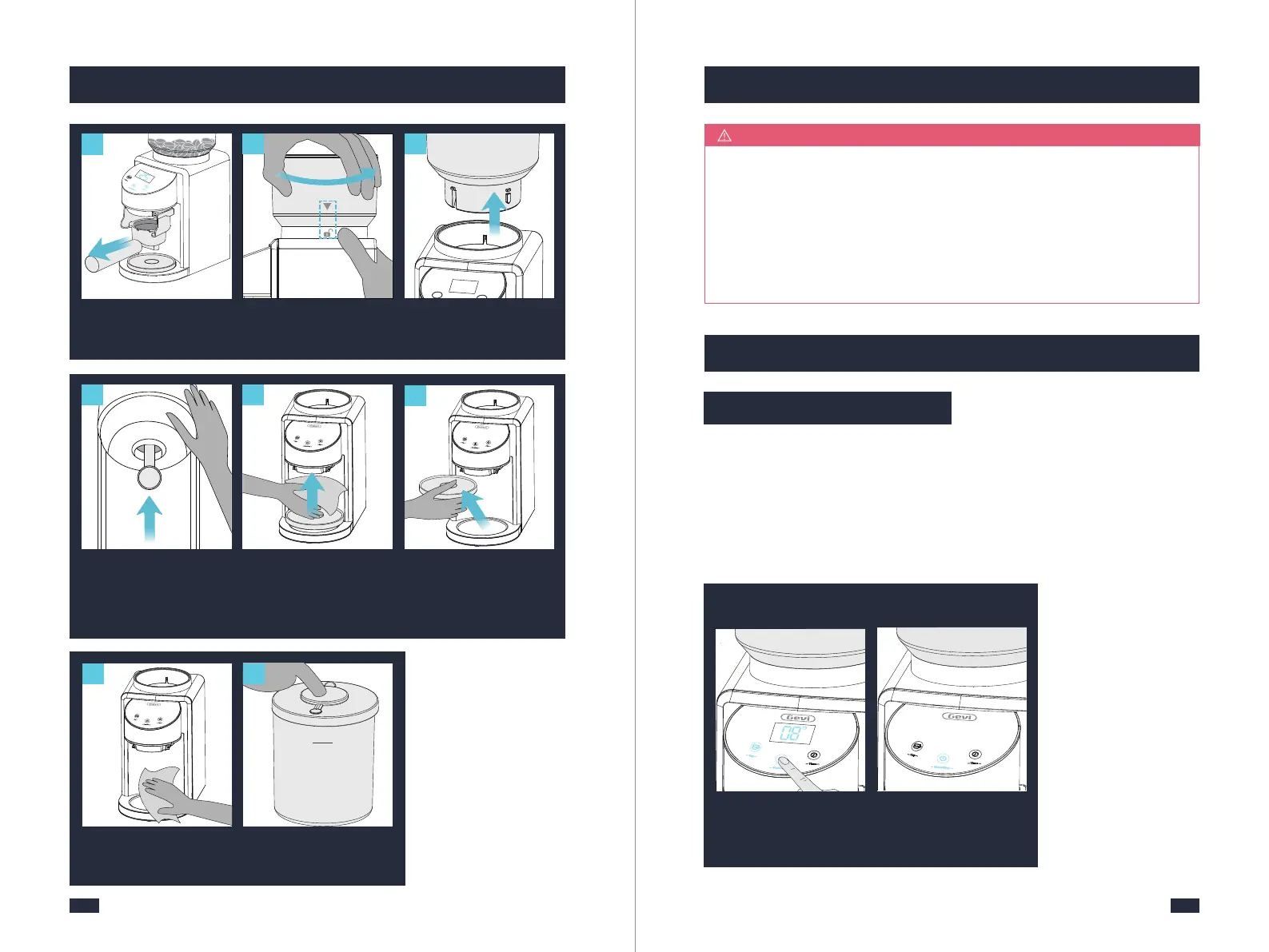
Long press the Start/Stop
icon for 2s to activate safety
-lock mode, and there will
be a beep sound.
In safety-lock mode, the
Start/Stop icon flashes
while other icons and LED
screen go out.
1113
19
Wipe clean the grinder
base with a soft damp
cloth.
Gently remove the portaf-
ilter from the portafilter
bracket.
Close the lid to powder
chamber.
MAX
20
2-If changing grind size and beans, please follow the above method to get
the new time.
Manually Enter
Safety-Lock Mode
Unlock Safety-Lock
Mode
2-The grinder automatically powers down to safety-lock mode after 5 minutes of
non-use without unpluging the grinder.
3-You can also manually enter or unlock safety-lock mode by following the steps
below:
Hold the bean hopper and
rotate it counterclockwise
until it stops.
1
Hold the bean hopper with
one hand and take it out.
15
1
Align
14
Rotate
11
Lay the grinder on its side,
and then insert a cleaning
brush into the deepest
part of the powder outlet
for cleaning.
16
18
Remove silicone lid and
discard residual powder.
17
Wipe powder outlet with
a soft cloth.


 To Next Page