Rev. 05 – July 2015
“SMART”
Electronic control for towel radiators
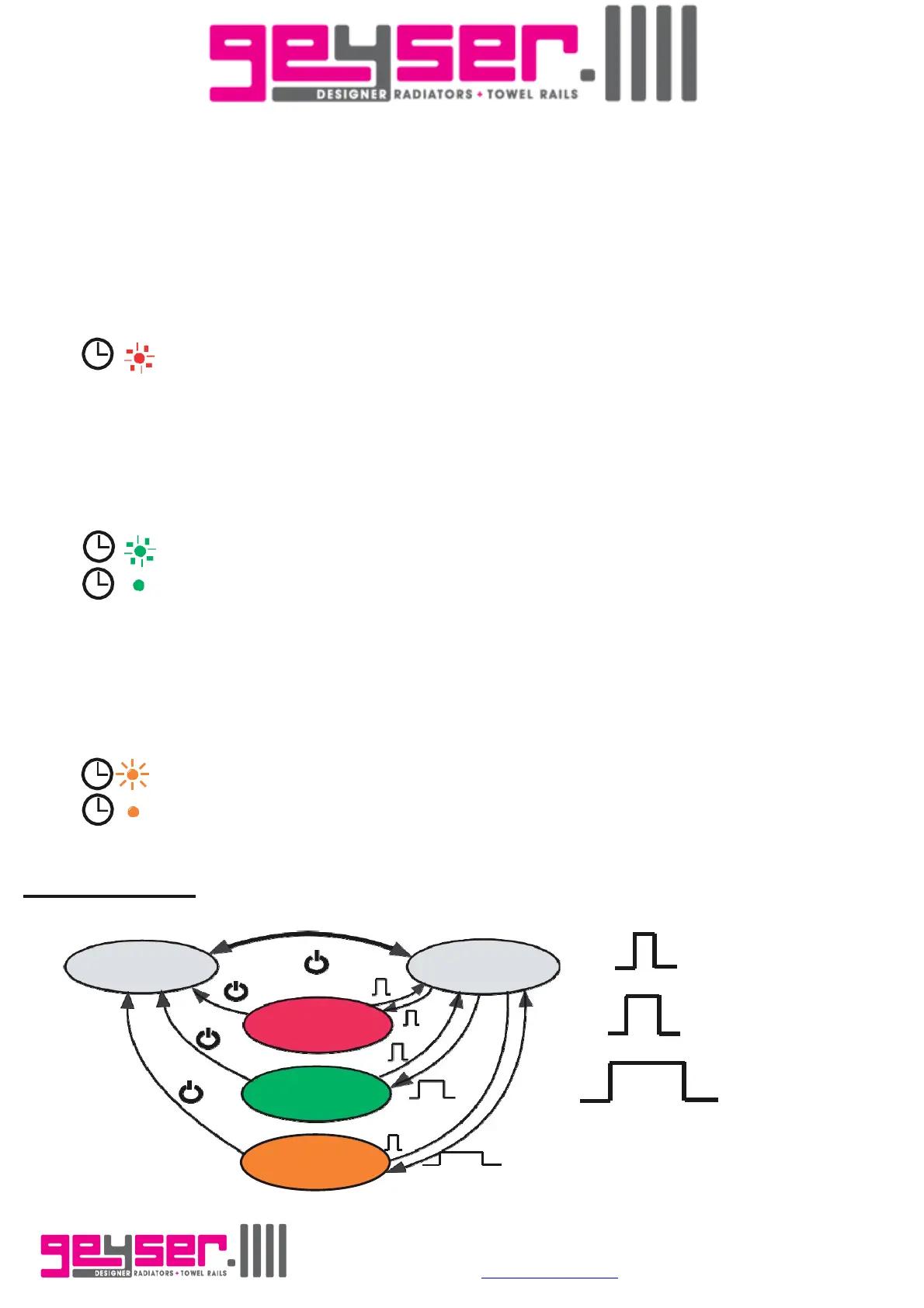
Standby
Comfort
Press once
BOOSt 2hr
BOOST
24hr
Press for 3sec
Press for 5sec
BOOST
12hr
“Boost” mode: Press the [Boost] button to activate this operative mode.
This mode activates the heating element to the maximum power for 2hrs (for safety reasons the maximal
temperature is limited to 65°C).
To exit the “Boost” mode, press the [Boost] button.
“Boost” mode indication: "Boost" LED has red color and it blinks.
“24hr Boost” mode: Press the [Boost] button for 3 seconds to activate this mode.
The control system activates the “Boost” mode for 2 hours, after that it returns to “Comfort” mode and after
22 hours the “Boost” mode is started again for 2 hours. This sequence will repeat endlessly.
To exit the “24hr Boost” mode press the [Boost] button.
NOTE: During the first cycle the duration of the “Comfort” mode is of 21 hours.
“24hr Boost” indication during 2hrs “Boost”: “Boost/ Auto Boost” LED blinking green.
During 22hrs “Comfort”: “Boost/ Auto Boost” LED permanent green.
“12hr Boost” mode: Press the [Boost] button for more than 5 seconds to activate it.
The control system activates the “Boost” mode for 2 hours, after that it returns to “Comfort” mode and after
10 hours the “Boost” mode is started again for 2 hours. This sequence will repeat endlessly.
To exit the “12hr Boost” mode press the [Boost] button.
NOTE: During the first cycle the duration of the “Comfort” mode is of 9 hours.
“12hr Boost” indication during 2hrs “Boost”: “Boost/Auto Boost” LED blinking amber.
During 10hrs “Comfort”: “Boost/ Auto Boost” LED permanent amber.
NOTE: For safety reasons, the maximal temperature of the radiator during the 2hrs boost is limited to 65°C.
Functional diagram
Unit D, Lostock Ind. Est., Lostock Lane, Bolton. Lancashire. BL6 4BL.
Tel. 01204 695387 E-mail
sales@geyser.co.uk or aftersales@geyser.co.uk


 To Next Page
 Loading...