Chapter 3 Start Up
VFD-E Series
3-24 Revision August 2006, 01EE, SW--PW V1.03/CTL V2.03
3.2 Operation Method
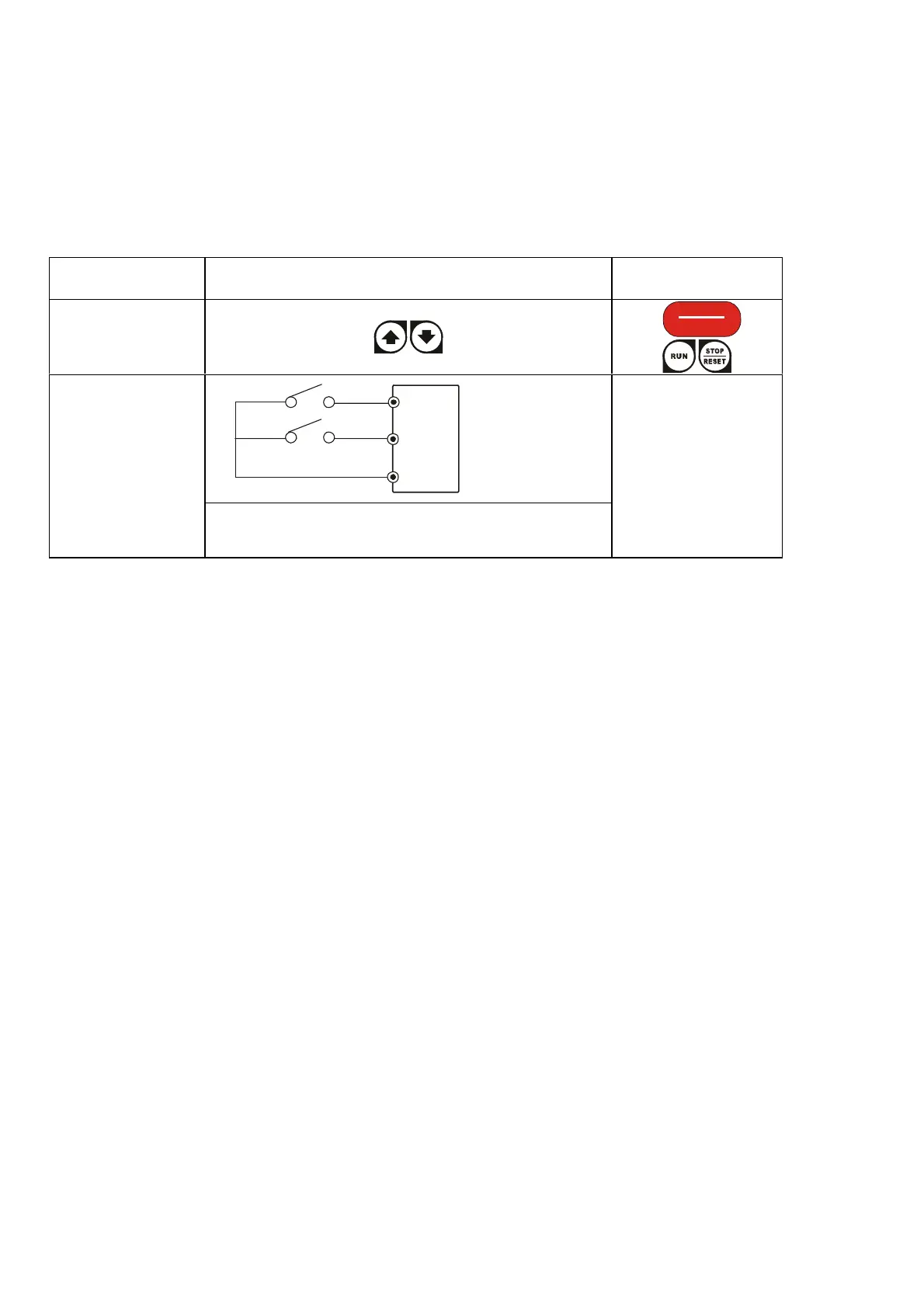
Refer to 4.2 How to operate the digital keypad and chapter 5 parameters for setting. Please choose
a suitable method depending on application and operation rule. The operation is usually done as
shown in the following table.
3.3 Trial Run
After finishing checking the items in “3.1 preparation before start-up”, you can perform a trial run.
The factory setting of the operation source is from the external terminal (Pr.02.01=2).
1. After applying power, verify that LED “Ready” is on and both of LED RUN and FAULT is off.
2. Both MI1-DCM and MI2-DCM need to connect a switch.
3. Please connect a potentiometer among AVI, 10V and DCM or apply power 0-10Vdc to AVI-
DCM.
4. Setting the potentiometer or 0-10Vdc power to less than 1V.
5. Setting MI1=On for forward running. And if you want to change to reverse running, you
should set MI2=On. And if you want to decelerate to stop, please set MI1/MI2=Off.
6. Check following items:
Check if the motor direction of rotation is correct.
Check if the motor runs steadily without abnormal noise and vibration.
Check if acceleration and deceleration are smooth.
If you want to perform a trial run by using digital keypad, please operate by the following steps.
Operation Method Frequency Source
Operation
Command Source
Keypad
RESET
STOP
MI3
MI4
DCM
Parameter
setting:
04.05=10
04.06=11
Operate from
external signal
AVI, ACI
External terminals
input:
MI1-DCM
MI2-DCM


 To Next Page
 Loading...