
 Need help?
Do you have a question about the Gigabyte AORUS LIQUID COOLER Series and is the answer not in the manual?
Lists all items included in the AORUS Liquid Cooler package.
Detailed steps for installing the cooler on Intel LGA sockets.
Detailed steps for installing the cooler on AMD sockets.
Instructions on connecting the cooler's cables to the motherboard and power supply.
The AORUS LIQUID COOLER is a high-performance cooling solution designed to maintain optimal operating temperatures for computer processors, ensuring stable and efficient system performance. This comprehensive guide outlines the installation process for both Intel and AMD motherboards, along with detailed instructions for connecting the necessary cables. The cooler is engineered to provide superior heat dissipation, making it an ideal choice for enthusiasts, gamers, and professionals who demand reliable and powerful cooling for their systems.
The primary function of the AORUS LIQUID COOLER is to efficiently transfer heat away from the Central Processing Unit (CPU) to prevent overheating. This is achieved through a closed-loop liquid cooling system, which circulates a coolant through a cold plate that sits directly on the CPU, absorbing heat. The heated coolant then travels to a radiator, where it is cooled by fans before returning to the CPU. This continuous cycle ensures that the CPU operates within safe temperature limits, even under heavy loads, thereby preventing thermal throttling and extending the lifespan of the processor.
The AORUS LIQUID COOLER is available in multiple configurations to suit different system requirements and case sizes:
Each variant is designed to integrate seamlessly into various PC builds, providing a robust cooling solution that enhances overall system stability and performance. The liquid cooling mechanism is inherently more efficient than traditional air coolers, especially for high-wattage CPUs, as liquid has a higher thermal conductivity and heat capacity than air.
The AORUS LIQUID COOLER is designed with user-friendly installation and operation in mind, catering to both novice builders and experienced enthusiasts.
The cooler supports a wide array of Intel and AMD CPU sockets, ensuring broad compatibility with most modern motherboards. The package includes specific mounting hardware for different platforms:
The pump/cold plate unit is designed for easy attachment to the CPU. The radiator, which houses the cooling fans, can be mounted in various locations within a PC case, such as the top, front, or bottom, depending on case design and user preference. The fans are secured to the radiator using provided fan screws, ensuring a tight fit for optimal airflow.
The AORUS LIQUID COOLER features integrated cabling for power and control, simplifying the connection process.
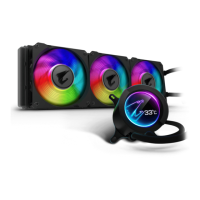
The AORUS LIQUID COOLER is not just about performance; it also enhances the visual appeal of a PC build. The pump unit often features an illuminated AORUS logo, and the fans may include RGB lighting, allowing users to create a cohesive and personalized lighting scheme within their system. The sleek design of the pump and radiator, combined with clean cable routing, contributes to a professional and high-end look.
The AORUS LIQUID COOLER is designed for minimal maintenance, offering a "set it and forget it" experience for most users.
Being a closed-loop liquid cooler, the system comes pre-filled with coolant and is sealed at the factory. This eliminates the need for users to add or replace coolant, simplifying maintenance and reducing the risk of leaks. Unlike custom liquid cooling loops, there is no requirement for regular coolant flushing or component disassembly for cleaning.
The components of the AORUS LIQUID COOLER, including the pump, radiator, and fans, are constructed from high-quality materials designed for longevity and reliability. The pump is engineered for continuous operation, and the fans are typically equipped with durable bearings (e.g., hydraulic or fluid dynamic bearings) that ensure quiet operation and extended lifespan.
While the liquid cooling system itself requires no internal cleaning, the radiator fins and fans can accumulate dust over time, which can impede airflow and reduce cooling efficiency. Users can easily maintain optimal performance by periodically cleaning the radiator and fan blades. This typically involves:
The USB 2.0 connection allows users to monitor the cooler's performance through dedicated software. This software typically displays real-time data such as CPU temperature, pump speed, and fan speed. Users can set up alerts for high temperatures or adjust fan curves to optimize cooling performance and noise levels. This proactive monitoring helps in identifying potential issues early, ensuring the cooler operates effectively.
The robust mounting hardware ensures that the cold plate remains securely seated on the CPU, maintaining consistent thermal contact. The thumbscrew caps and various standoff screws provided facilitate a firm and stable installation, preventing any movement that could compromise cooling performance.
In summary, the AORUS LIQUID COOLER is a sophisticated and reliable cooling solution that combines powerful performance with user-friendly features and minimal maintenance requirements. Its broad compatibility, efficient heat dissipation, and aesthetic appeal make it an excellent choice for anyone looking to upgrade their system's cooling capabilities.
 General
| Radiator Sizes | 240mm, 280mm, 360mm |
|---|---|
| Radiator Material | Aluminum |
| Block Material | Copper |
| Pump Bearing Type | Ceramic Bearing |
| RGB Lighting | Yes, Addressable RGB |
| Warranty | 3 years |
| Tube Material | Rubber |
| Fan Size | 120mm, 140mm |
| Compatibility | Intel LGA 1200, 115x, 2066, 2011-3, AMD AM4, TR4, sTRX4 |


 To Next Page