
 Need help?
Do you have a question about the Gigabyte B365M GAMING HD and is the answer not in the manual?
Guidelines for safe and proper handling during installation.
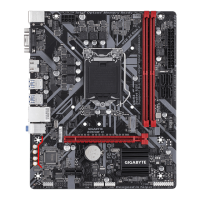
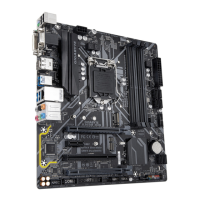
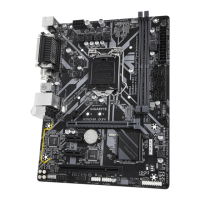
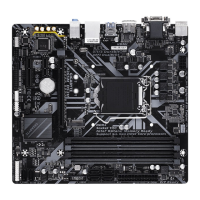
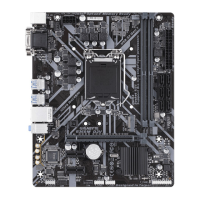
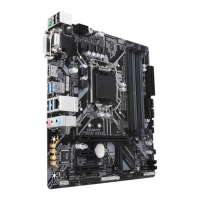
Details on CPU, memory, graphics, audio, LAN, and expansion slots.
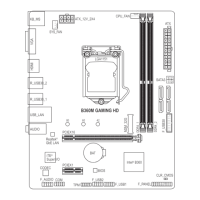
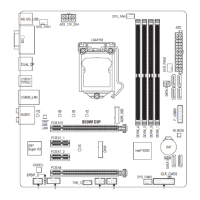
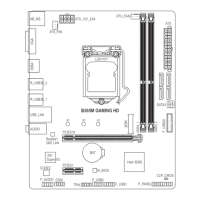
Overview and identification of all internal and external motherboard connectors.
Step-by-step instructions for installing CPU, Memory, and Expansion Cards.
Initial boot screen, BIOS access keys, and modes.
Overview of BIOS main menu, system info, and function key usage.
Settings for CPU/memory frequency, voltage, and overclocking.
PC health status, fan control, system info, and date/time settings.
Settings for boot order, CSM, LAN, SATA, USB, and other onboard devices.
Configuration of chipset features, onboard graphics, audio, and power saving.
Options for saving changes, loading defaults, and exiting the BIOS utility.
Step-by-step instructions for setting up RAID arrays using EZ RAID and UEFI.
Guide for installing and configuring Intel Optane memory for system acceleration.
Instructions for installing essential motherboard drivers from the provided disk.
 General
| Form Factor | Micro ATX |
|---|---|
| Chipset | Intel B365 |
| CPU Socket | LGA 1151 |
| Memory Type | DDR4 |
| Memory Slots | 2 |
| Max Memory | 32 GB |
| Memory Speed | 2666/2400/2133 MHz |
| PCIe x16 Slots | 1 |
| PCIe x1 Slots | 2 |
| SATA 6Gb/s Ports | 6 |
| M.2 Slots | 1 |
| USB 3.1 Gen1 Ports | 6 |
| USB 2.0 Ports | 6 |
| Audio | Realtek ALC887 |
| LAN | Realtek GbE LAN chip (10/100/1000 Mbit) |
| RAID Support | Yes |


 To Next Page