
 Need help?
Do you have a question about the Gigabyte B365M D3V and is the answer not in the manual?
Safety guidelines and essential steps to follow before installing hardware components.
Step-by-step guide on how to properly install the Central Processing Unit (CPU).
Instructions for installing RAM modules, including dual-channel configuration.
Section for Motherboard Intelligent Tweaker, focusing on system tuning and overclocking.
Step-by-step guide to setting up RAID arrays using BIOS or EZ RAID features.
Instructions for installing and enabling Intel Optane Memory for storage acceleration.
 General
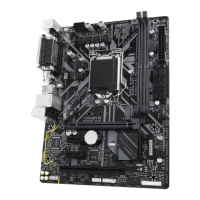
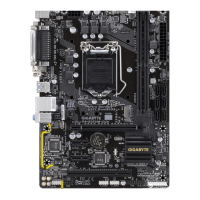
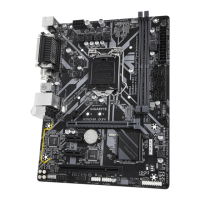
| Form Factor | Micro ATX |
|---|---|
| Chipset | Intel B365 |
| CPU Socket | LGA 1151 |
| Memory Type | DDR4 |
| Memory Slots | 4 |
| Maximum Memory | 64 GB |
| PCIe x16 Slots | 1 |
| PCIe x1 Slots | 2 |
| SATA Ports | 6 |
| M.2 Slots | 1 |
| USB 3.1 Gen 1 Ports | 6 |
| USB 2.0 Ports | 6 |
| Audio | Realtek ALC887 |
| LAN | Realtek GbE LAN |
| RAID Support | 0, 1, 5, 10 |


 To Next Page