- 10 -
Read the following guidelines before connecting external devices:
• First make sure your devices are compliant with the connectors you wish to connect.
• Before installing the devices, be sure to turn off the devices and your computer. Unplug the power
cord from the power outlet to prevent damage to the devices.
• After installing the device and before turning on the computer, make sure the device cable has
been securely attached to the connector on the motherboard.
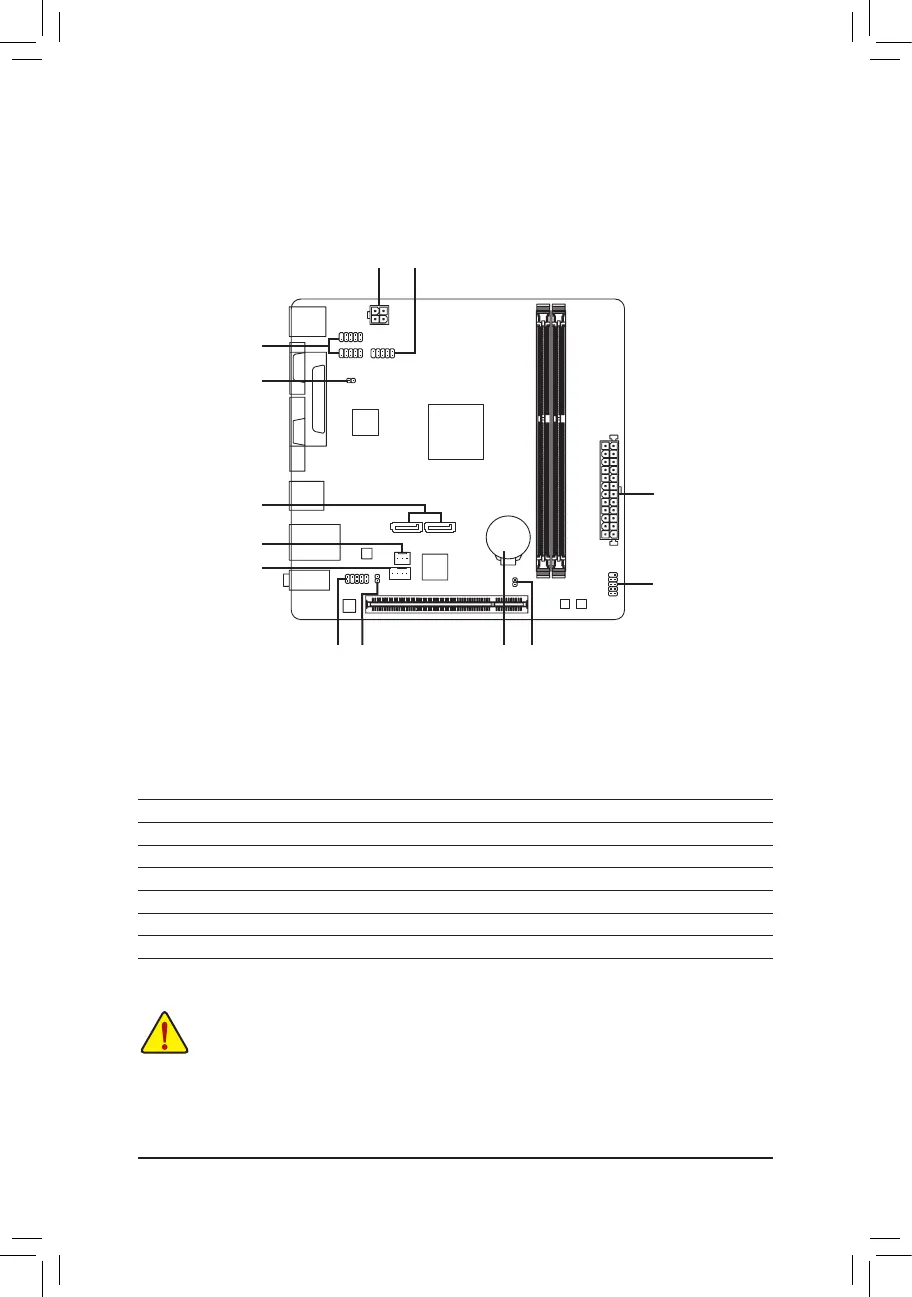
1-6 Internal Connectors
1) ATX_12V
2) ATX
3) CPU_FAN
4) SYS_FAN
5) SATA3 0/1
6) F_PANEL
7) SPDIF_O
8) F_AUDIO
9) F_USB1/F_USB2
10) COMB
11) CLR_CMOS
12) BAT
13) CI
1
4
5
7
11
6
10
13
8 12
9
3
2



 To Next Page