Appendix- 83 -
English
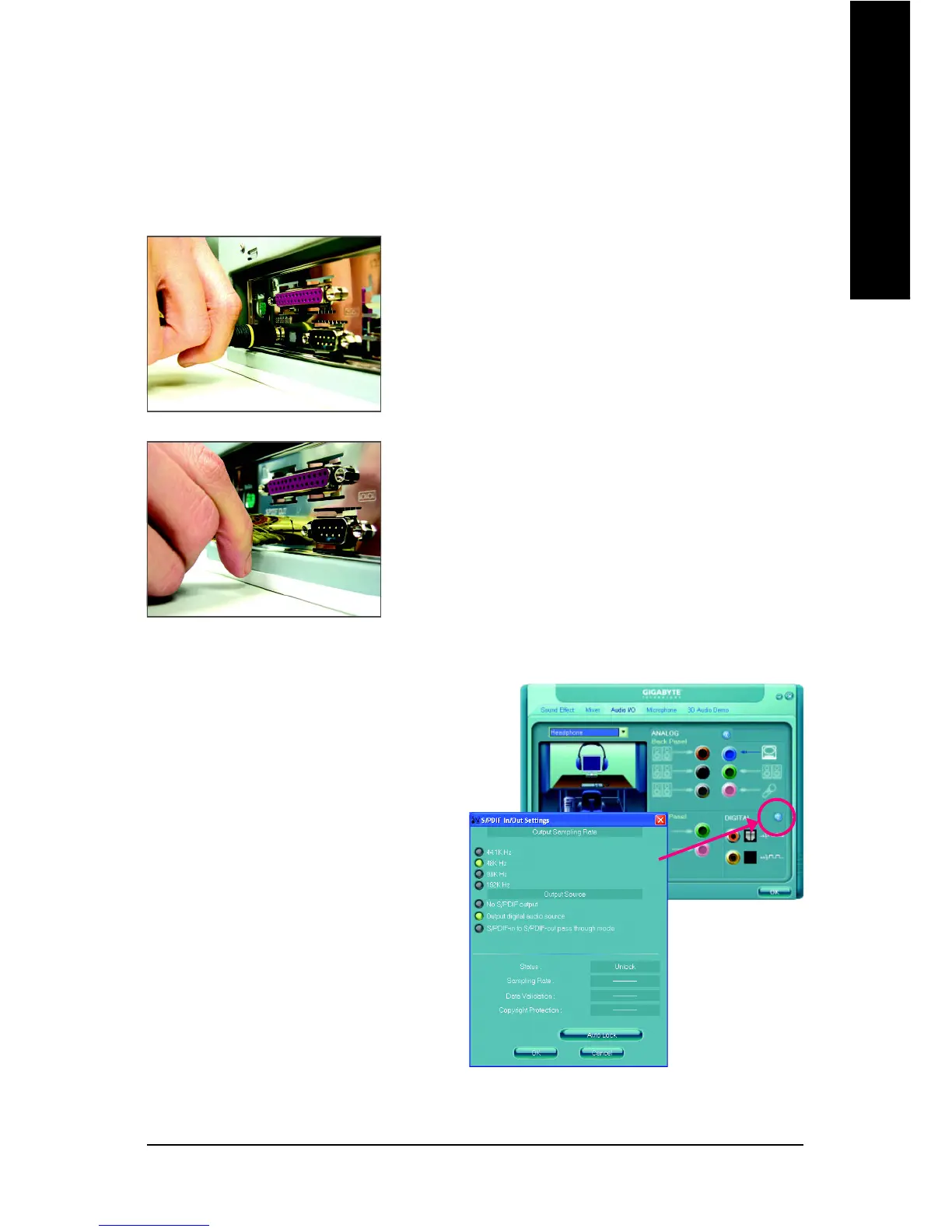
C. Configuring S/PDIF out:
Click the tool icon in the DIGITAL section. In the
S/PDIF In/Out Settings dialog box, select an out-
put sampling rate and select (or disable) the output
source. Click OK to complete the configuration.
S/PDIF Out:
The S/PDIF out jacks can transmit audio signals to an external decoder for decoding to get the best
audio quality.
Connect a S/PDIF coaxial cable or a S/PDIF optical cable (either
one) to an external decoder for transmitting the S/PDIF digital
audio signals.
S/PDIF Coaxial Cable
S/PDIF Optical Cable
B. Conneting a S/PDIF out Cable


 To Next Page
 Loading...