GA-M52S-S3P Motherboard - 82 -
English
5-2-2 Installing the S/PDIF In Cable (Optional)
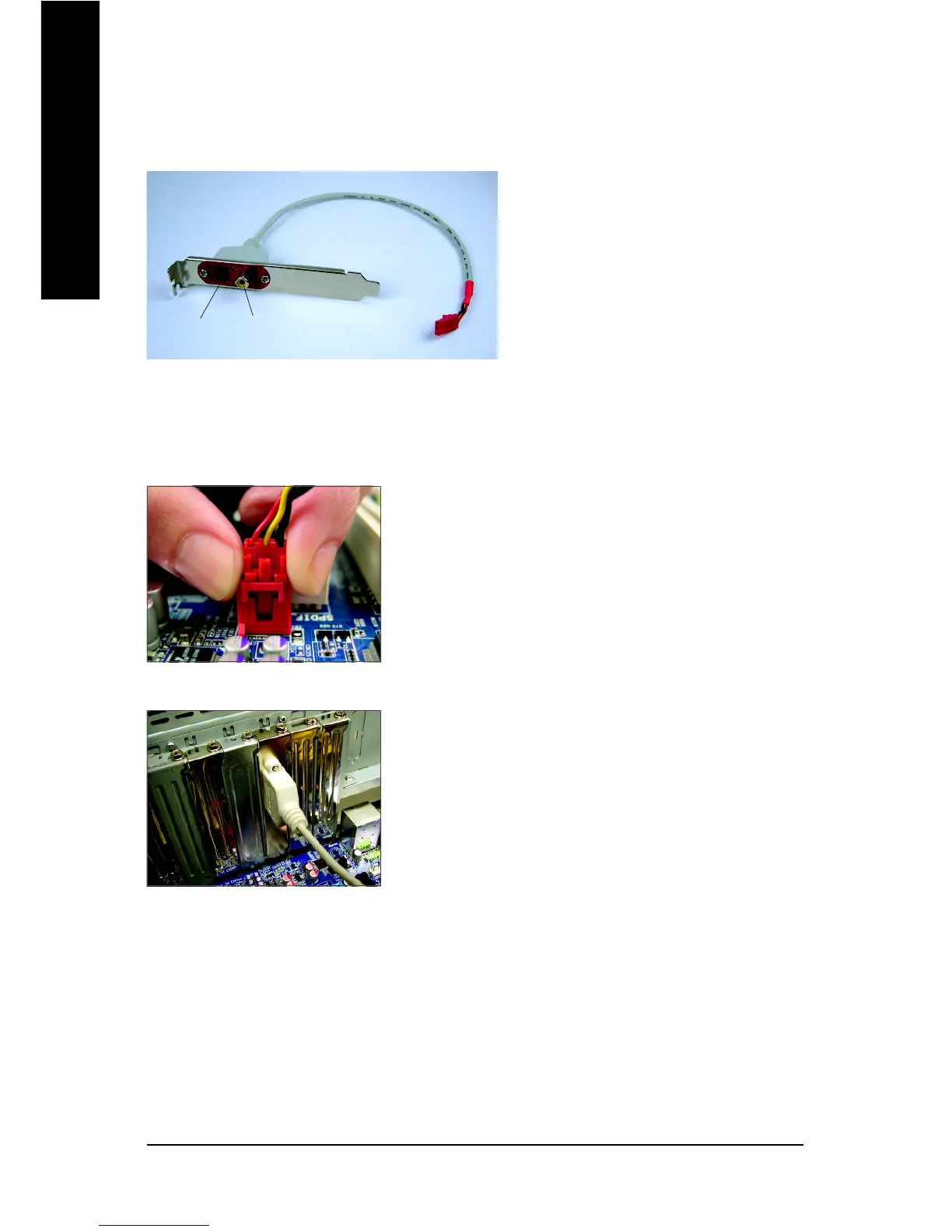
The S/PDIF in cable provides S/PDIF in functionality.
Step 1:
First, attach the connector at the end of the cable to the SPDIF_IN
header on your motherboard.
Step 2:
Secure the metal bracket to the chassis back panel with a
screw.
S/PDIF In:
The S/PDIF in jacks allow you to input digital audio signals to the computer for audio processing.
A. Installing the S/PDIF In Cable:
Coaxial
S/PDIF In
Optical
S/PDIF In


 To Next Page
 Loading...