GN-BTP01 Bluetooth USB Printer Adapter
9
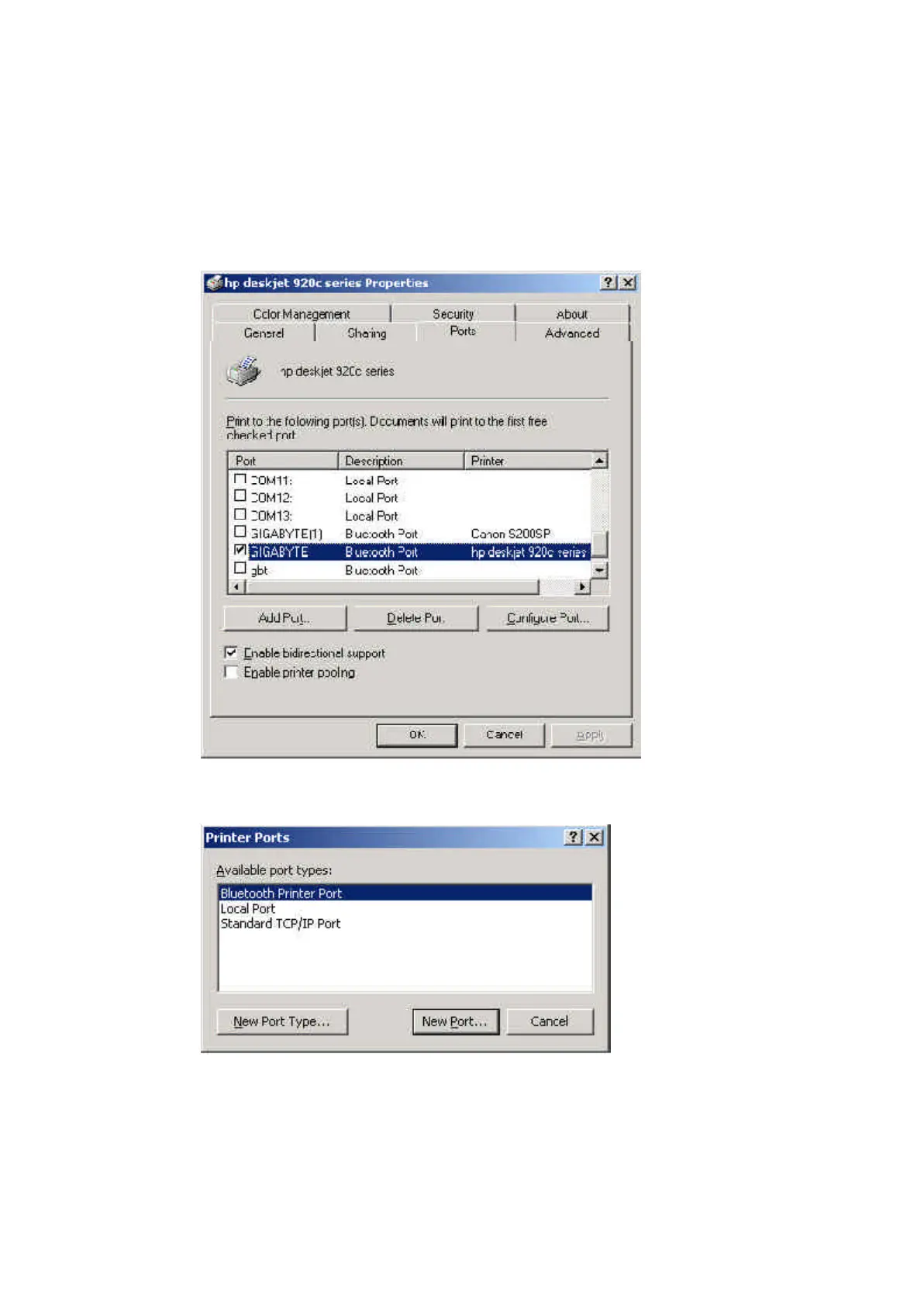
If you have more than two printers with Bluetooth USB printer adapter or you want to
change a new printer, you need to add port for the new printer or other printers. Please
follow the Step10 ~ Step13.
Step10. Click the “Add Port” button.
Step11. Select “Bluetooth Printer Port” type and then click “New Port” button.


 To Next Page