- 14 -
Gaming
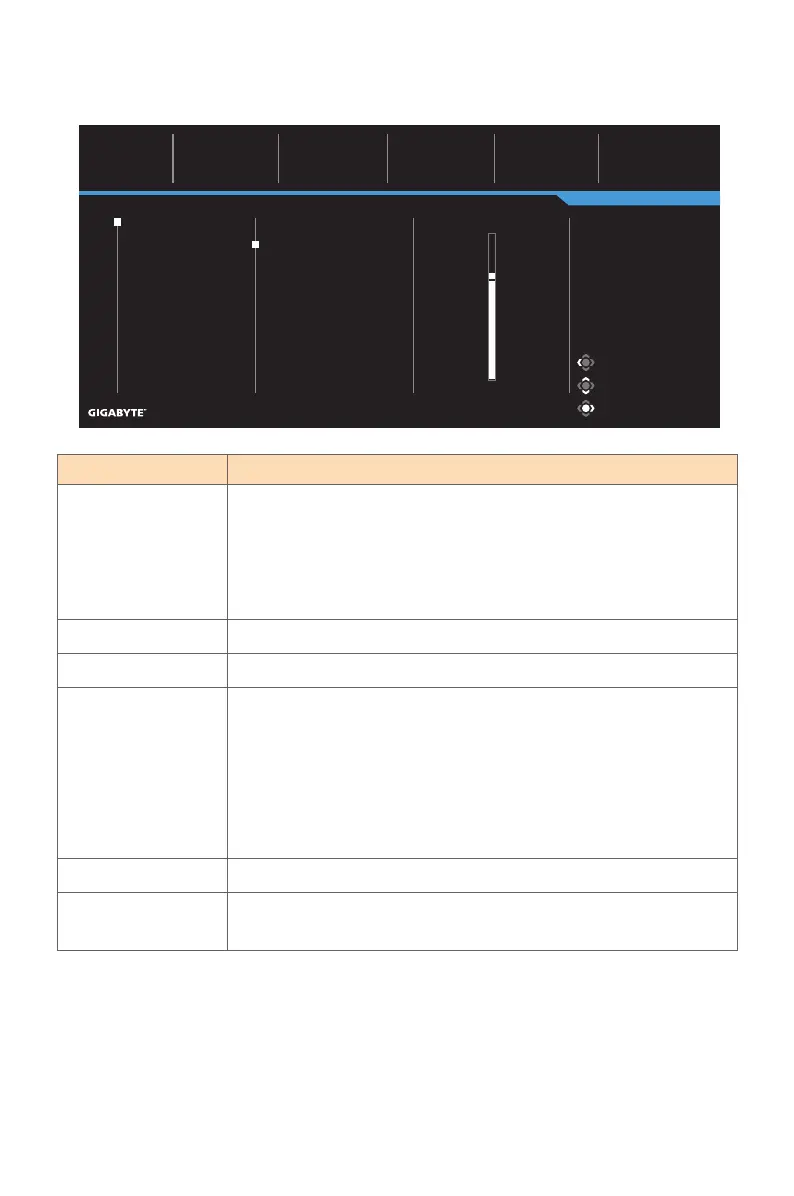
Configure the game related settings.
Item Description
Aim Stabilizer
Sync
When this function is enabled, it reduces the motion blur
in a fast moving games.
Note: This function is not available under the following conditions:
- when the frequency setting is lower than 100Hz.
- when the current source is HDR.
Black Equalizer Adjust the brightness of the black areas.
Super Resolution Sharpen the low resolution images.
Display Mode Select the aspect ratio of the screen.
• Full: Scale the input image to fill the screen. Ideal for 16:9
aspect images.
• Aspect: Display the input image without geometric distortion
filling as much of the screen as possible.
Note: This option is not compatible with AMD FreeSync and PIP/
PBP functions.
Overdrive Improve the response time of the LCD monitor.
AMD FreeSync When this function is enabled, it eliminates the screen lag
and tearing while playing games.
Picture Mode: Standard
Gaming
Picture
Display
PIP/PBP
System
Language
Save Settings
Reset all
Resolution
2560x1440
Black Equalizer
10
Aim Stabilizer Sync
OFF
AMD FreeSync
ON
Overdrive
Picture
Refresh Rate
60 HZ
Aim Stabilizer Sync
Black Equalizer
Super Resolution
Display Mode
Overdrive
AMD FreeSync
Exit
Move/Adjust
Enter/Confirm
Picture Mode Standard
10



 To Next Page