- 16 -
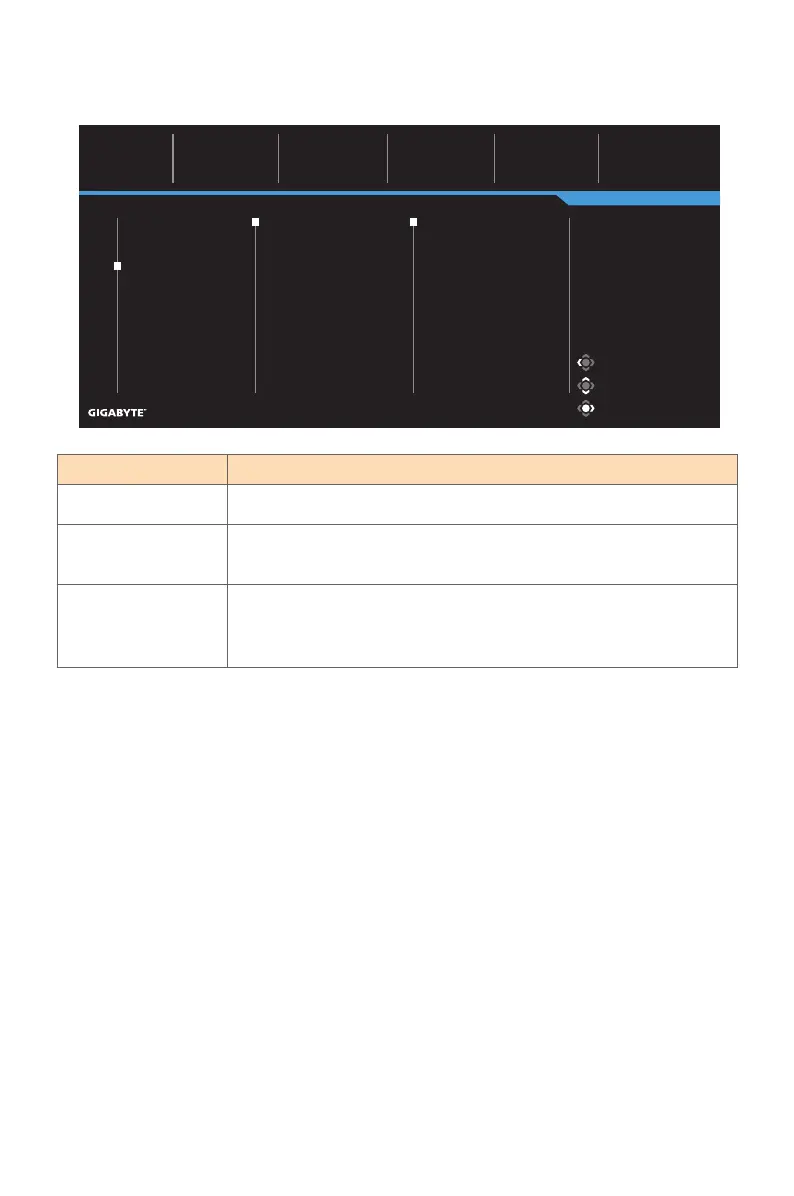
Item Description
Input
Select the input source.
RGB Range Manually set the range of RGB or auto-detect.
Note: This option is only available for HDMI input.
Overscan When this function is enabled, it slightly enlarges the input
image to hide the outermost edges of the image.
Note: This option is only available for HDMI input.
Display
Configure the display screen related settings.
Picture Mode: Standard
Gaming
Picture
Display
PIP/PBP
System
Language
Save Settings
Reset all
SDR Brightness
40
Contrast
50
Color Temperature
Normal
Sharpness
5
Gamma
2.2
Input
RGB Range
Overscan
HDMI 1
HDMI 2
DisplayPort
Type-C
Exit
Move/Adjust
Enter/Confirm
Picture Mode Standard



 To Next Page