2
Gigaset A180/A180 DUO / CHN / A31008-M2046-Y101-2-7619 / overview.fm / 25.05.2010
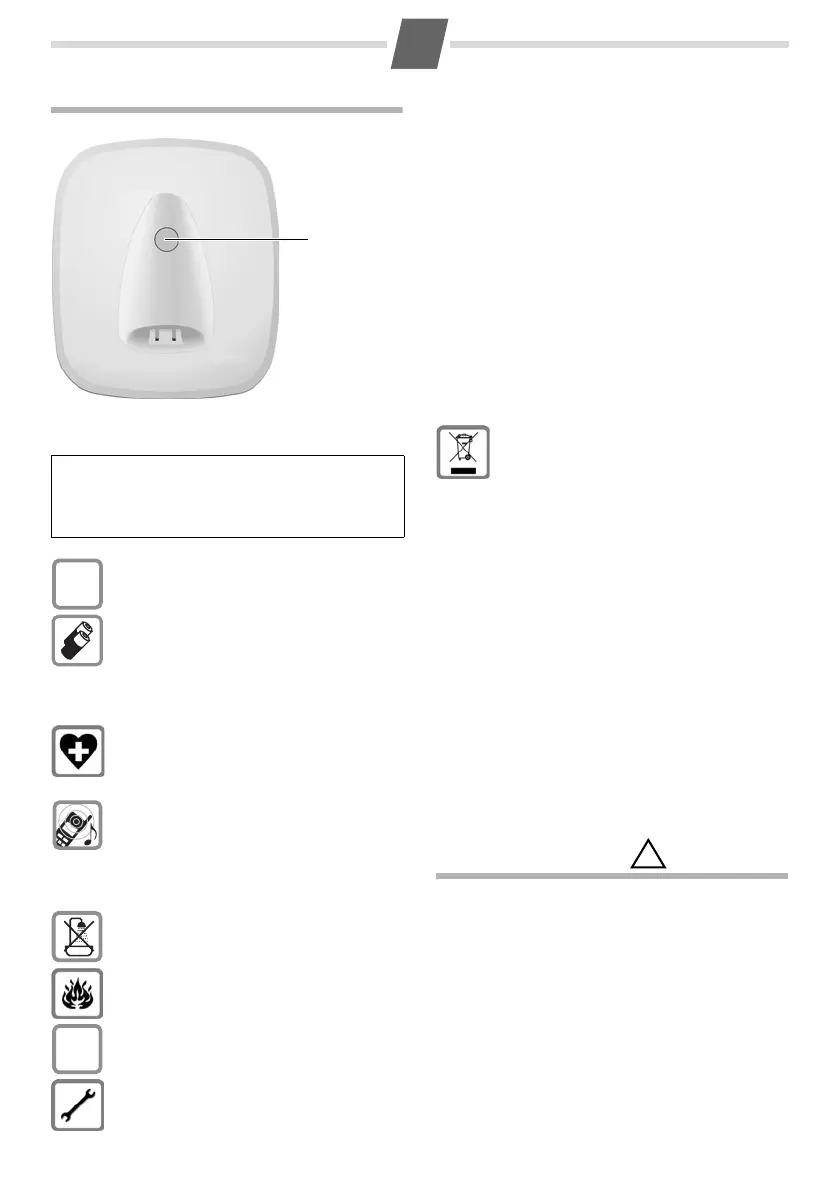
The base at a glance
Safety precautions
Care
Wipe down the base station and handset with a
damp cloth (no solvents) or an antistatic cloth. Never
use a dry cloth. This can cause static.
Contact with liquid
If the handset should come into contact with liquid:
◆ Switch the handset off and remove the batteries
immediately.
◆ Allow the liquid to drain from the handset.
◆ Pat all parts dry, then with the battery compart-
ment open and the keypad facing down place the
handset in a dr
y, warm place for at least 72 hours
(not in
a microwave, oven etc.).
◆ Do not switch on the handset again until it is
completely dry.
When it has fully dried out, y
ou will normally be able
to use it again.
Registration/paging key:
Search for handsets: (press briefly, "Paging"
¢ page 12)
Register handsets: (press and hold
¢ page 12).
Please note: Depending on the device variant the housing may
vary in colour.
Read this user guide and the safety precautions care-
fully before use. Explain their contents and the
p
otential hazards associated with using the tele-
phone to your children.
Only use the main
s unit supplied.
Fit only the r
ecommended, rechargeable
batteries (
¢ page 16), i.e. never use a
conventional (non-rechargeable) battery
or ot
her battery types as this could result
in significant health risks and personal
injury.
The operation of medical appliances may
be
affected. Be aware of the technical
conditions in your particular environ-
ment, e.g. doctor's surgery.
Do not hold the rear of the handset to
y
our ear when it is ringing. Otherwise you
risk serious and permanent damage to
your hearing.
The handset may cause an unpleasant
hummi
ng noise in hearing aids.
Do not install the phone in a bathroom or
s
hower room. The handset and base sta-
tion are not splashproof.
Do not use your phone in environments
with a
potential explosion hazard, e.g.
paint shops.
If you give your Gigaset to someone else,
make
sure you also give them the user
guide.
Please remove faulty base stations from
use or ha
ve them repaired by our service,
as they could interfere with other wireless
services.
$
ƒ
Disposal
All electrical and electronic products
shoul
d be disposed of separately from
the municipal waste stream via desig-
nated collection facilities appointed by
t
he government or the local authorities.
The correct disposal and separate collec-
tion of your old appli
ance will help pre-
vent potential negative consequences for
t
he environment and human health. It is a
precondition for reuse and recycling of
used electrical and electronic equipment.
For more detailed information about dis-
posal of your old appliance, please con-
tact your local council refuse centre or the
o
riginal supplier of the product.
!



 To Next Page