2
The base at a glance
Gigaset C330/330 A / CHN chn/ A31008-M2410-Y101-1-7619 / overview.fm / 22.03.2013
Version 4, 16.09.2005
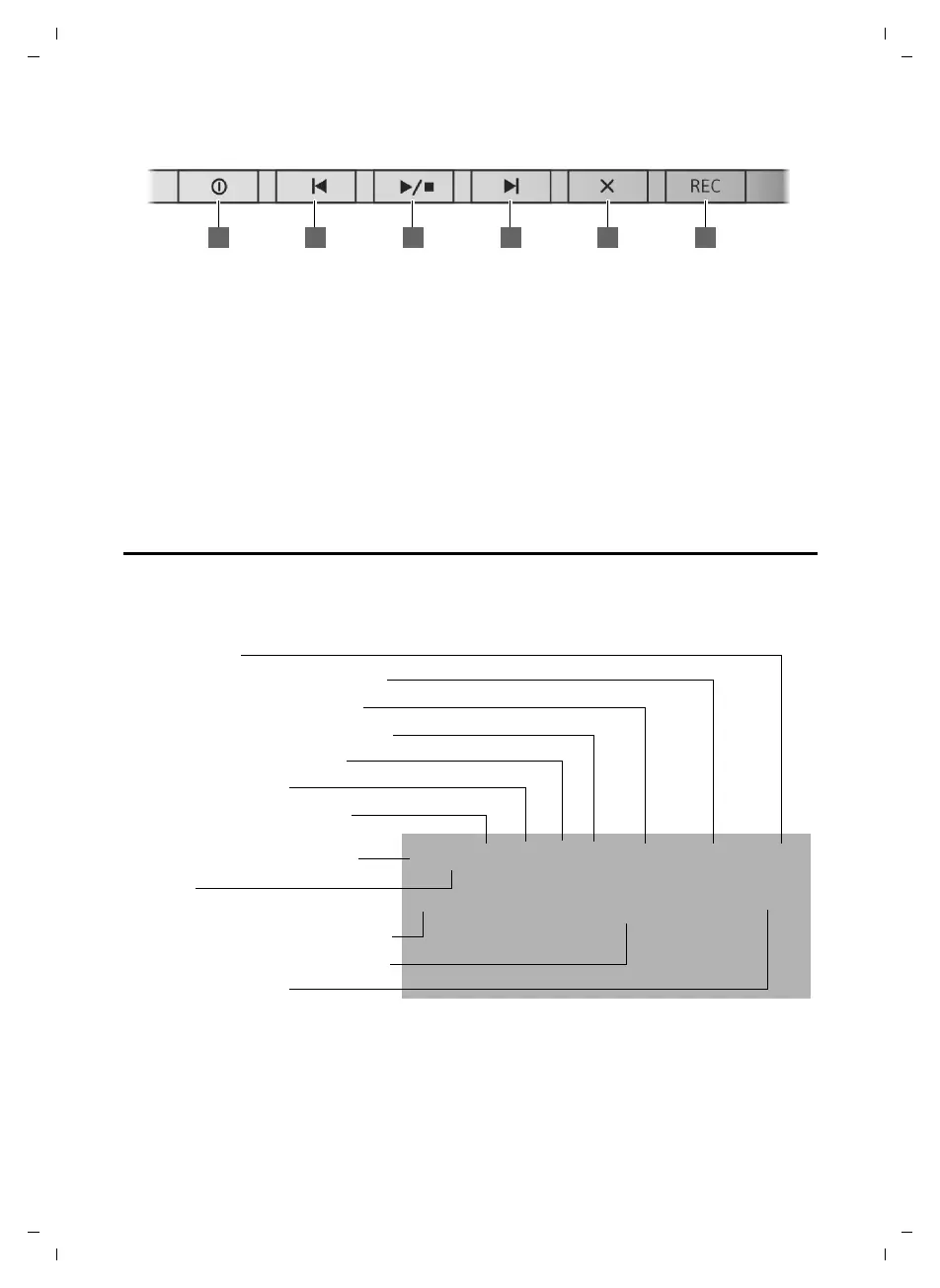
Answering machine keys (C330 A only)
1 Answering machine key (
¢page 44)
Switch answering machine (AM) on/off.
Lights up: AM is switched on.
Flashes: Unheard messages on the AM.
2 Skip back to the beginning of the message or
skip back to the previous message (press
twice).
3 Play/stop key
Play back new messages from answering
machine or cancel playback (press briefly).
Press and hold to play announcements:
– AC (Answer and record)
–AO (Answer Only)
4 Skip to next message (press once) or next
message but one (press twice).
5 Delete key
6Record once key (Memo)
Base display symbols
The following symbols are displayed dependent on the settings and the operating status of
your telephone:
Index number
Ringer melody menu (¢ page 23)
Date /Time menu (¢page 23)
Ringtone switched off (¢ page 24)
Keypad locked (¢ page 16)
Call log (¢ page 21)
Answering machine activated
(C330 A only) (
¢ page 44)
Directory opened (¢ page 20)
Mute on
New messages on the answering
machine (C330 A only) (
¢ page 44)
Current date and time (¢ page 23)
Missed call indication
ZhÃî˝ ó Date/Time Ringer Melody Index
08.17 09:30
Ã
™



 To Next Page